
How it works
Build custom, event-driven workflows that connect Mailtrap to all your essential tools. Gain precise control over your email processes, streamlining tasks for greater operational efficiency.
Configuration
Step 1: Install Mailtrap node
Under ‘Enter npm package name‘ in Community Nodes, type in n8n-nodes-mailtrap, and click Install.
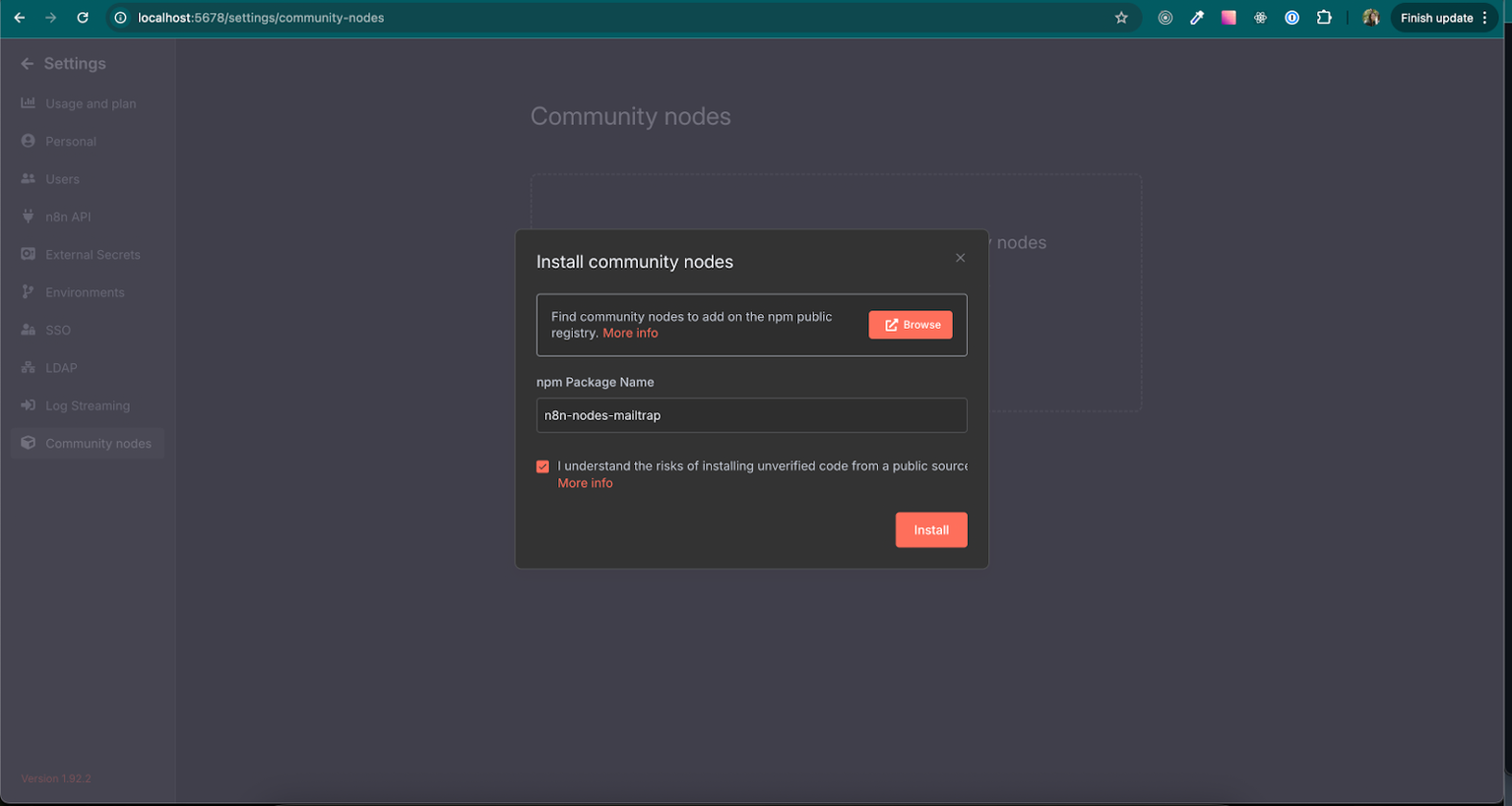
Or, run the following code to install the node manually: npm install n8n-nodes-mailtrap.
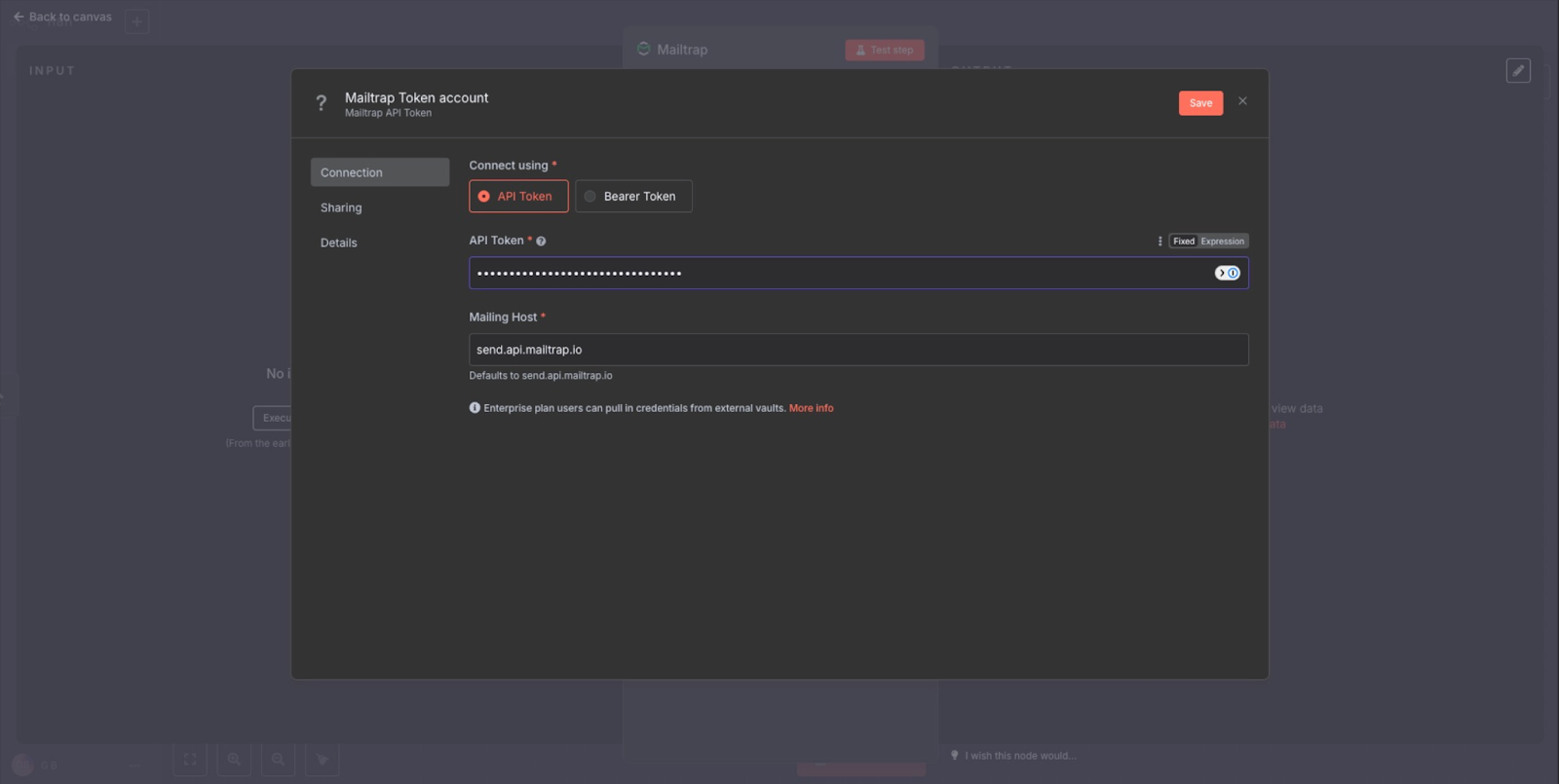
Step 2: Insert your Mailtrap credentials
Add Mailtrap as a step, select actions you want to automate (e.g., sending an email, creating/updating contacts, etc.), and add your Mailtrap API Token, host, and account ID.
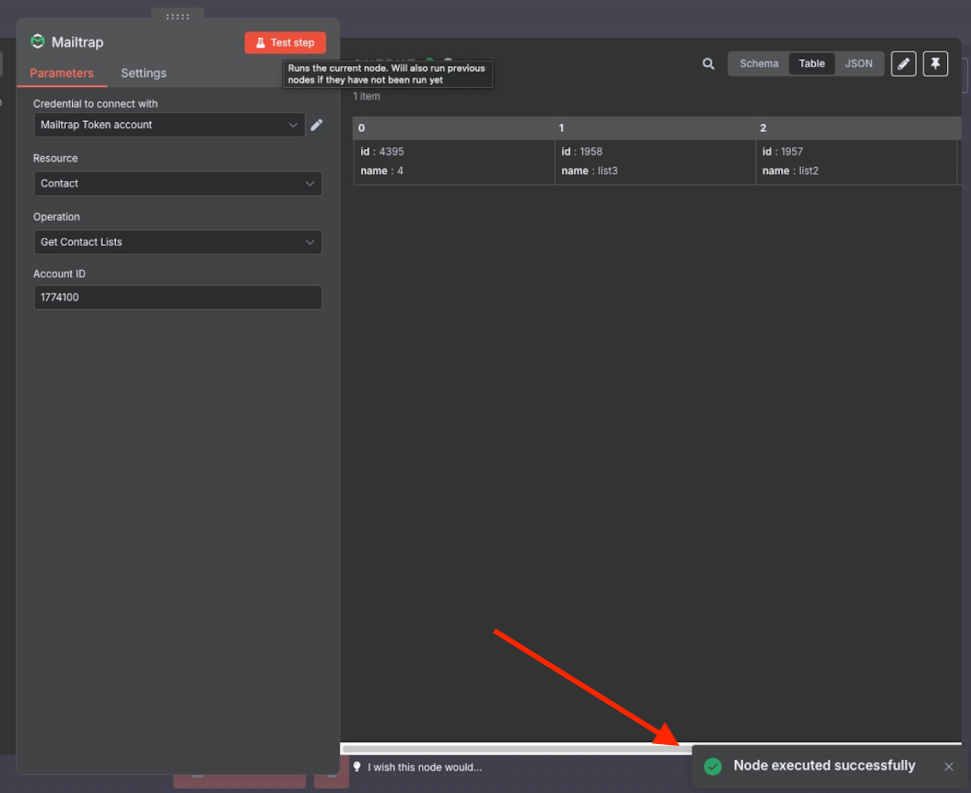
Step 3: Verify the integration
To test the integration, click on Test step, and if you followed everything correctly, you should see the ‘Node executed successfully’ message.
Use cases
- Send transactional emails (password reset, verification, 2FA) from n8n workflows
- Trigger order confirmation and shipping notification emails from e-commerce events
- Deliver system/infrastructure alert emails from monitoring tools
- Automate onboarding email sequences triggered by CRM deal-stage changes
For more information, please consult the official knowledge base article.