
How it works
You want an automation that reacts to email and sends email without writing a mail service. viaSocket’s Mailtrap integration gives its flows four triggers and nineteen actions.
The New Email Received trigger fires a flow within seconds of a message reaching an Inbound Email inbox. viaSocket verifies Mailtrap’s webhook signature before the flow runs and delivers the whole message, including the text and HTML bodies, so no second call is needed.
On the sending side, Send Sandbox Email puts a message into an Email Sandbox inbox for testing, and Send Transactional Email sends it for real through Email API/SMTP. You connect Mailtrap once with an API token and every flow in the workspace can use it.
Configuration
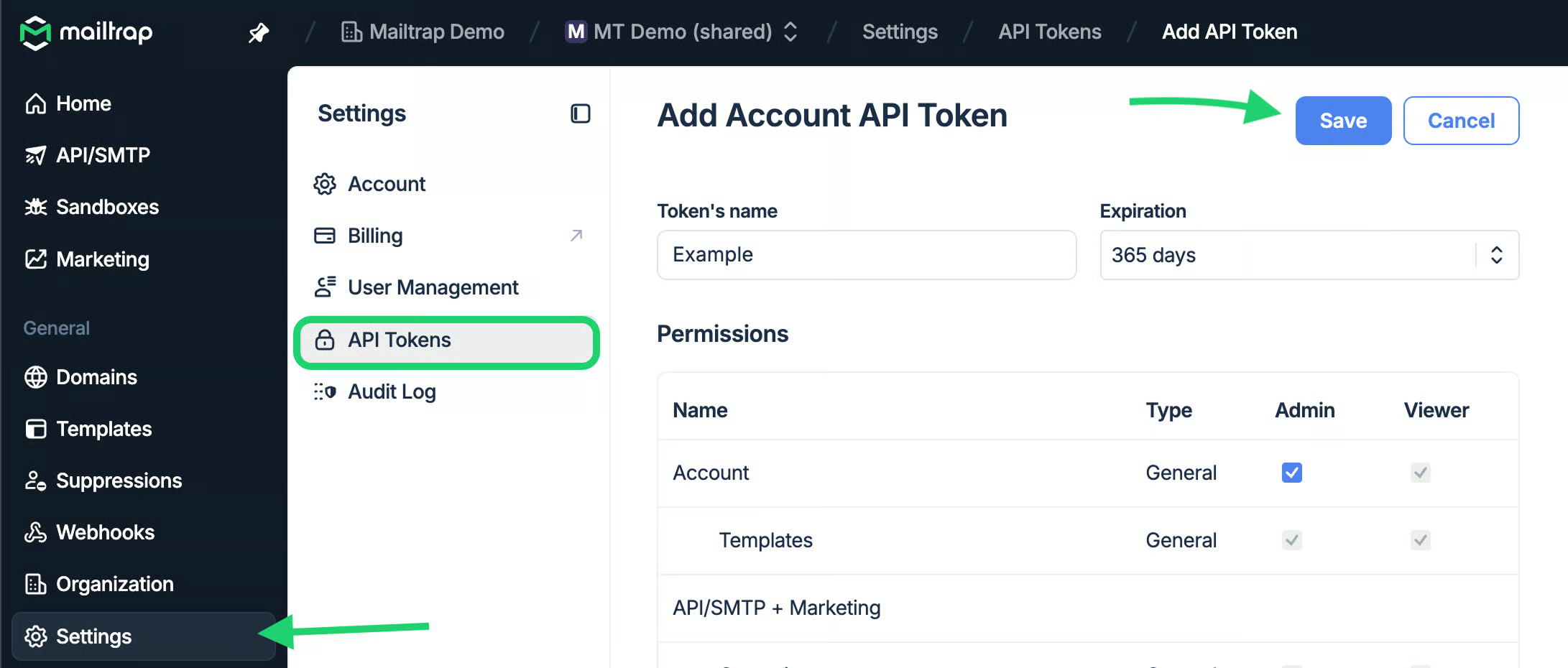
Step 1: Create an account-level API token at mailtrap.io/api-tokens
Step 2: In viaSocket, open Connections, choose Connect New App, select Mailtrap and paste the token
Step 3: To send, add a step, search for Mailtrap and pick Send Sandbox Email while you are testing or Send Transactional Email for production
Step 4: To receive, create an Inbound Email folder and inbox through the API to get a hosted @inbound-mailtrap.io address, then start a flow with the New Email Received trigger and pick that folder and inbox
Step 5: Click Publish and send a message to the address; the run appears in the flow’s Log
ℹ️ Note: The trigger nests the message under a top-level body key, so later steps reference
body.from,body.subjectandbody.text_body. For production sends, the From address must be on a sending domain verified in your Mailtrap account, or the send returns 401 Unauthorized.
For detailed guidance, consult the knowledge base article.
Use cases
- Send an order confirmation through Email API/SMTP the moment a New Order trigger fires
- Turn every customer reply into a CRM record
- Build and test a sending flow against Email Sandbox first, then swap the step to Send Transactional Email when it is ready for real recipients
- Run Check Test Email Spam Score and Analyze Test Email HTML on messages in a Sandbox inbox from a scheduled flow
Supported functionalities
- Send transactional emails through Email API/SMTP
- Send test emails to Email Sandbox inboxes and inspect them: list, retrieve, read the text and HTML bodies, forward, mark as read, delete, clear an inbox
- Check spam score and analyze HTML for messages in Email Sandbox
- Trigger flows when an email is received in an Inbound Email inbox, with the webhook signature verified before the flow runs
- Trigger flows when a sent email is delivered or opened
- Runs on viaSocket’s free plan; Mailtrap steps bill as tasks, not premium credits