Skip to Navigation


Sending transactional emails in WordPress is often one of the most important website functionalities. And if the emails are not delivered or don’t look as they were supposed to, you risk leaving your users confused, at best.
In many cases, it will lead to abandoned orders, unconfirmed subscriptions, or users locked out of their accounts.
To help you avoid such a fate and pick the right tools for sending emails, I have compiled a list of the best WordPress transactional email plugins.
If you feel like jumping ahead, simply click on some of the following jump links:
- What are transactional emails?
- WordPress email sending methods
- Best WordPress transactional email plugins
Disclaimer: With a little help from Mailtrap email deliverability experts, I’ve researched, tested, and sent emails from demo apps using plugins listed in this article. This way, I got first-hand experience of what each plugin is like, and you get a 100% unbiased review.
What are transactional emails?
Transactional emails are frequently referred to as user-triggered emails. After all, by definition, they’re sent when a certain ‘transaction’ is triggered. For instance, a password reset link is hit, a new account is created, the payment process is completed, and so on. And these are just three of the thousands of possible scenarios.
Transactional emails are sent individually to each recipient, usually right after a transaction occurs. They also solve different types of problems for users and are meant to inform, answer questions, guide, or give a heads-up about what’s going to happen.
Curious to learn more? Check out the awesome video our YouTube team has prepared for you! ⬇️
WordPress email sending methods
As of writing this article, there are three primary methods of sending emails from WordPress that are considered industry standards. These include:
- The default
mail()method – Built-in, unreliable
WordPress, as well as its WooCommerce plugin, offers email sending capacity by default with a mail() function and with very little configuration needed. However, this solution is far from perfect.
Emails you send using the PHP mail() method are actually sent from your website server, which is virtually unknown in the network for sending emails. This can potentially damage your email sender reputation and lower your chances of getting those emails delivered.
On top of that, mail() doesn’t support SMTP authentication and is poor at handling headers and security. PHP’s own documentation even advises against sending large volumes via mail().
- Programmatic SMTP – For developers who prefer to code
Feeling tech-savvy and want a more secure way of sending emails from your WordPress projects? In that case, you could set up an SMTP server programmatically.
For example, you can use a Gmail SMTP, copy/paste the credentials into your code, and start sending right away. However, since this is a free solution, it comes with daily sending limits and doesn’t offer features like logging.
If you can’t live with these limitations, you can choose one of many email service providers on the market. For instance, Mailtrap offers an SMTP service that comes with high deliverability rates by default, ready-to-use code snippets, in-depth analytics, and many other features that make your life easier and help your emails land in primary inboxes.
Want more options? We’ve got you covered — here’s a list of top SMTP providers!
- WordPress email plugins – Recommended approach
Alternatively, you can use one of the many plugins that allow you to connect your WordPress project to an ESP in a few clicks. They give you various configuration options and are far more accessible.
Note that there are over 50 WordPress plugins for sending emails. Most specialize in marketing emails, as many blogs need precisely that, but there are also plenty of valuable plugins for transactional emails.
On top of that, some of the plugins, like YayMail email customizer, MailPoet, and Decorator, allow you to preview the templates, send test emails, and add images, a related products section, and social media links without having to code from scratch.
Pro tip: Using an SMTP server paired with a WordPress plugin is probably the best option, since this way, you can easily comply with most mailbox providers’ sender requirements. For starters, ESPs take care of email authentication for you, which is required by Gmail, Yahoo, Outlook, and Apple. You also get better deliverability rates, configuration options, and the list goes on.
Best WordPress transactional email plugins
In the following section, I’ll go over the best solutions that made it to the list after thorough testing. Let’s begin.
Post SMTP
WordPress rating: 4.7/5 🌟
Active installations: 400,000+
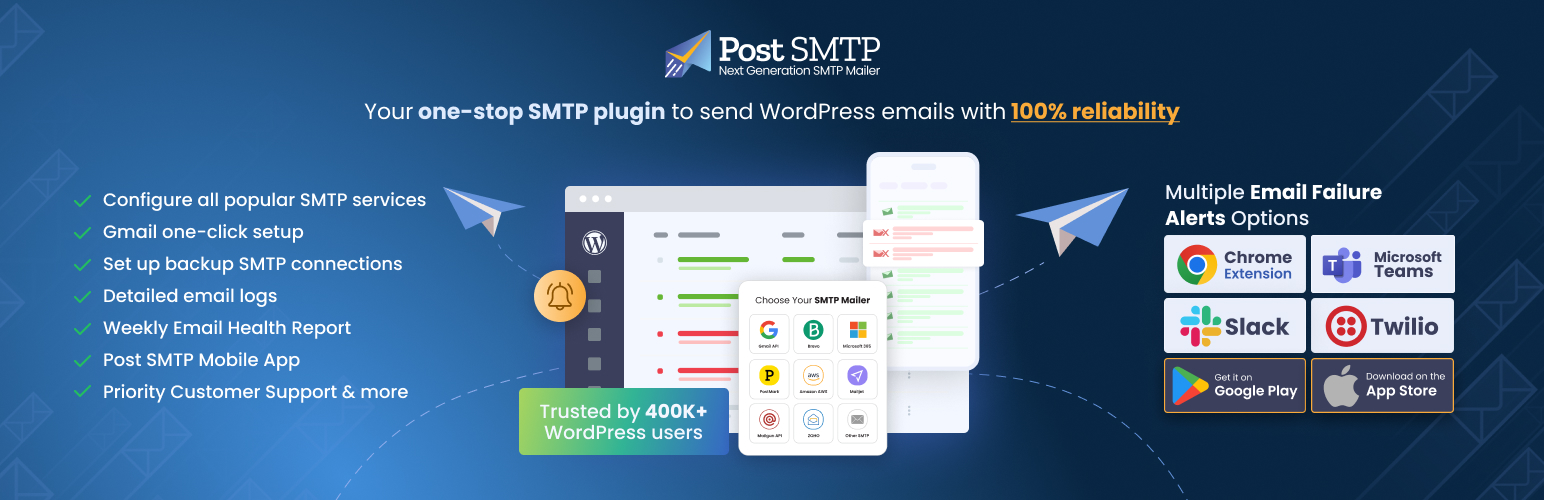
Post SMTP is a free WordPress SMTP plugin focused on deliverability that allows you to automatically connect to and send emails from your site using the most popular ESPs for transactional emails. These include Mailtrap, SendGrid, Mailgun, and others, but you can also connect to services such as Gmail, Office 365, Outlook, etc.
Furthermore, Post SMTP can run Connectivity tests to detect firewall blocks and eliminate configuration errors on your SMTP server. It also provides email logs and failure notifications for Chrome. And if an SMTP delivery fails, the plugin will retry sending via HTTPS.
Note: Post SMTP can be integrated with Mailtrap in three easy steps. To learn how to do it, read our dedicated tutorial. 👈
Key features:
- Quick 3-step configuration
- Comprehensive email logging
- Email reporting and tracking
- Multiple email failure options
- On-demand expert assistance
- Post SMTP mobile app
| Infrastructure | Proxy for using an ESP / SMTP |
| WordPress version | 5.6.0 or higher |
| PHP version | 7.0 or higher |
| Free plan | Yes ✅ |
| Paid plan | From $59.99/year |
| Support forum | Link |
| List of integrations/mailers | Link |
For more details regarding the free/paid plans, please consult the official Post SMTP pricing page.
FluentSMTP
WordPress rating: 4.8/5 🌟
Active installations: 500,000+
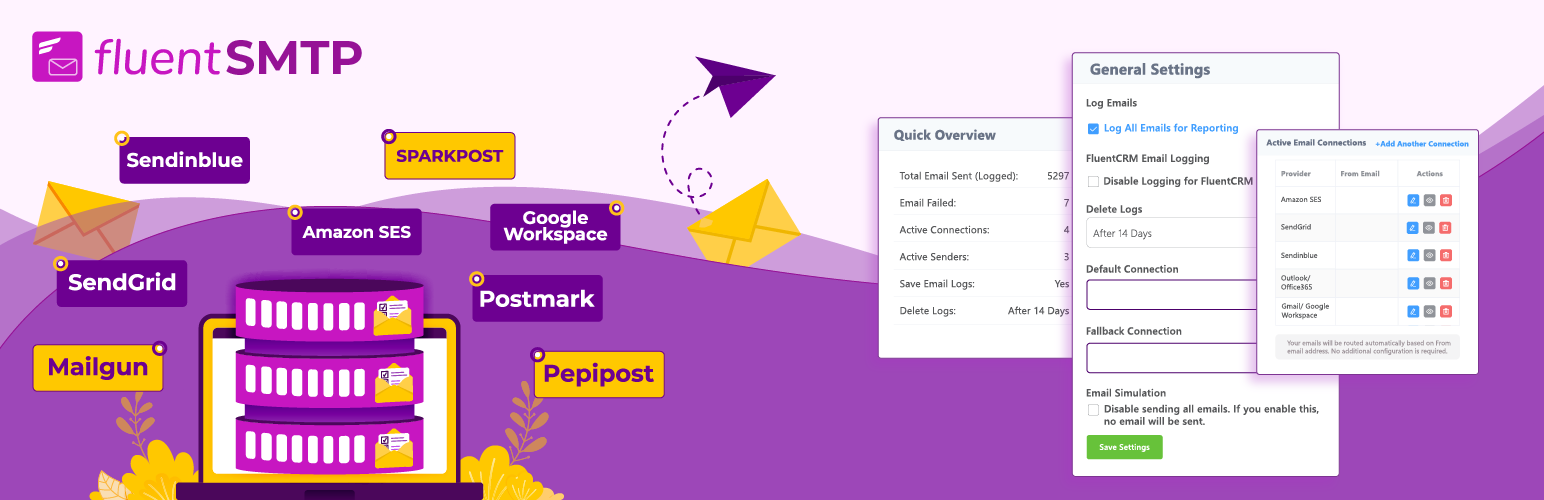
FluentSMTP is a feature-rich yet lightweight WordPress SMTP plugin that can be integrated with 10+ SMTP/PHP mailers. According to its creators, FluentSMTP was crafted for speed, reliability, and scalability.
Developed by WPManageNinja LLC and a part of the Five for the Future program by the WordPress Foundation, FluentSMTP is 100% free and open source. This means you get premium features like email logging or multi-connection without having to pay for a premium subscription.
P.S. Mailtrap integration with FluentSMTP is in progress, so stay tuned for upcoming news. 👀
Key features:
- Optimized for maximum delivery
- Easy configuration and migration
- Built-in delivery monitoring
- API connections with SMTP providers
- OAuth 2.0 compatible
- End-to-end encryption for increased security
| Infrastructure | Proxy for using an ESP / SMTP |
| WordPress version | 5.5 or higher |
| PHP version | 7.4 or higher |
| Free plan | Yes ✅ |
| Paid plan | N/A ❌ |
| Support forum | Link |
| Supported integrations/mailers | Link |
WP Mail SMTP
WordPress rating: 4.8/5 🌟
Active installations: 4+ million

WP Mail SMTP bypasses WordPress’s default sending method and lets you either quickly integrate with popular ESPs or use a built-in SMTP mail provider. With the latter, you can use any SMTP credentials for sending emails.
There’s a long list of ESPs you can quickly integrate WP Mail SMTP with. The free plan offers support for Brevo (Sendinblue), Mailgun, SendGrid, and Gmail. The paid Pro version also adds Office 365/Outlook and Amazon SES.
Over to you: To integrate WP Mail SMTP with Mailtrap, click here. 🔍
Key features:
- Email logs
- Email failure alerts
- Open & click tracking
- Backup connections
- Smart email routing
- Email reports
- Weekly email summaries
| Infrastructure | Proxy for using an ESP/SMTP |
| WordPress version | 5.5 or higher |
| PHP version | 7.4 or higher |
| Free plan | Yes ✅ |
| Paid plan | From $49.00 |
| Support forum | Link |
| Supported integrations/mailers | Link |
For more details regarding the free/paid plans, please consult the official WP Mail SMTP pricing page.
Easy WP SMTP
WordPress rating: 4.6/5 🌟
Active installations: 500,000+

Easy WP SMTP is a very straightforward plugin that lets you send all your transactional emails via 8+ transactional mailers or a custom SMTP server. All you need is an account with either of these providers that will be used to send emails instead of WordPress’s default method.
Overall, Easy WP SMTP is a very minimalistic solution that comes with a clean interface and quick setup, but also limited functionality on the free plan. If you need advanced features like email logging, multiple connections, etc., you’ll need to be a paid user.
Key features:
- Simple plugin setup
- Alerts for failed emails
- Backup connection
- Manage WP emails
- Optimized sending
- Smart email routing
- Customer support
| Infrastructure | Proxy for using an ESP/SMTP |
| WordPress version | 5.2 or higher |
| PHP version | 7.4 or higher |
| Free plan | Yes ✅ |
| Paid plan | From $49.50/year |
| Support forum | Link |
| Supported integrations/mailers | Link |
For more details regarding the free/paid plans, please consult the official Easy WP SMTP pricing page.
MailPoet
WordPress rating: 4.4/5 🌟
Active installations: 500,000+

MailPoet is a popular email marketing plugin for WordPress that lets you send everything from all types of newsletters to post notifications. Thanks to its API, you can also integrate the plugin with WooCommerce and other useful tools, such as opt-in solutions or template and form builders.
Whether you want to send transactional or marketing emails, you can use classic mailers like Amazon SES or SendGrid, a custom SMTP of your own choice, or MailPoet’s very own sending solution.
Key features:
- Send newsletters, notifications, welcome emails, and more.
- Choose from 50+ pre-made WordPress email templates
- Automatic WordPress user list management
- WooCommerce integration
- Email sending infrastructure with its own SMTP
- Compliant with GDPR
| Infrastructure | Proxy for using an ESP/SMTP + its own infrastructure |
| WordPress version | 6.8 or higher |
| PHP version | 7.4 or higher |
| Free plan | Yes ✅ (Up to 5,000 emails/month) |
| Paid plan | From $10/month (Unlimited emails) |
| Support forum | Link |
| Supported integrations/plugins | Link |
For more details regarding the free/paid plans, please consult the official MailPoet pricing page.
The Newsletter Plugin
WordPress rating: 4.6/5 🌟
Active installations: 300,000+

The Newsletter Plugin is an ideal WordPress plugin for people who want to send newsletters on top of transactional emails from a single dashboard. To start sending with it, you can connect it to many popular email-sending services, as well as custom solutions like Mailtrap, for example.
With the plugin’s free plan, you get unlimited subscribers and newsletters with open/click tracking, a variety of forms with advanced functionality (i.e., double opt-in, custom fields, etc.), responsive email templates, and delivery speed controls.
However, if you want to use the plugin on more than one site and have access to advanced features like automation and autoresponders, you’ll have to purchase a paid plan.
Key features:
- Automation and autoresponders
- Email list growth functionality (e.g., popups, topbar, etc.)
- Detailed reports on email performance
- Tools for GDPR compliance (double opt-in, data deletion, etc.)
- In post and on popup subscription forms
- Useful integrations (e.g., WooCommerce, Easy Digital Downloads, Google Analytics, etc.)
| Infrastructure | Proxy for using an ESP/SMTP |
| WordPress version | 6.1 or higher |
| PHP version | 7.0 or higher |
| Free plan | Yes ✅ |
| Paid plan | From $69 (one-time purchase) |
| Support forum | Link |
| Supported integrations/plugins | Link |
For more details regarding the free/paid plans, please consult the official The Newsletter Plugin pricing page.
Brevo (Sendinblue)
WordPress rating: 4.2/5 🌟
Active installations: 100,000+

Brevo is an ESP that offers its official plugin on WordPress. To send emails with the plugin, you can connect it to Brevo’s infrastructure, which also gives you access to a plethora of marketing and CRM features.
The plugin itself offers support for subscription forms, email lists, and drag & drop tools for crafting emails and robust statistics. You can, of course, use the plugin only to integrate with Brevo and utilize their API to take care of the rest.
Both the plugin and Brevo are free to use, as long as you don’t send more than 300 emails a day. For more, you’ll need to upgrade to one of the plans starting at $9/month.
Key features:
- Multi-channel marketing spanning over email, SMS, WhatsApp, etc.
- Transactional email templates, HTML, and drag-and-drop editors
- Email logging and performance analytics
- Double opt-in, consent management, and data protection for GDPR
- Integration with various form builders
- E-commerce integration with WooCommerce
| Infrastructure | Its own infrastructure |
| WordPress version | 4.4 or higher |
| PHP version | 5.6 or higher |
| Free plan | Yes ✅ |
| Paid plan | From $9 |
| Support forum | Link |
| Supported integrations | Link |
For more details regarding the free/paid plans, please consult the official Brevo pricing page.
ActiveCampaign Postmark for WordPress
WordPress rating: 4.7/5 🌟
Active installations: 50,000+

Postmark is a minimalistic ESP that focuses on delivering transactional emails. They specialize in deliverability, so if that’s your weak point, their offer might appeal to you. In the recent tests we conducted over at Mailtrap, Postmark delivered 83.3% of emails to the main inbox.
The plugin itself is very basic and allows for a brief configuration. Everything else is done on the Postmark website or through its API. When using the Postmark plugin, you can override the WordPress mail() method and send all WP emails via Postmark. You can also integrate with popular form builders, such as Contact Form 7 or Gravity Forms.
Key features:
- Detailed email logs for up to 45 days (365 days with a paid add-on)
- Straightforward domain verification and setup
- Fast email delivery with high inboxing rates
- Separate sending streams for transactional and marketing emails
- Built-in suppression lists to prevent invalid sends
| Infrastructure | Its own infrastructure |
| WordPress version | 5.3 or higher |
| PHP version | 7.0 or higher |
| Free plan | Yes ☑️ (Limited, 100 emails/month) |
| Paid plan | From $15.00/month |
| Support forum | Link |
| Supported integrations | Link |
For more details regarding the free/paid plans, please consult the official Postmark pricing page.
Wrapping up
Hopefully, after reading this article, you now have a better idea of which WordPress transactional email plugins best suit your needs.
The choice comes down to which sending method most appeals to you and your team (and your credit card). Fortunately, most of these tools are completely free or have trials, so be sure to try them out.
Personal recommendation: If you need high inboxing rates, fast email delivery, and 24/7 expert support, go with Mailtrap and easily connect it via Post SMTP, Fluent SMTP, or WP Mail SMTP. And, regardless of your choice, happy sending! 📨
FAQ
Which WordPress SMTP plugin should I choose — free or paid?
Whether you should choose a free or paid WordPress SMTP plugin depends on the features you need. Most tools on this list have free plans with basic functionality, while also giving you the option to subscribe for more premium features like email tracking or auto-resend.
Do I need both a plugin and an email service provider?
In most cases, yes, you need both a plugin and an email service provider, since most plugins don’t use their own infrastructure for sending emails. Although it might cost you a few bucks extra, using both a plugin and an ESP comes with improved deliverability rates, better analytics, and features you can use to improve the performance of your emails.
Why are my WordPress transactional emails going to spam?
Common causes include sending large volumes of email over the PHP mail() method, missing SPF, DKIM, and DMARC records, no ESP integration, or spammy content. For the best results, we recommend using a plugin such as Post SMTP, FluentSMTP, or WP Mail SMTP paired with Mailtrap, an email delivery platform for developer and product teams, focused on high inboxing rates and fast email delivery. To learn more about emails going to spam, be sure to watch the dedicated video on our YouTube channel.