
How it works
Create mobile-responsive emails with Stripo’s intuitive drag-and-drop builder. Once your template is ready, integrate with Mailtrap’s Email API to send your campaigns, transactional emails, or bulk updates with industry-leading deliverability and robust analytics.

Configuration
Step 1: Create a Mailtrap account, verify your domain, and get the API token.
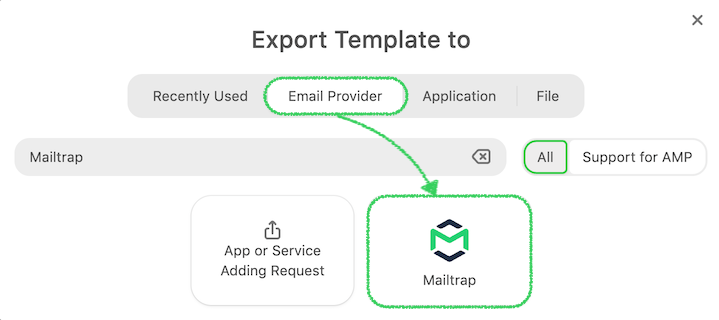
Step 2: Click the ‘Export’ button within the Stripo email template you’d like to use, then choose Mailtrap.
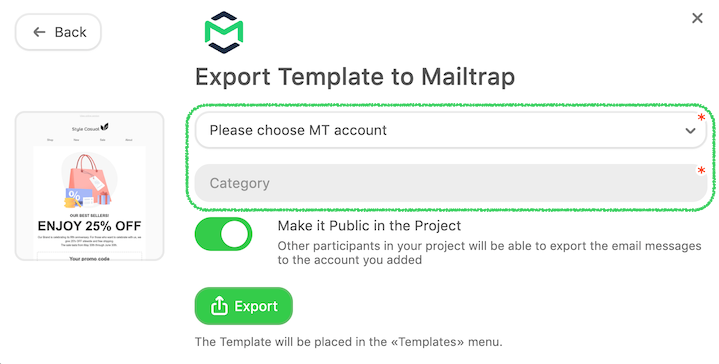
Step 3: Provide the ‘Export account name’ and the API token, and add the email Category, before clicking the ‘Export’ button.
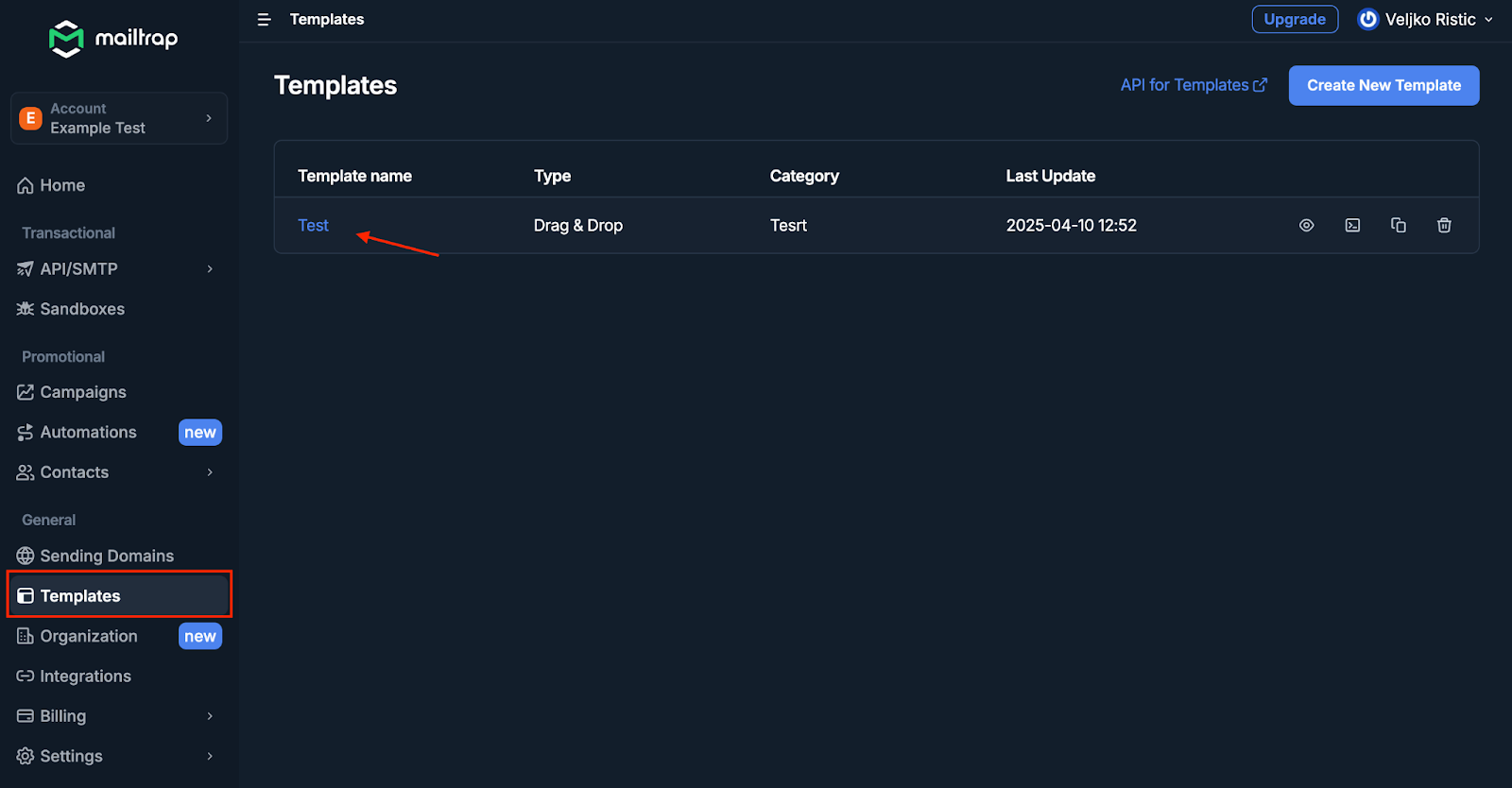
Step 4: You’ll find your Stripo template under Mailtrap Templates.
For more information, check the official Stripo documentation.
Use cases
- Send Stripo email templates with Mailtrap
- Test Stripo email templates with Mailtrap