
How it works
Prototype, build, and ship full-stack applications with AI assistance from Lovable. When you’re ready to go live, integrate Mailtrap’s Email API to send all your app’s emails – from password resets to user notifications, with high deliverability and actionable analytics.
Configuration
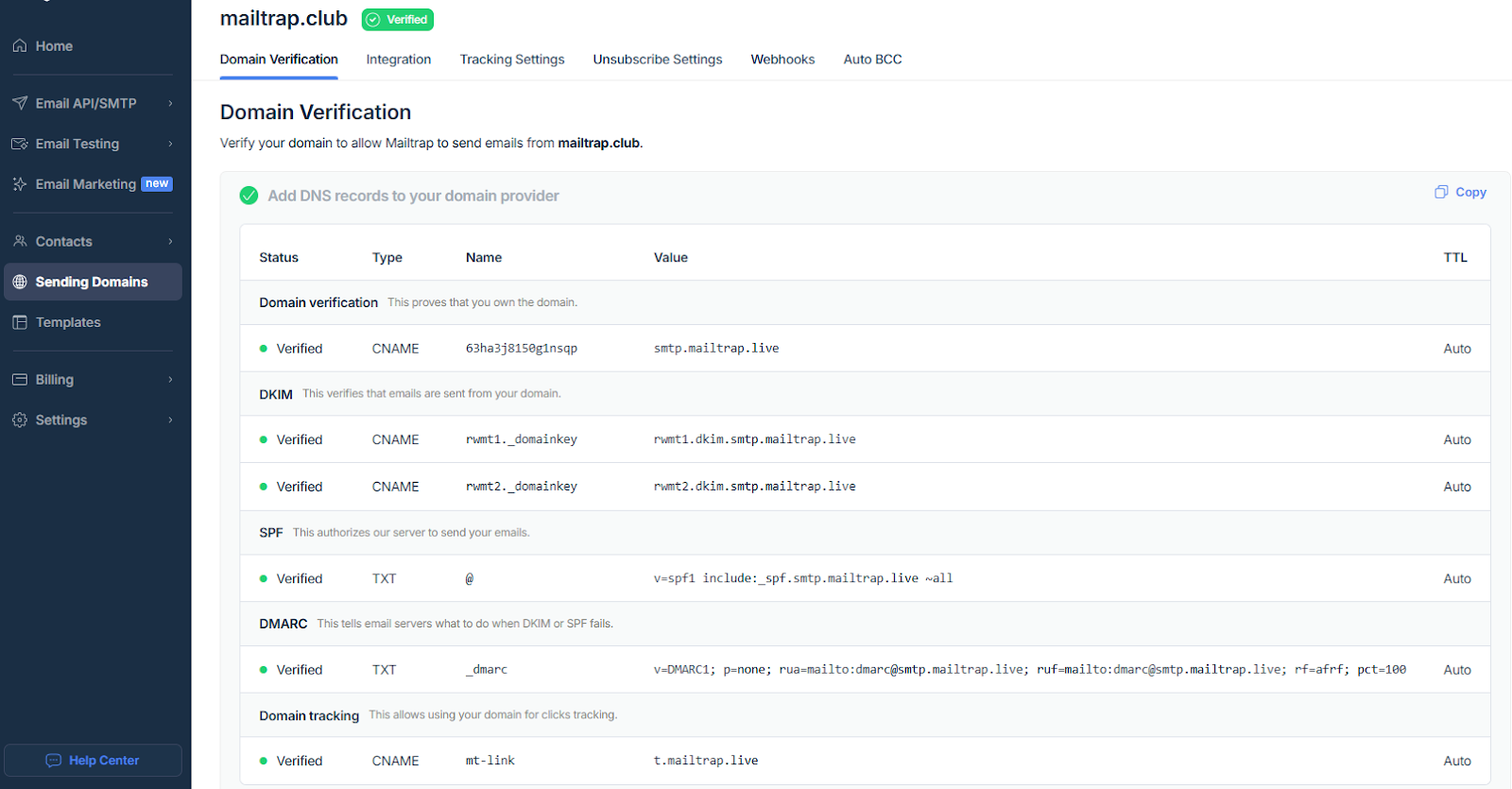
Step 1: Add and verify your sending domain
Create an account, go to Sending Domains, and verify your domain using the given DNS records.
Step 2: Insert your Mailtrap credentials
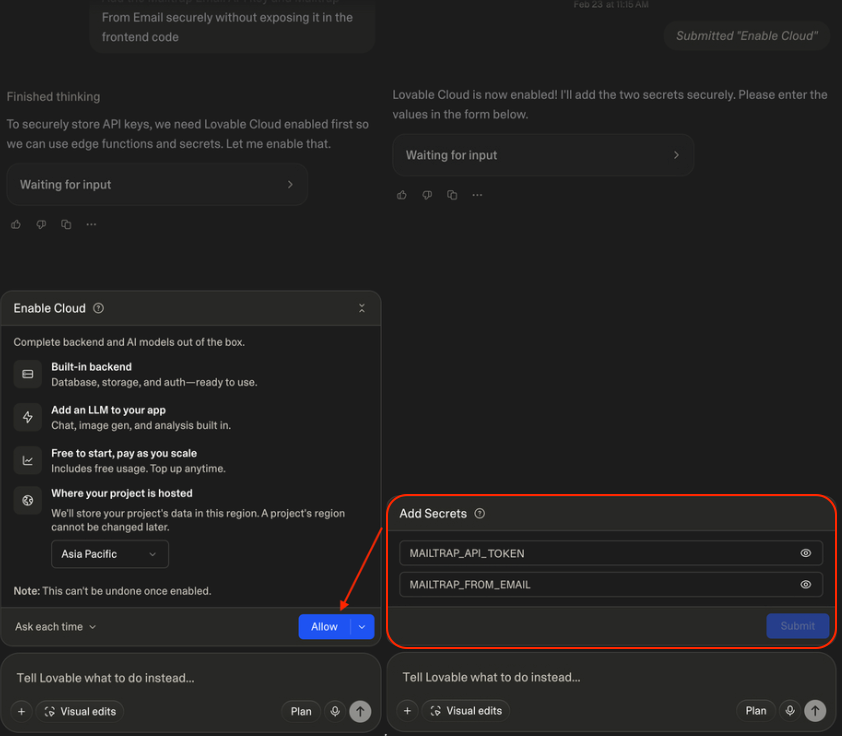
Ask Lovable to securely add your Mailtrap credentials with a prompt like this one:
Please add the Mailtrap email API token and Mailtrap From Email securely without exposing it in the frontend codeNext, allow Lovable to enable Lovable Cloud, where you need to store the following two secrets:
MAILTRAP_API_TOKEN– Required for all operations.MAILTRAP_FROM_EMAIL– Must match the domain from your Sending Domains.
Step 3: Verify the integration
To verify the integration and make sure that Lovable will use Mailtrap to send emails from your project, just use a prompt like this one:
From now on, please use Mailtrap email API to send emails from my projectThe AI will go through Mailtrap API documentation and finalize the integration.
Use cases
- Create lead capture landing pages with instant email notifications.
- Automate contact list building for campaigns and automations.
- Transactional email delivery for app events (orders, signups, alerts).
- See who opened your emails, clicked on your emails, and more.
For more information, please consult the official knowledge base article.