Skip to Navigation

How it works
Save time and streamline your marketing efforts by creating, updating, and managing email designs with Tabular. Then, upload them to Mailtrap with one click and send them straight into your recipients’ main inboxes.

Configure
Step 1: Create a Mailtrap account, verify your domain, and get the API token.
Step 2: Access the Tabular email you’d like to use with Mailtrap and click ‘Use email’.
Step 3: Click ‘Integrations’, choose Mailtrap, and name the authorization.
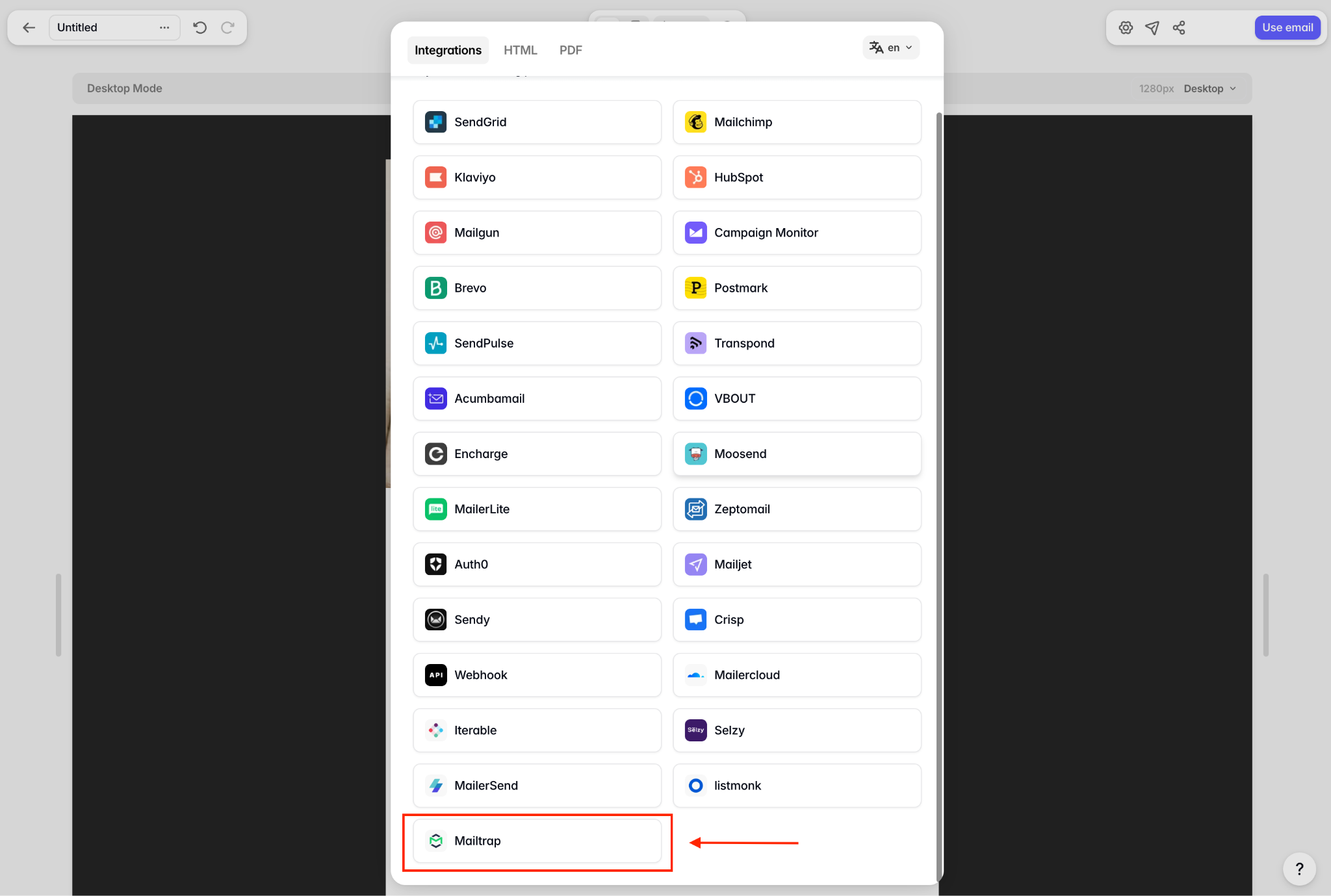
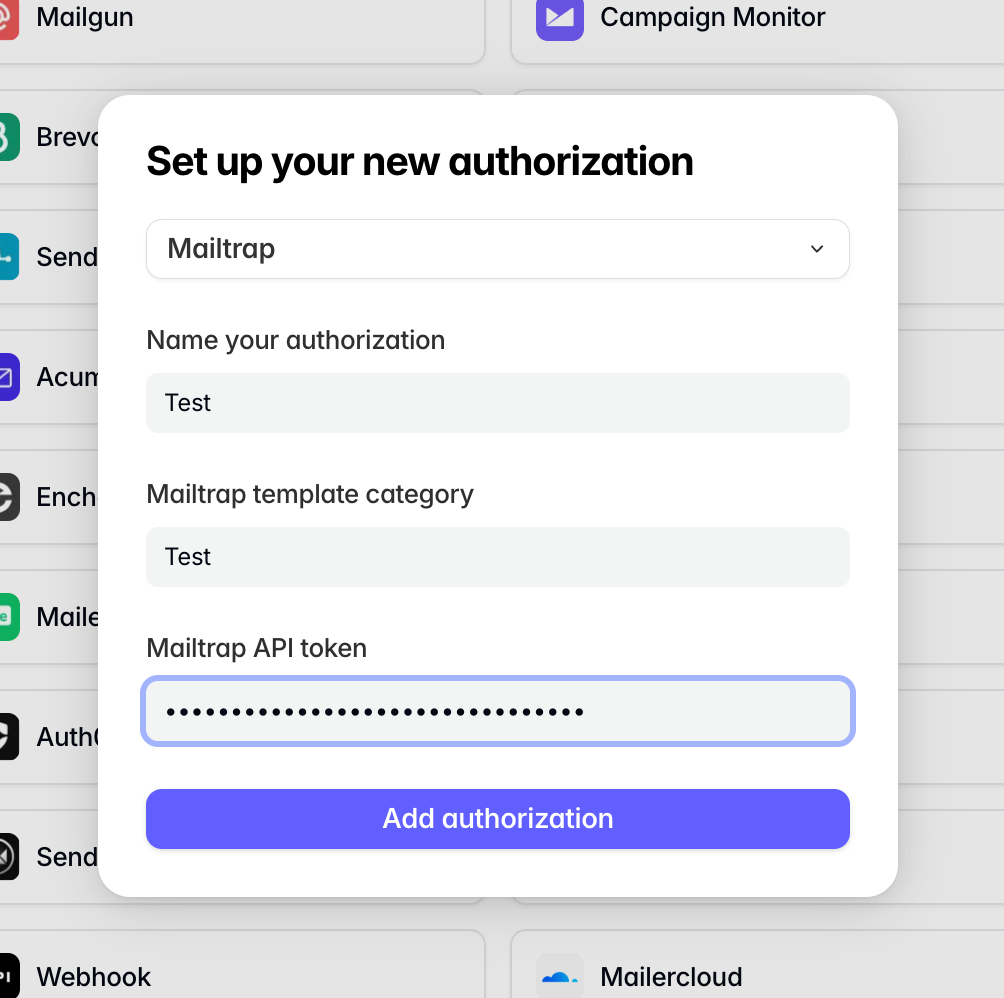
Step 4: Name the template category and paste the API token into the corresponding field. Hit Add authorization to confirm.
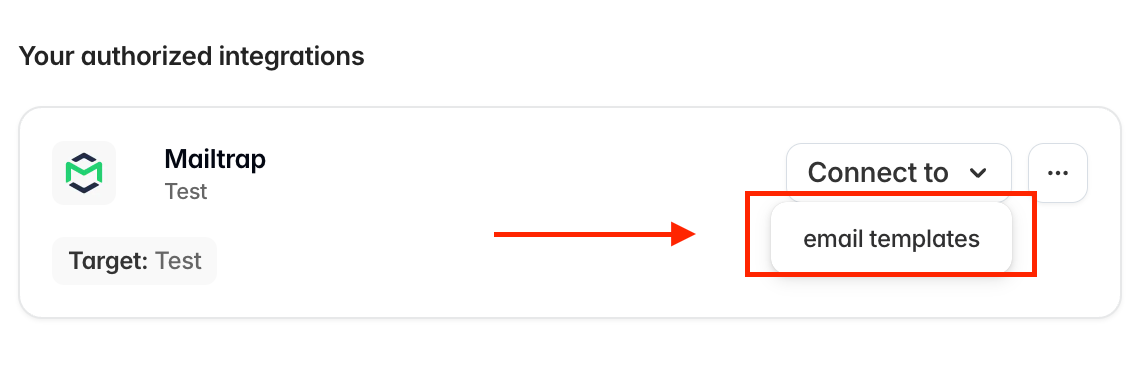
Step 5: Click ‘Connect to’ and choose ‘templates’ from the dropdown.
Step 6: If the connection is successful, you’ll see an item added to ‘Your email is currently connected to…’
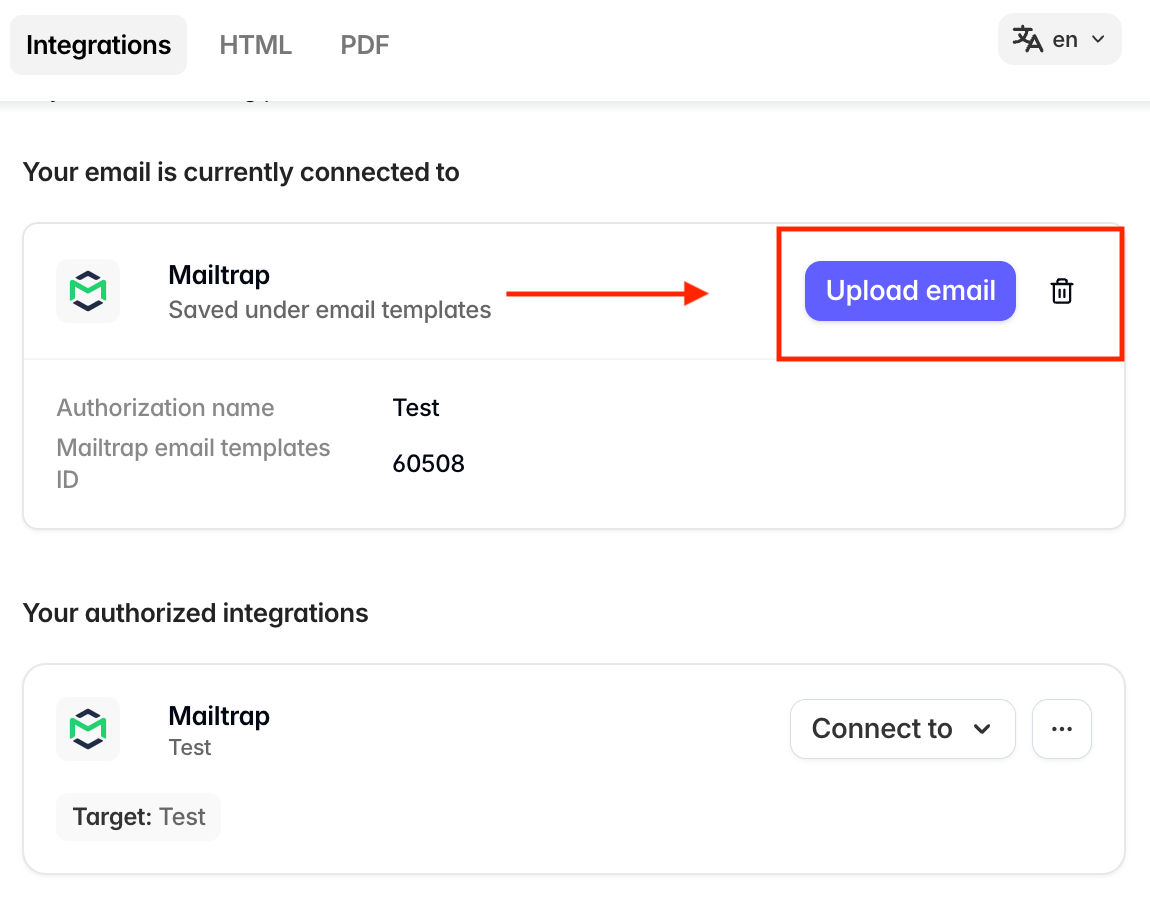
Step 7: Within the list, click ‘Upload email’ to upload new versions of the email to Mailtrap templates.
Use cases
- Send Tabular email templates with Mailtrap
- Test Tabular email templates with Mailtrap