Skip to Navigation

How it works
Connect Mailtrap to Antigravity and send transactional or test emails, inspect sandbox inboxes and messages, and manage templates – all via simple prompts. No coding required, just tell the agent what you need, and Antigravity will execute the API call.

Configure
Add Mailtrap MCP to Antigravity
Open Antigravity, click the three-dotted menu in the upper-right corner of the agent chatbox, select MCP Servers → Manage MCP Servers → View raw config.
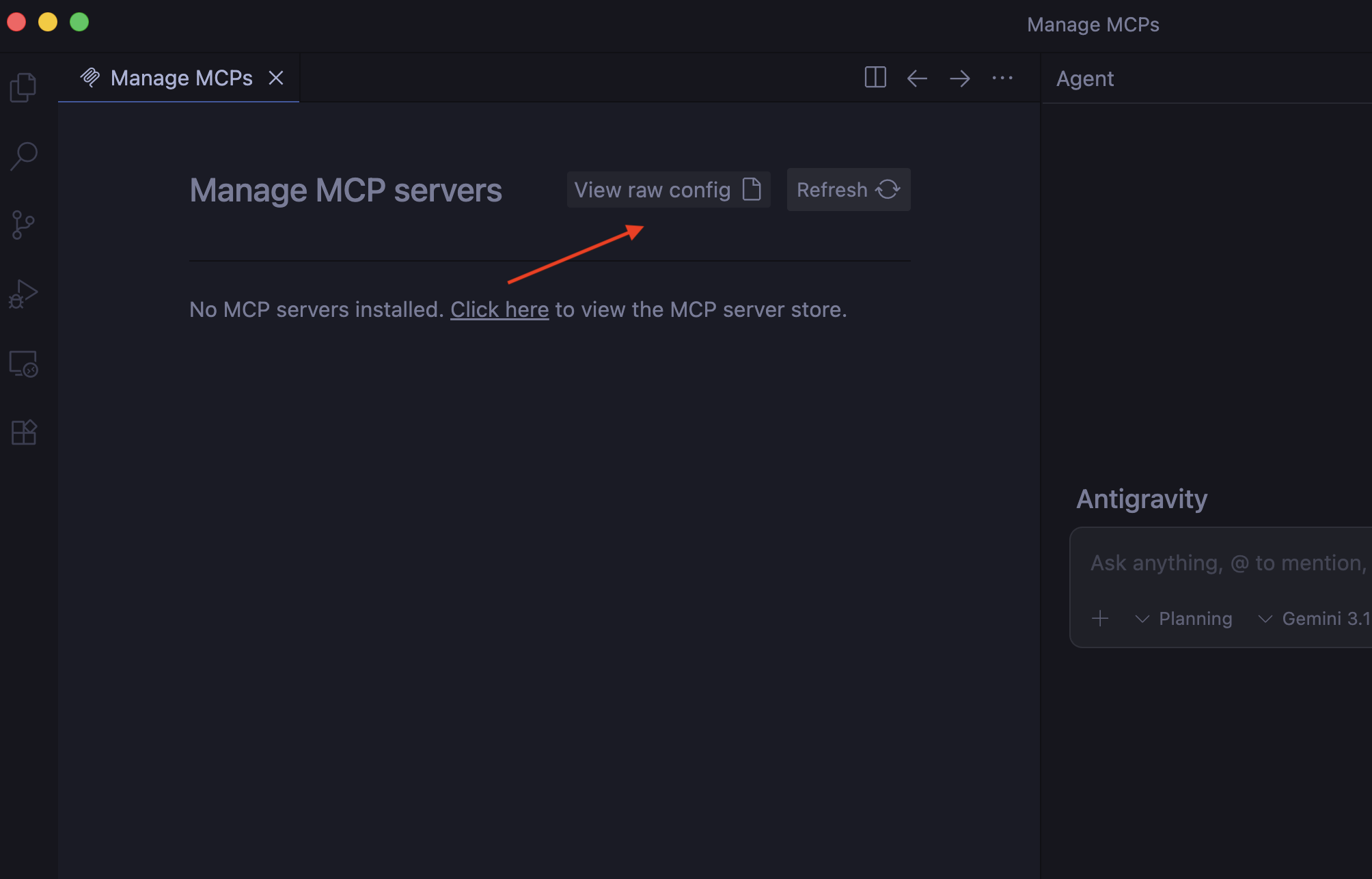
Then, paste the Mailtrap MCP snippet into the mcp_config.json file.
{
  "mcpServers": {
    "mailtrap": {
      "command": "npx",
      "args": ["-y", "mcp-mailtrap"],
      "env": {
        "MAILTRAP_API_TOKEN": "your_mailtrap_api_token",
        "DEFAULT_FROM_EMAIL": "your_sender@example.com",
        "MAILTRAP_ACCOUNT_ID": "your_account_id",
        "MAILTRAP_TEST_INBOX_ID": "your_test_inbox_id"
      }
    }
  }
}
Insert your Mailtrap credentials
Replace the placeholders in mcp_config.json with your:
- MAILTRAP_API_TOKEN – Required for all operations.
- DEFAULT_FROM_EMAIL – Must match the domain from your Sending Domains.
- MAILTRAP_ACCOUNT_ID – Required for template management.
- MAILTRAP_TEST_INBOX_ID – Required for Sandbox features.
Make sure to refresh the page or restart Antigravity for the changes to take place.
Verify the integration
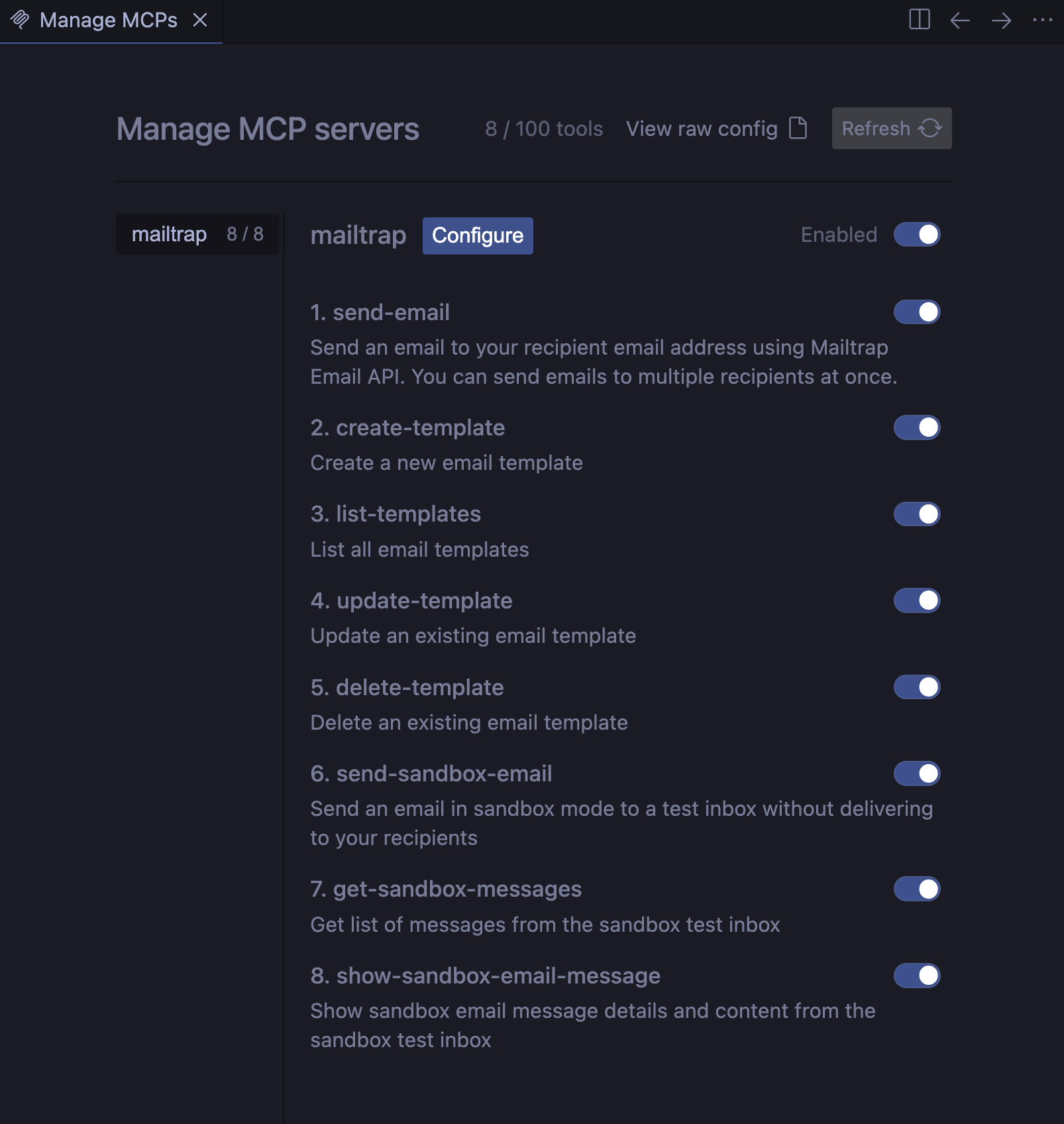
And that’s it, your Antigravity agent will, from now on, have access to all Mailtrap MCP tools, which you can see on the Manage MCP servers page:
For more information, please consult the official knowledge base article.
Use cases
- Integrate Mailtrap into your project or migrate from another solution
- Send transactional emails to single or multiple recipients (with CC/BCC)
- Send sandbox emails for safe testing without affecting production
- Retrieve and search the sandbox inbox messages
- Create, list, update, and delete email templates