Skip to Navigation

Connect your WordPress website to Mailtrap via Post SMTP and start sending transactional emails with high deliverability and industry-best analytics.

Configure
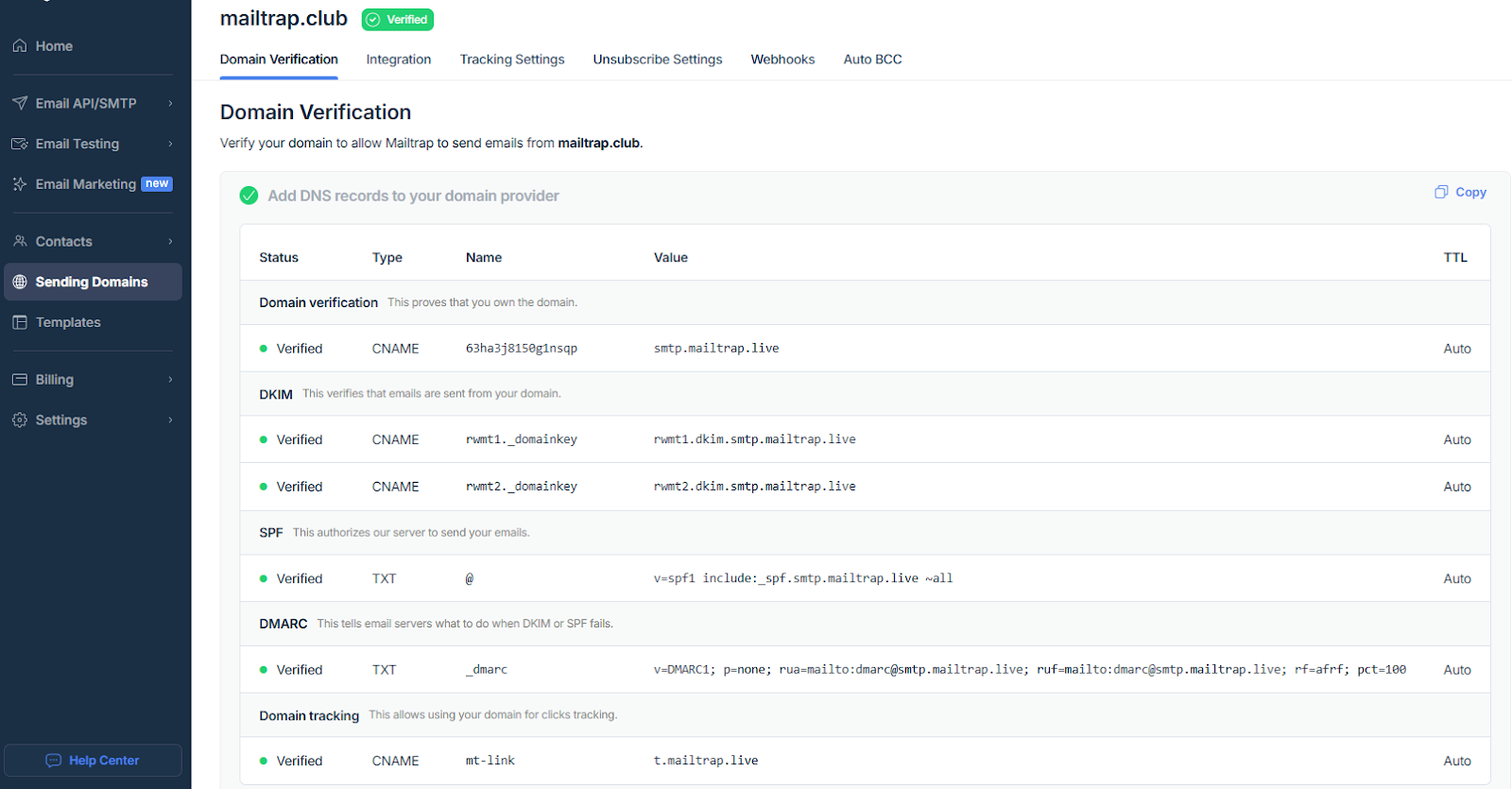
1. Add and verify your sending domain
Create an account, go to Sending Domains, and verify your domain using the given DNS records (DKIM, SPF, DMARC).
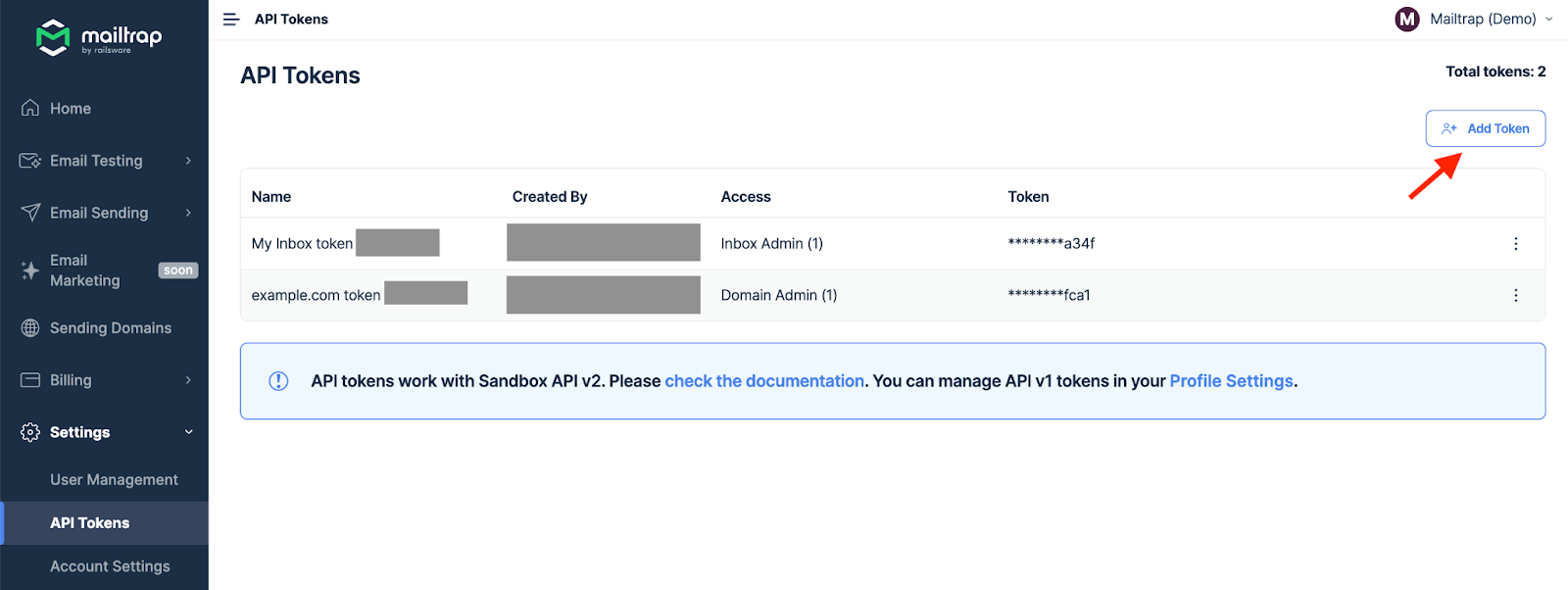
2. Create an API key
In Settings, create a new API token and make sure to keep it stored and secured safely, you’ll need it for the next step.
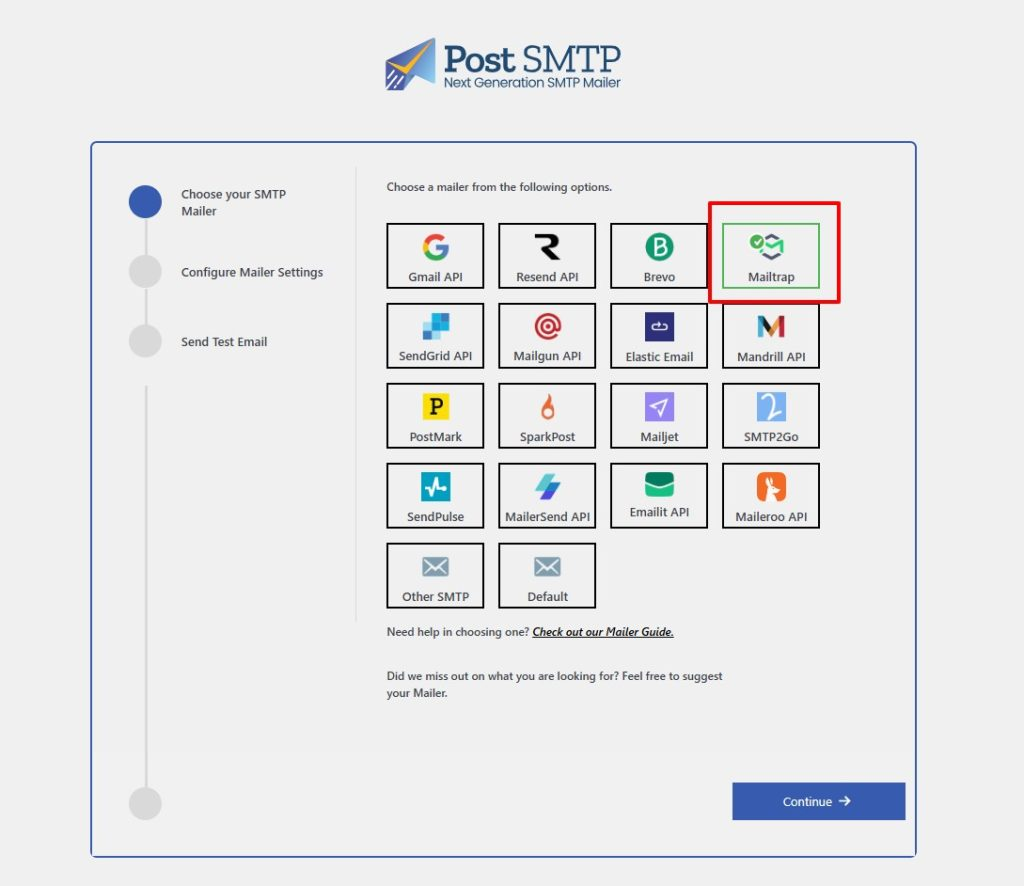
3. Connect Mailtrap with Post SMTP
Open Post SMTP from your WordPress dashboard, start the setup wizard, select Mailtrap as your mailer.
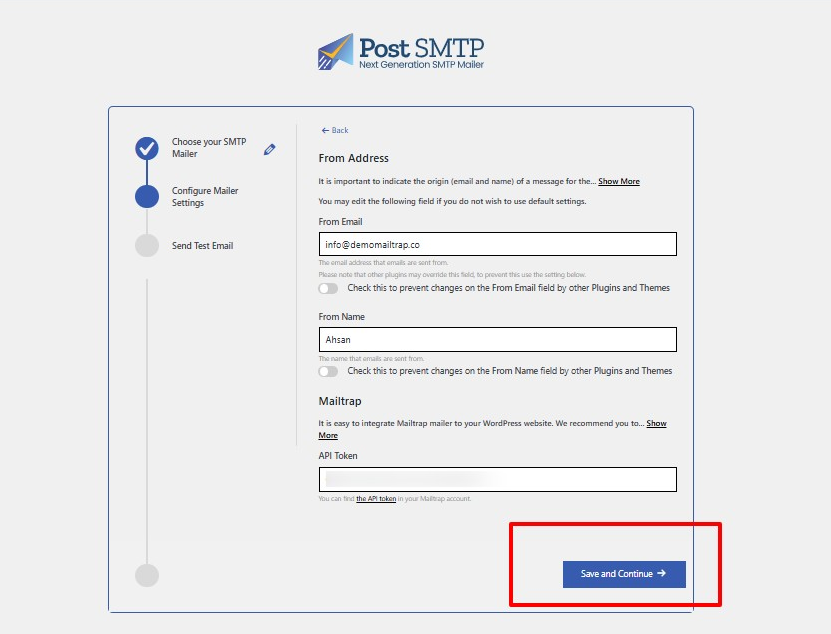
Then, simply add your Mailtrap credentials (From Name, From Email, Mailtrap API key).
And that’s it, your WordPress site can now send authenticated emails to your recipients’ mail inboxes.
For more information, please consult the official Post SMTP documentation.