



Together with Mailtrap’s email infrastructure team I tested Mailtrap, AgentMail, Sequenzy, Mailforge, SendGrid, Postmark, Mailgun, and Cloudflare Email Service to find the best email API for AI agents.
We integrated each email API with coding agents such as Cursor, Claude Code, Copilot, and others, and tried out the various MCPs, skills, and CLIs. Of course, we also ran the most common use cases: from automatic domain verification to sending emails and retrieving logs.
Now, if you want to jump ahead to comparison results or individual reviews, be my guest and click on some of the following links:
- A snapshot of the email APIs
- Detailed reviews of each email API
- Criteria for choosing email APIs for AI agents
Disclaimer: We are not sponsored by any of the tools on this list. Our goal is to give you a detailed and, most importantly, unbiased breakdown of email APIs on this list so you can see whether it’s suitable for your use case or not.
Best email API for AI agents: a snapshot
Click on a platform name to jump ahead to the detailed review.
- Mailtrap – Best for agent workflows that need high email deliverability (78.8% inbox placement), official MCP, skills, CLI, and AI onboarding.
- AgentMail – Best for agents that own inboxes, read replies, and hold conversations, with native threading, WebSocket events, Pods multi-tenancy, and x402 agent-initiated signup.
- Sequenzy – Best for agents that need to handle transactional email, lifecycle sequences, and billing-triggered automations within a single SaaS-focused platform.
- Mailforge – Best for agents that need to rotate outreach infrastructure, domains, mailboxes, and DNS, at scale, with automated setup and pre-warmed mailboxes.
- Sidemail.io – Best for agents that want to manage application and lifecycle emails in one simple platform.
- Twilio SendGrid – Best for agents that need to send email, SMS, voice, and WhatsApp within the Twilio ecosystem.
- Postmark – Best for agents that need to both send and receive emails, with structured inbound parsing built in.
- Mailgun – Best for agents that need to validate email addresses before sending, reducing bounce rate without a separate third-party service.
- Cloudflare Email Service – Best for agents running on Cloudflare Workers infrastructure.
- Atomic Mail – Best for agents that self-provision their own inbox.
And to help you get started, here’s the most essential info you need packed in a table:
| Email API | Free plan | Pricing | AI agent tools |
| Mailtrap | 4,000 emails/month | From $15 | MCP, skills, CLI, AI onboarding |
| AgentMail | 3,000 emails + 3 inboxes | From $20 | MCP, skills, LangChain/LiveKit connectors, x402 autonomous payment |
| Sequenzy | 2,500 emails/month | From $19 | MCP, skills, CLI |
| Mailforge | ❌ None (no free trial) | From $3/mailbox/month | API, MCP, CLI |
| Sidemail.io | 7-day free trial | From $19 | Official MCP server |
| Twilio SendGrid | 100 emails/day | From $19.95 | Twilio MCP, CLI |
| Postmark | 100 emails/month | From $15 | MCP, skills |
| Mailgun | 100 emails/day | From $15 | MCP |
| Cloudflare | N/A | $0.35 per 1,000 emails | MCP, skills, CLI |
| Atomic Mail | Free (open alpha) | Paid pricing TBD | MCP, CLI, skills, connectors |
The ratings, features, and prices are up-to-date at the time of writing this article, but they may be different when you’re reading it, as they’re prone to change.
Mailtrap: Best email API for AI agents
Pricing: From $15 per 10,000 emails. Free plan: ✅ (4.000 emails/month)
Best for: Agent workflows that need high email deliverability, MCP, skills, CLI, and AI onboarding.
Standout features: 78.8% inbox placement, 30-day email logs, sandbox, official SDKs for Node.js, PHP, Ruby, Python, Elixir, and Java, 99.99% uptime SLA, official MCP server, agent skill, CLI

Mailtrap is a modern email delivery platform for developers and product teams, built around high deliverability, fast delivery, and in-depth analytics.
Mailtrap provides the best email API for AI agents: with official MCP, skills, and a dedicated AI onboarding page, it gives AI agents everything they need to send emails autonomously — from setup to monitoring.
What’s included:
| MCP server | ✅ Official |
| Agent skills | ✅ Official |
| CLI | ✅ Mailtrap CLI app |
| Separate streams | ✅ Bulk and transactional |
| Webhooks | ✅ Full events + logs |
| Templates | ✅ Handlebars |
| Rate handling | ✅ No limits, customizable throttling |
| Testing environment | ✅ Full-fledged sandbox |
Some of the companies that use Mailtrap for their email infrastructure include PayPal, Atlassian, Adobe, Calendly, and others.
Why is it best for AI agents?
- High deliverability
Even if you go with Mailtrap’s free tier, your AI agent will send emails with a high deliverability rate. To achieve this, Mailtrap uses separate sending streams, dedicated IPs, email warm-up, throttling, and other advanced features. Moreover, the platform’s deliverability experts are always working on its infrastructure and are at users’ disposal if the need arises.
But, enough talk, I’ll let the numbers from the recent tests we’ve performed speak for themselves:
| Platform | Email placement results | Spam filter rating | Inbox email delivery with top providers |
| Mailtrap | Inbox: 78.8% Tabs: 4.8% Spam: 14.4% Missing: 2.0% | Google Spam Filter: Not spam; Not phishy Barracuda: Score 0 Spam Assassin: Score: -3.8 | Gmail: 67.50% Outlook: 77.78% Hotmail: 100% Yahoo: 55.56% |
- Industry-best analytics
Mailtrap gives you insight on the performance of your emails, so you can simply go to your account and see how well your AI agent is sending emails. Through helicopter view dashboards and drill-down reports, you can track email metrics like opens, clicks, bounces, and others.

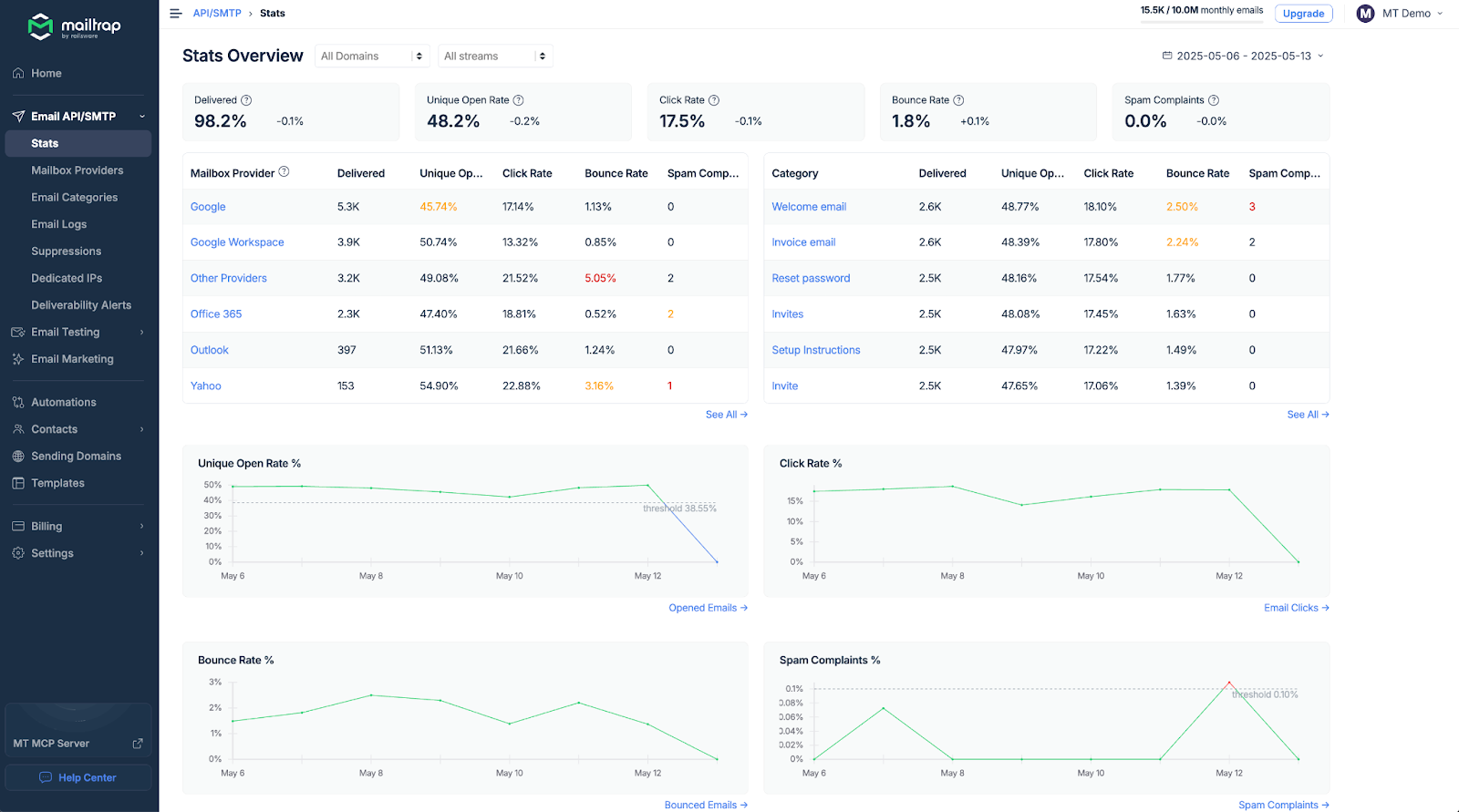
Besides the statistics dashboards, Mailtrap keeps your email logs for up to 30 days (and email body up to 15 days), which lets you inspect email info, history, spam analysis, and more.
Most importantly, with Mailtrap’s MCP, your AI agent can pull both stats and email logs for you, so you don’t even have to go to the dashboard and switch from the terminal. Just prompt your agent and get a list of sent emails or find out sending stats for a period, or whatever your use case might be.
- AI agent-optimized
Once you create a free Mailtrap account and connect it to your AI agent, you can leave all the rest to your robot friend: from domain verification to setting up email-sending functionality in your project. This is because the platform offers everything agents need to function independently, MCP, CLI, skills, you name it.
There’s also an AI onboarding page, which is like an improved skills file that onboards agents to Mailtrap. So, as they say, set and forget!
And for the developers (and marketers alike), Mailtrap’s YouTube team has prepared a whole AI playlist, which has informative videos, guides, tool breakdowns, and more. Check it out! 👀

- AI integrations
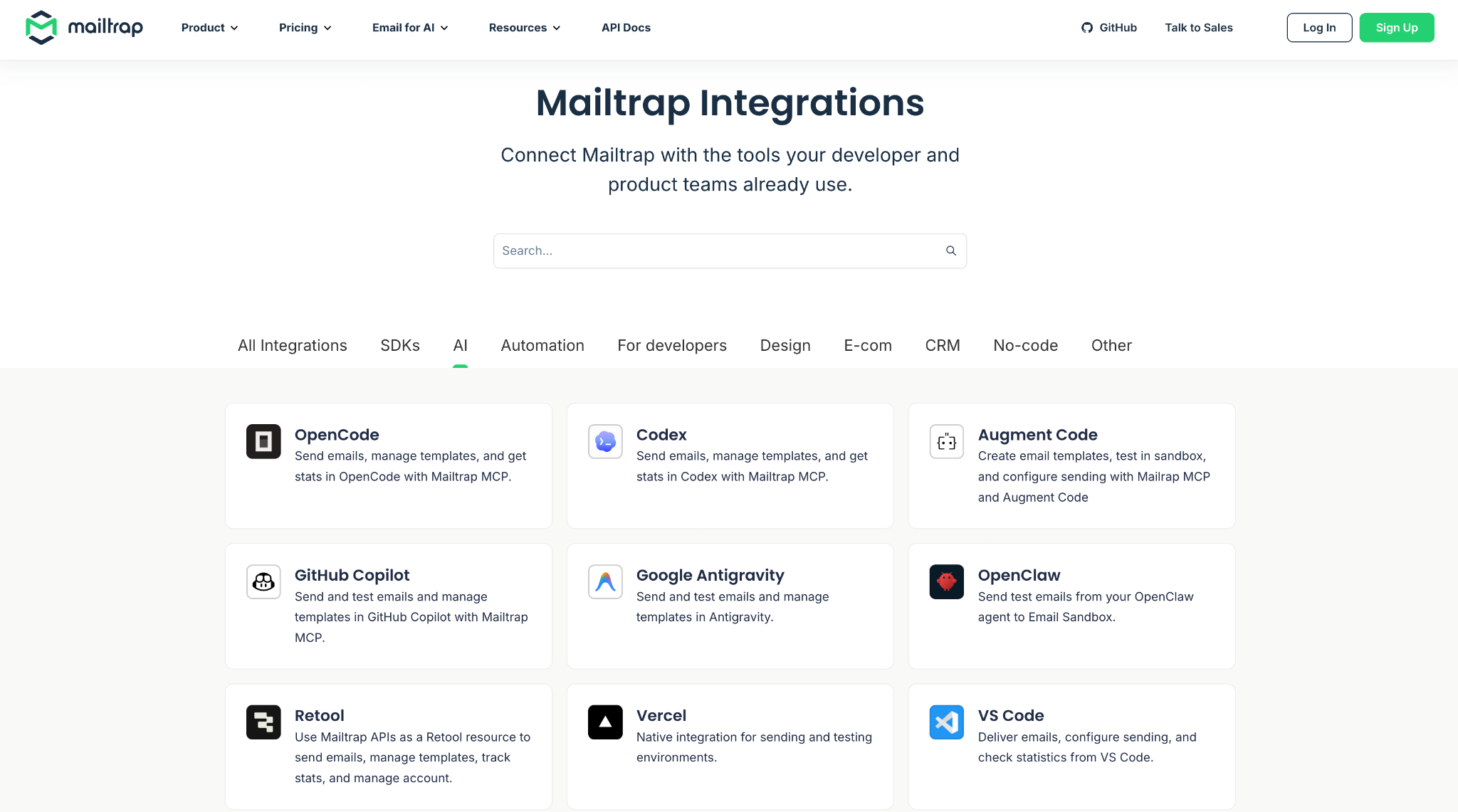
Whether you want to integrate Mailtrap with Claude Code, Cursor, Google Antigravity, or app builders like Lovable you can do it easily with official AI integrations. The best part is that you have guides for each of the integrations if you want to do it yourself or if your AI agent needs guidance for the integration.

- Modern developer experience
Link to official GitHub repository
Link to official documentation
Mailtrap is accessible via REST API from any platform, with official SDKs for Node.js, PHP, Ruby, Python, Elixir, and Java. Additionally, it offers code snippets for major programming languages, which lets you start sending emails right away. For example, to start sending emails from Nodemailer, all you’d need to do is copy/paste the following code:
const nodemailer = require("nodemailer");

const transporter = nodemailer.createTransport({
  host: "live.smtp.mailtrap.io",
  port: 587,
  auth: {
    user: "api",
    pass: "YOUR_API_TOKEN"
  }
});

await transporter.sendMail({
  from: "welcome@yourdomain.com",
  to: "user@example.com",
  subject: "Welcome!",
  text: "Thanks for signing up."
});SPF, DKIM, and DMARC are configured during domain verification, so your AI agent can save a token or two here and there, and it can also use the platform’s Sandbox to test emails during agent workflows.
Pricing
Although Mailtrap offers a generous free plan and doesn’t require a credit card for signup, which is exactly what AI agents need, it still requires human action during registration for security purposes. Nonetheless, its pricing is affordable and provides solid value, especially when compared to other APIs on the market:
| Plan | Monthly cost | Email limit |
| Free | $0 | Up to 4,000 emails |
| Basic | From $15 | 10,000+ emails |
| Business (the most popular) | From $85 | 100,000+ emails |
| Enterprise | From $750 | 1,500,000 emails |
| Custom | Custom | From 1,500,000 |
For more details, please consult the official Mailtrap pricing page.
Pros & cons
| Pros | Cons |
| 99.99% uptime SLA provides reliability for critical emails | No support for inbound emails or routing (in progress) |
| Agent-friendly email API with comprehensive docs and guides for both AI and devs | Needs a human to register an account |
| Extended email log retention on higher plans for debugging and compliance | |
| Detailed analytics dashboards for tracking opens, clicks, bounces, and spam | |
| A wide range of official integrations with other AI tools and platforms | |
| MCP with a variety of tools for many types of email use cases | |
| Automatic DKIM key rotation every four months |
Security & compliance
| Security | Compliance |
| Strong TLS enforcement, MTA-STS support | GDPR compliant |
| SPF, DKIM, DMARC alignment | Based in EU, but the servers are in the US |
| Granular API keys, IP whitelisting | Compliant with ISO and HIPAA, SOC 2 |
| MFA, RBAC, detailed audit logs | DSAR support & data deletion upon request |
| Robust reputation management, real-time email security monitoring | Detailed logs, exportable |
| Detailed logs, customizable alerts | DPA Available on request |
Testimonials
One of the most interesting cases on social media I’ve found regarding Mailtrap is a user who employed it for his OpenClaw workflow. So, if you’re into Claw, make sure to check it out!
When it comes to user review websites, I’ve noticed that Mailtrap is well-received, getting praise for sublime support, intuitive features, and dev-friendly API for transactional email:

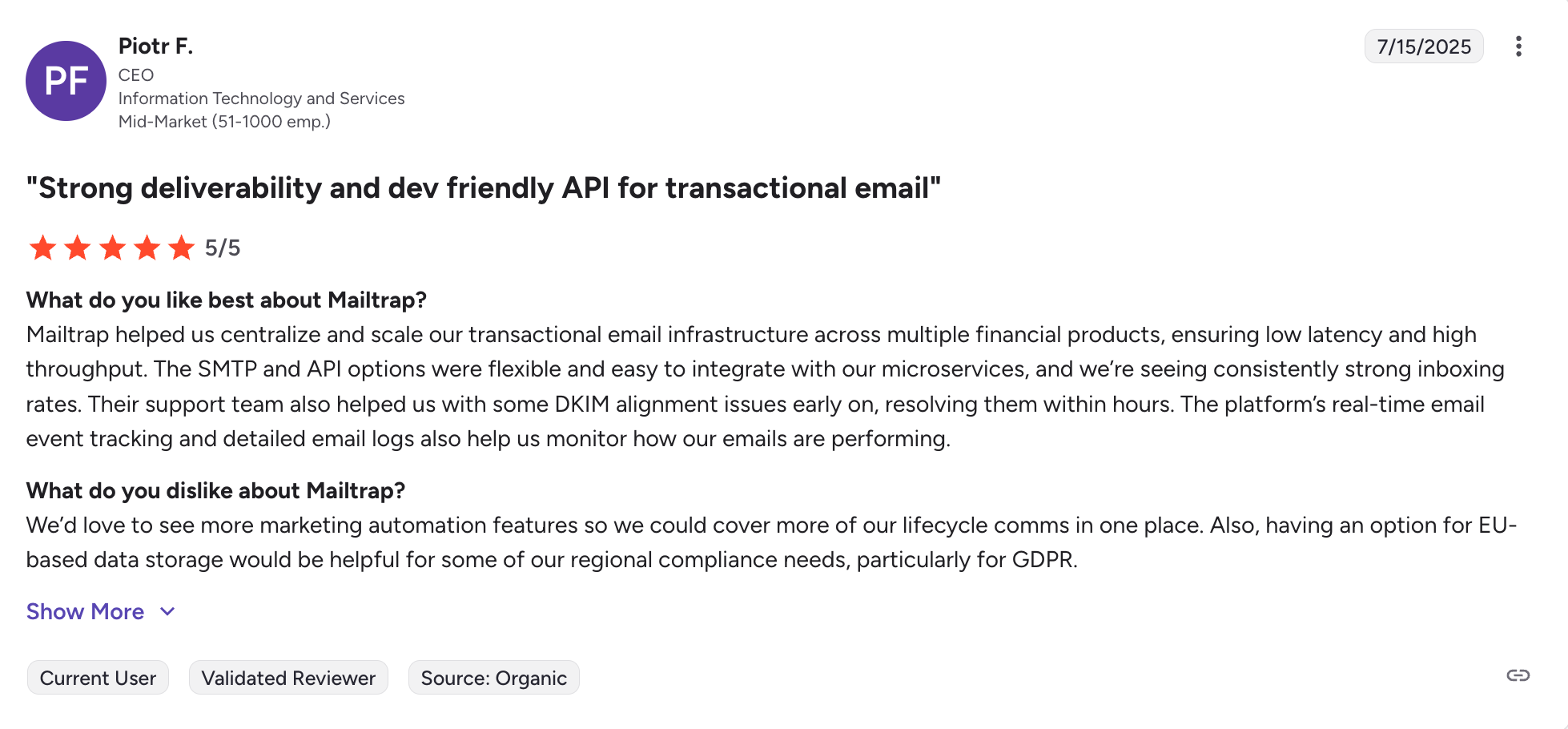
I also like the fact that some users like Khalid below have managed to easily integrate Mailtrap with AI tools such as Cursor, simply by feeding the documentation to the AI agent.


AgentMail: Best for agents that own inboxes and hold conversations
G2: N/A Capterra: N/A
Pricing: From $20 per 10,000 emails + 10 inboxes. Free plan: ✅ (3,000 emails + 3 inboxes)
Best for: Agents that need to send email and read replies, maintain threaded conversations, and provision their own email identity autonomously.
Standout features: Inbox-as-primitive architecture, real-time WebSocket + webhook events, native reply threading with extracted_text for stripping quoted history, Pods for multi-tenant inbox isolation, x402 autonomous payment, official framework connectors for LangChain and LiveKit (also usable with LlamaIndex and CrewAI via the Python SDK).

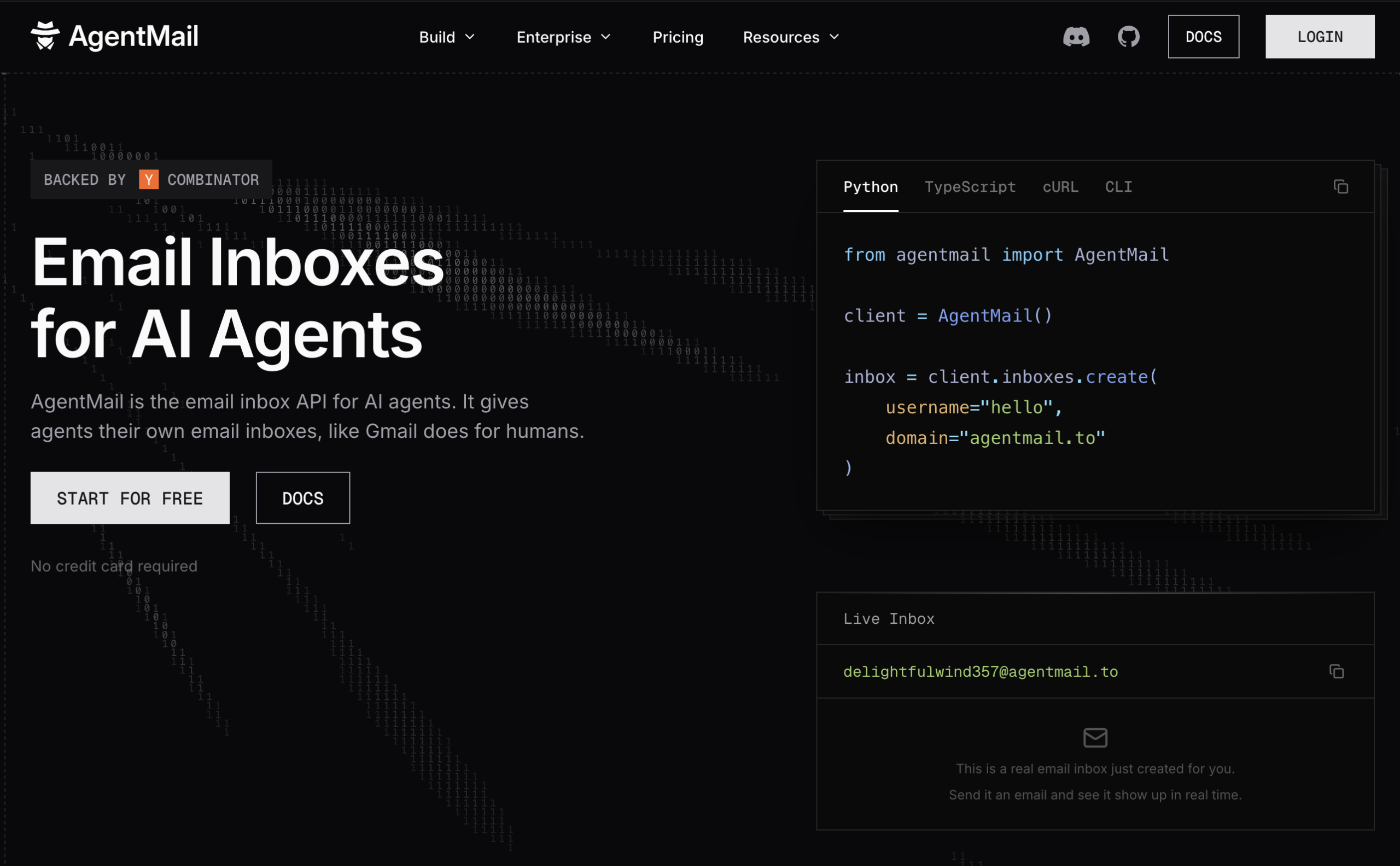
AgentMail is the email API built around a specific question: what if the inbox, not the send endpoint, were the primitive?
Every other email API in this comparison started as an outbound-first service and added inbound as a webhook feature layered on top. AgentMail is designed the other way around. Agents get programmatic inboxes via one API call, send and receive through the same SDK, and thread conversations automatically. When your agent needs to wait for a reply, parse it, act on it, and respond, you are not stitching webhook payloads to a message store you built yourself; the inbox already has that state.
What’s included for AI agents:
| MCP server | ✅ Official + Skills for Claude Code, Cursor, and OpenClaw |
| Agent skills | ✅ Official |
| Framework connectors | ✅ Official for LangChain, LiveKit – usable with LlamaIndex/CrewAI via SDK |
| Inbound email | ✅ Native inbox with threading, WebSocket, and webhook events |
| Drafts | ✅ Human-in-the-loop reply review before send |
| Multi-tenancy | ✅ Pods (isolated inboxes and domains per tenant, available from the Free tier up) |
| Agent signup | ✅ x402 autonomous payment (agent covers its own usage without a human entering payment details) |
| Rate handling | ✅ Per-inbox and per-domain, tunable on custom plans |
| Testing environment | ❌ No dedicated sandbox (see Mailtrap for that) |
Why is it good for AI agents?
- Inbox as the primitive
Every AgentMail workflow starts by creating an inbox, not by making a send call. That one API call gives your agent a real, addressable email identity that can send, receive, and hold threaded conversations across days or weeks. For any agent workflow that involves waiting for a reply, this changes the math: instead of building reply routing, thread state, and reply parsing on top of a webhook payload, the inbox already handles those. The extracted_text field strips quoted history so agents see only the new content, not the entire thread pasted below every reply.
from agentmail import AgentMail
from agentmail.inboxes.types import CreateInboxRequest

client = AgentMail(api_key="your_api_key")

# Create an inbox (this is the agent's persistent identity)
inbox = client.inboxes.create(
    request=CreateInboxRequest(client_id="support-agent-v1")
)

# Send from it
client.inboxes.messages.send(
    inbox_id=inbox.email,
    to=["user@example.com"],
    subject="Your order is confirmed",
    text="Order #1234 has been placed successfully.",
)

# Read replies (thread state is maintained for you)
msgs = client.inboxes.messages.list(inbox_id=inbox.email)
for msg in msgs.messages:
    agent_sees = msg.extracted_text or msg.text
print(msg.subject, agent_sees)- Real-time delivery via WebSocket or webhook
New messages arrive at the agent in real time through webhooks (signed events pushed to a server endpoint) or WebSocket (streamed over a persistent connection for agents that hold one open). Either path eliminates polling, which matters when your agent’s job is to react to an inbound event as it happens rather than on a cron.
- Pods for multi-tenant deployments
If you are building a product where each of your own customers gets an AI agent (an AI SDR platform, a customer support product, an AI employee tool), Pods give you isolated multi-tenant containers with per-tenant inboxes and domains. No other email API in this comparison ships this as a primitive: the alternative is running parallel accounts per customer or writing multi-tenant routing on top of a flat inbox list.
- Autonomous payment via x402
AgentMail is the only email API where an AI agent can pay for its own usage autonomously via x402 (the open payment protocol from Coinbase), without a human entering payment details. This automates billing, not account creation – a human still has to sign up first. If you are building agents that need to cover their own usage-based billing as part of a workflow, this matters.
- Framework connectors
AgentMail ships tested first-party connectors for LangChain and LiveKit alongside the MCP server and Skills for Claude Code, Cursor, and OpenClaw – LlamaIndex and CrewAI agents can also call AgentMail via the Python SDK. Official SDKs cover Python, TypeScript, and Go.
- Developer experience
Link to official documentation
Link to official GitHub organization
AgentMail is accessible via REST API from any platform, with official SDKs for Python, TypeScript, and Go, and full type-safe schemas. The client_id parameter on inbox creation enables idempotency, which is a requirement, not a nice-to-have, when network failures mean a tool might be called twice and a duplicate inbox would break downstream logic.
Pricing
AgentMail prices inbox capacity alongside email volume, because inboxes are the primitive. This is different from the other APIs in this list, which price on send volume alone.
| Plan | Monthly cost | What’s included |
| Free | $0 | 3,000 emails + 3 inboxes + 3 GB |
| Developer | From $20 | 10,000 emails + 10 inboxes |
| Startup | From $200 | 150,000 emails + 150 inboxes, SOC 2 |
| Enterprise | Contact | Unlimited inboxes, dedicated IPs |
At the Startup tier, 150 inboxes for $200 works out to about $1.33 per inbox per month, which is the trade you make for the platform to handle inbox provisioning, threading, sender reputation, and multi-tenant isolation for you. For deployments where per-inbox pricing stops making sense, custom plans provide unlimited inboxes.
For more details, please consult the official AgentMail pricing page.
Pros & cons
| Pros | Cons |
| Only email API in this list where the inbox is the primitive, with native threading and state | No dedicated sandbox testing environment (use Mailtrap for that) |
| Real-time WebSocket + webhook events on every inbox, no polling required | |
| Pods for multi-tenant deployments, available from the Free tier: isolated inboxes and domains per tenant | Compliance certifications (SOC 2) available on Startup tier and above |
| First-party framework connectors for LangChain and LiveKit | Newer platform (YC S25, $6M seed) with a smaller public review base than legacy incumbents |
| Human-in-the-loop drafts for reply review before send | Not the right pick if your workflow is pure outbound at scale |
| x402 autonomous payment (an agent can cover its own usage-based billing without a human in the loop) | |
| Backed by General Catalyst, Paul Graham, Dharmesh Shah, and Y Combinator |
Security & compliance
| Security | Compliance |
| API key authentication with per-inbox scoping | SOC 2 (Startup tier and above) |
| Custom sending domains with SPF, DKIM, DMARC | GDPR-aware architecture |
| Signed webhooks (verify source via signature header) | Per-tenant data isolation via Pods |
| Per-inbox sender reputation isolation | Data residency options on custom plans |
| Dedicated IPs available on custom plans |
Testimonials
AgentMail says it’s used in production by AiSDR (a Y Combinator S23 AI SDR company) to run 500 inboxes, and by teams at companies building AI employees, autonomous SDRs, customer support agents, and multi-agent recruiting systems.
Sequenzy: Best for SaaS lifecycle automation
G2: N/A Capterra: N/A
Pricing: From $19/month per 15,000 emails Free plan: 2,500 emails/month
Best for: SaaS founders and developer teams that need transactional email, campaigns, and billing-triggered automations in one platform
Standout features: Official MCP server, agent skill, CLI, AI sequence generation, transactional email API, Stripe/Paddle/Lemon Squeezy integrations, reply tracking, revenue attribution

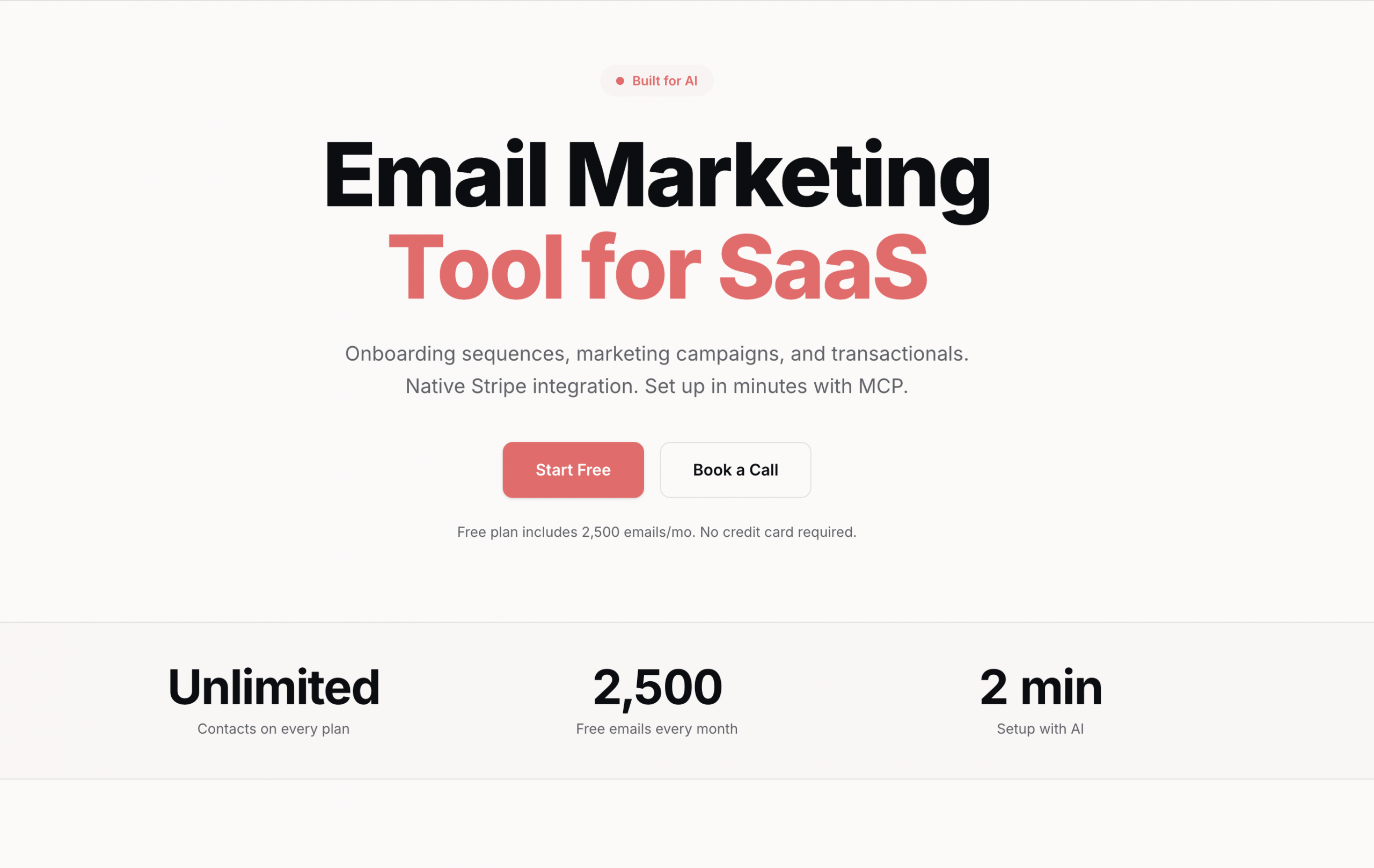
Sequenzy is an email platform built for SaaS teams that want transactional emails, newsletters, lifecycle automations, and subscriber data in one place. Instead of connecting separate tools for password resets, onboarding sequences, billing events, and campaign analytics, your agent can work against one subscriber database and one API.
What’s included for AI agents:
| MCP server | ✅ Official |
| Agent skills | ✅ Official |
| CLI | ✅ Official |
| Separate streams | ❌ No |
| Webhooks | ✅ Custom webhooks, outbound webhooks, and integration webhooks |
| Templates | ✅ Dashboard templates, HTML, and Sequenzy block JSON |
| Rate handling | ✅ API-key limits and throttling by plan |
| Testing environment | ❌ No dedicated sandbox |
Why is it good for AI agents?
- MCP, CLI, and agent skills
Sequenzy gives agents three practical integration surfaces: MCP, CLI, and agent skills. Through MCP, agents can manage subscribers, create and update sequences, draft campaigns, send transactional emails, inspect stats, and generate content. The CLI covers terminal workflows like adding subscribers, sending one-off transactional emails, checking stats, managing campaigns, working with templates, and creating segments.
- SaaS lifecycle automation
Sequenzy is strongest when the agent is helping a SaaS business run lifecycle email. It can sync billing data from Stripe, Paddle, Lemon Squeezy, Polar, Creem, and Dodo, then use that data for segmentation and automation. This makes it useful for trial onboarding, dunning, upgrade nudges, churn recovery, win-back sequences, and revenue-aware campaigns.
- AI-generated sequences
Sequenzy can generate multi-email sequences from a plain-English goal, including subject lines, body copy, and timing. For agent workflows, this reduces the work needed to go from “build a trial nurture sequence” to a reviewable draft.
- Developer experience
Link to official API documentation
Link to official MCP documentation
Link to official CLI documentation
Sequenzy is accessible via REST API and includes a TypeScript SDK, SMTP support, OpenAPI documentation, and implementation guides for frameworks like Next.js, Bun, and Express. A simple transactional send in TypeScript looks like this:
import Sequenzy from "sequenzy";


const client = new Sequenzy({
  apiKey: process.env.SEQUENZY_API_KEY!,
});


await client.transactional.send({
  to: "user@example.com",
  subject: "Welcome!",
  body: "<p>Thanks for signing up.</p>",
});
Pricing
Sequenzy prices by email volume, not stored contacts. All plans include unlimited contacts, and the free plan includes the full feature set with a lower monthly email limit.
| Plan | Monthly cost | Email limit |
| Free | $0 | 2,500/month |
| Starter | $19 | 15,000/month |
| Pro | $49 | 120,000/month |
| Business | $199 | 600,000/month |
| High volume | $349 | 1.2M/month |
For more details, please consult the official Sequenzy pricing page.
Pros & Cons
| Pros | Cons |
| Official MCP, CLI, and agent skill | Newer platform with less public review history |
| Strong fit for SaaS lifecycle automation | No SMS, WhatsApp, push, or in-app messaging |
| Unified transactional and marketing email | No dedicated sandbox product documented |
| Native Stripe/Paddle/Lemon Squeezy-style billing integrations | Not as deep for e-commerce as Klaviyo or Omnisend |
| AI sequence generation for onboarding, trials, and churn workflows | Smaller integration ecosystem than older platforms |
| Unlimited contacts on all plans | No public SOC 2 or HIPAA certification documented |
Security & compliance
| Security | Compliance |
| API-key authentication | Consent-based lists required |
| Custom sending domains | CAN-SPAM/GDPR unsubscribe handling documented |
| SPF, DKIM, and DMARC setup | RFC 8058 one-click unsubscribe support |
| Bounce and complaint tracking | No public HIPAA certification documented |
| Sender reputation monitoring | No public SOC 2 certification documented |
Testimonials
Because Sequenzy is a newer platform, there are not many public G2 or Capterra reviews to cite yet. The strongest public proof points are its own documentation, pricing page, and SaaS-focused product pages, which position it around AI-generated lifecycle sequences, developer-friendly APIs, and billing-aware email automation for SaaS teams.
Mailforge: Best for dedicated sending domains and mailboxes
G2: 4.7 🌟 Capterra: N/A
Pricing: From $2–$3/mailbox slot per month Free plan: ❌ None
Best for: AI agents that need dedicated sending domains and mailboxes for high-volume email
Standout features: Public REST API, official Forge MCP server, official Forge CLI, SMTP and IMAP credentials, automated DNS setup, pre-warmed mailboxes, multiple workspaces

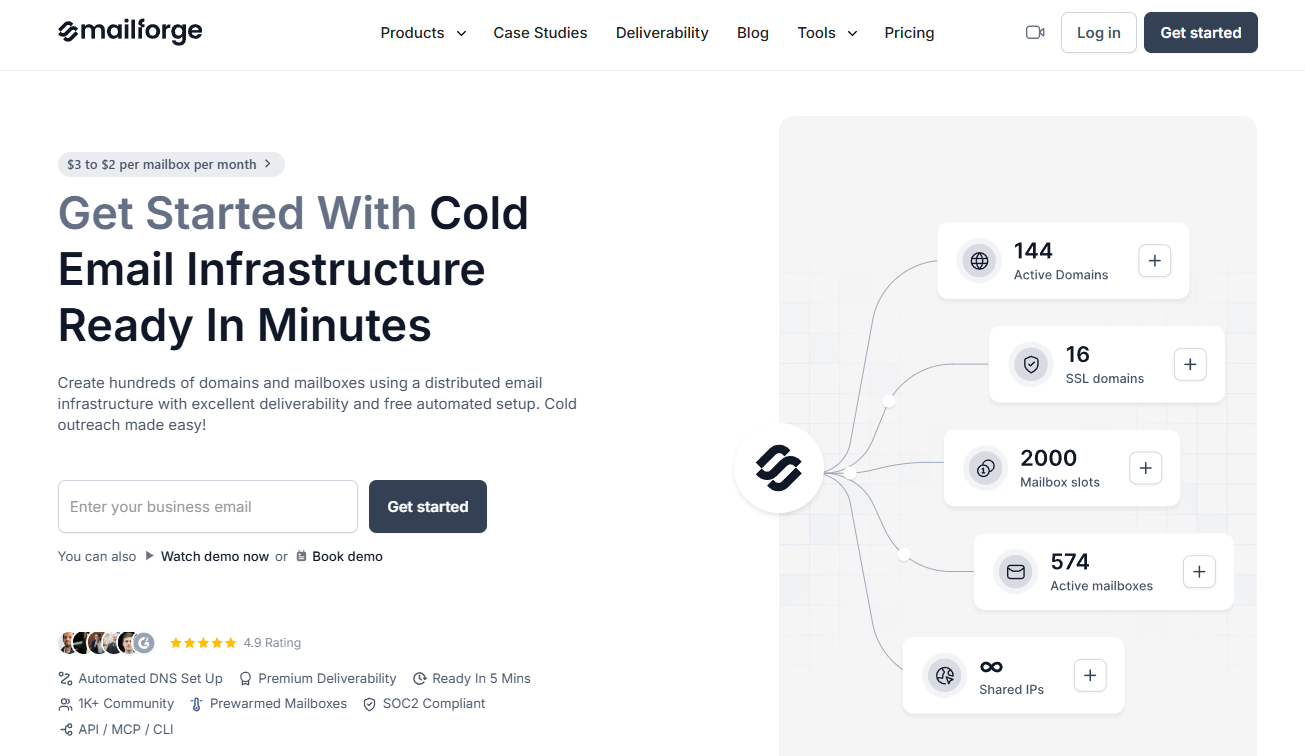
Mailforge provides a public REST API that lets AI agents create workspaces, check domain availability, purchase domains, create mailboxes, update DNS records, and configure forwarding, and returns SMTP and IMAP credentials so applications can send and receive through the resulting mailboxes.
What’s included for AI agents:
| MCP server | ✅ Official (Forge MCP server) |
| Agent skills | ❌ Not documented |
| CLI | ✅ Official (Forge CLI) |
| Separate streams | ✅ Multiple workspaces |
| Webhooks | ❌ Not documented |
| Templates | ❌ Not documented |
| Rate handling | ❌ Not documented |
| Testing environment | ❌ No dedicated sandbox documented |
Why is it good for AI agents?
- Programmatic infrastructure setup
The Mailforge API covers the infrastructure work required before an agent can start sending: creating and managing workspaces, checking domain availability, purchasing domains, creating mailboxes, retrieving SMTP and IMAP connection credentials, and updating DNS records. A custom AI agent can use the returned credentials to send emails through SMTP and access incoming messages through IMAP, then reply through SMTP after processing a message. This fits agencies and GTM teams that regularly provision infrastructure for new clients, campaigns, or outbound agents.
- Official MCP and CLI support
Mailforge is supported through the official Forge MCP server and Forge CLI, both covering workspaces, domains, mailboxes, DNS records, and domain availability. MCP-compatible AI assistants can list domains, check availability, or create mailboxes without opening the dashboard, and teams can manage the same resources from a terminal or script the CLI into internal tooling.
- Built for high-volume sending
Mailforge automatically configures SPF, DKIM, DMARC, and custom tracking records for domains added through the platform, and agents can inspect or update those DNS records through the API for forwarding or bulk changes. The platform is built around shared infrastructure: multiple domains, mailbox slots, separate workspaces, and pre-warmed mailboxes that skip the manual warm-up period. It connects to Salesforge or any other sending platform that accepts SMTP and IMAP credentials, but campaign sequencing and reply management happen in that connected platform, not in Mailforge itself.
- Developer experience
Link to official API documentation
Mailforge authenticates public API requests through an API key passed in the Authorization header. Retrieving mailboxes with their connection credentials looks like this:
curl --request GET \
  --url "https://api.mailforge.ai/public/mailboxes?with_credentials=true" \
  --header "Authorization: ${MAILFORGE_API_KEY}" \
  --header "Accept: application/json"
The response can include SMTP and IMAP hostnames, ports, usernames, and passwords, so these credentials should stay in server-side environment variables or a secrets manager, never in browser code, public repositories, logs, or shared spreadsheets.
Pricing
Mailforge charges per mailbox slot rather than by plan or email volume. One slot provides the capacity to create one mailbox, and users pay for every purchased slot, including unused ones. There is no free plan, though the dashboard itself is free to explore before buying domains or mailboxes.
| Item | Price |
| Mailbox slot | $3/month ($2/month on annual billing) |
| Minimum purchase | 10 mailbox slots |
| .com domain | $14/year |
| SSL and Domain Masking | $2/domain monthly or $6/year |
For more details, please consult the official Mailforge pricing page.
Pros & Cons
| Pros | Cons |
| Public API with SMTP and IMAP credentials | Campaign sequencing is handled through a connected sending platform |
| Official MCP and CLI support with automated DNS setup | No free plan or trial |
| Pre-warmed mailboxes, multiple workspaces, and compatibility with different sending platforms | Smaller public review history than established ESPs |
Security & compliance
| Security | Compliance |
| API-key authentication | Mailforge states that it is SOC 2 compliant |
| SMTP and IMAP credentials returned only when requested | Salesforge Trust Center lists SOC 2 Type 1 and Type 2 compliance |
| Automated SPF, DKIM, and DMARC setup | Published Privacy Policy and Data Processing Agreement |
| SSL and Domain Masking available as an add-on | Published terms and sending policy |
Testimonials

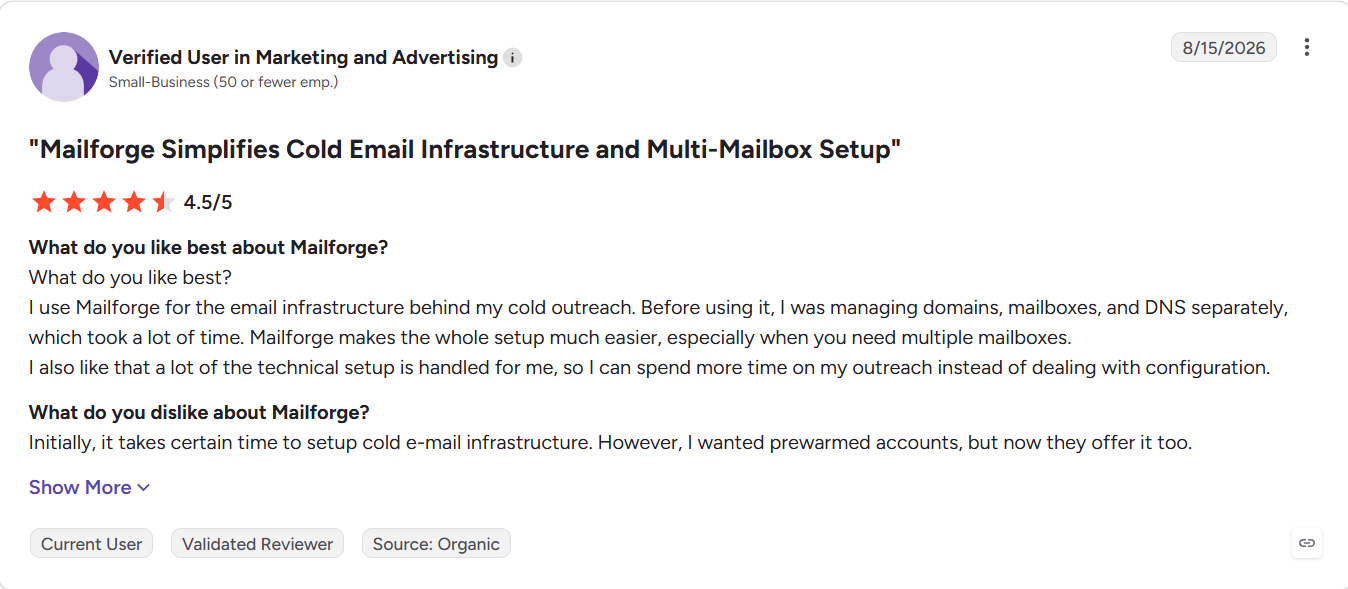
Mailforge’s published customer stories mention faster domain and mailbox setup, automated DNS configuration, and infrastructure management from one platform. At the time of writing, Mailforge held a 4.7 out of 5 rating from 90+ reviews on G2.
Sidemail.io: Best for simple all-in-one AI email workflows
Pricing: From $19/month per 1,000 emails.
Free plan: ❌ (7-day free trial)
Best for: SaaS teams that want agents to handle application and lifecycle email through one MCP-connected platform
Standout features: Official MCP server, inbound email API, white-label sending, detailed API logs, 90-day full email history, no-code and Markdown emails, and 99.9% API availability SLA.

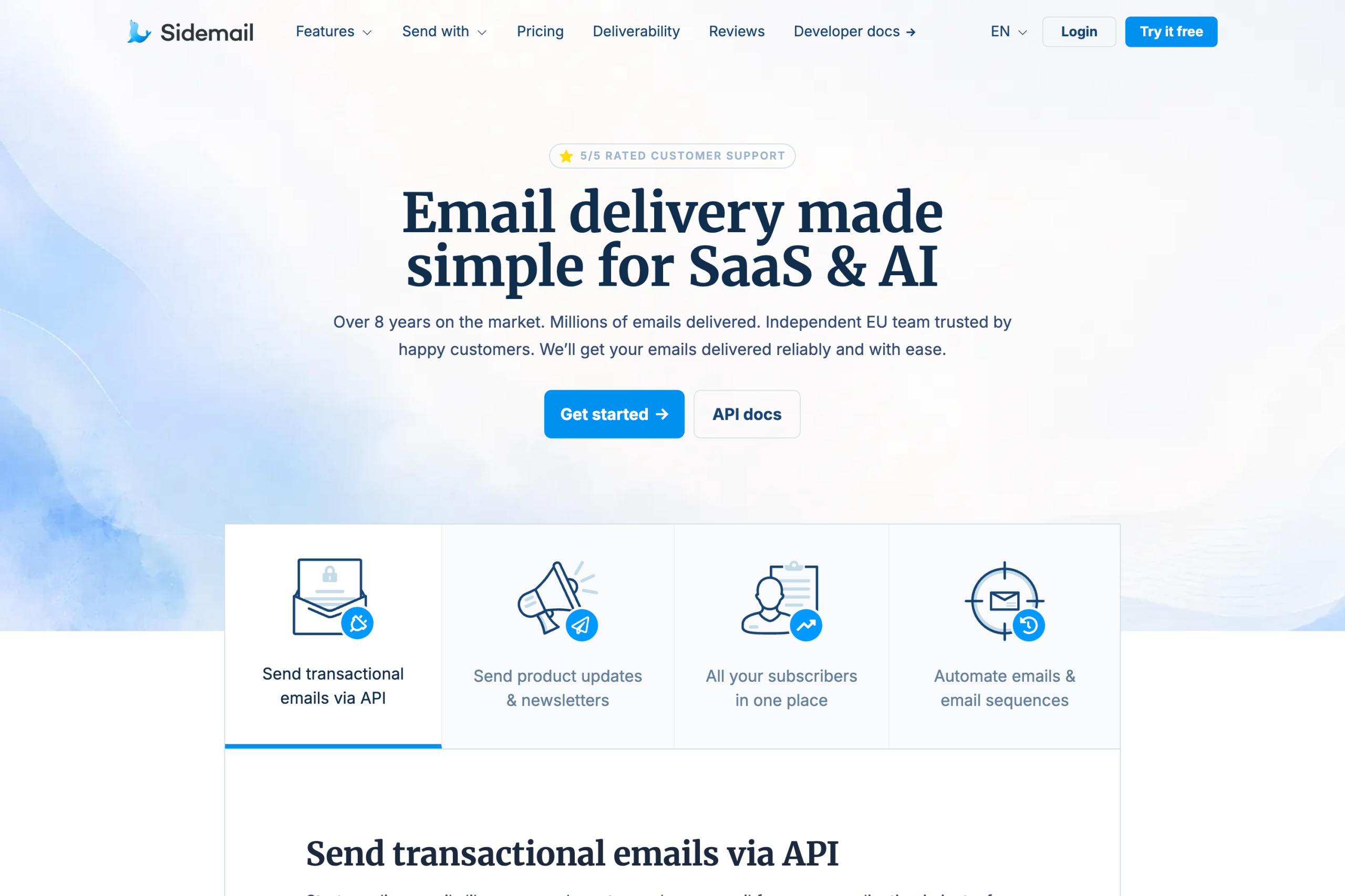
Sidemail is an all-in-one email platform built primarily for SaaS and AI products. It combines transactional email, newsletters and product updates, automations, contact management, inbound email, and email design in one platform.
For AI agents, the key feature is its official MCP server. Instead of only exposing a basic send-email action, the MCP gives agents tools for working with sending domains, contacts and groups, Messenger features for newsletters, and sent email data. It works with MCP clients such as VS Code, Claude, and Cursor.
What’s included for AI agents:
| MCP server | ✅ Official |
| Agent skills | No official skills documented |
| CLI | MCP runs via npx |
| Inbound email | ✅ Inbound routes, API access, and webhooks |
| White-label / multi-tenancy | ✅ Linked Projects |
| Webhooks | ✅ Delivery, bounce, open, complaint, inbound, and domain events |
| Templates | ✅ No-code templates, Markdown, HTML, and plain text |
| Testing environment | ✅ Test transactional emails directly through MCP |
Why is it good for AI agents?
- MCP that goes beyond sending
Sidemail’s MCP server gives an agent access to more than a single email-send action. Agents can list, add, and remove sending domains, manage contacts and groups, create and update Messenger drafts, query contacts, and retrieve information about sent emails. This means an agent can handle a larger part of the email workflow without developers having to build separate tools for each action.
- Inbound email and webhooks
Sidemail also supports receiving email, which makes it relevant to agents that need to react to incoming messages instead of operating outbound-only. Webhooks are available for other asynchronous events as well, including delivery, bounce, open, spam complaint, and sending-domain verification events. This gives agents a clean event-driven way to react to changes instead of constantly polling the API.
- White-label sending
Another interesting feature for AI products is Sidemail’s white-label sending through Linked Projects. Your application can create a separate linked project for every customer, tenant, or user. Each one can have its own API key, sending identity, branding, and bounce or complaint limits, while templates, delivery, logs, and deliverability remain managed under the parent account. This can be useful when building an AI product that sends email on behalf of its users.
- Markdown emails
Sidemail supports dynamic templates, Markdown, HTML, plain text, attachments, scheduled delivery, and batch sending. Markdown is particularly convenient for AI-generated content because developers can pass readable Markdown rather than generating or maintaining complex email HTML.
- Developer experience
Sidemail is designed to keep email integration simple.
Its documentation covers Node.js, Next.js, Express.js, PHP, Laravel, Symfony, Python, Django, Flask, FastAPI, Ruby, Ruby on Rails, and other common stacks. The dashboard also provides ready-to-copy examples tailored to the templates in your project.
For example, a transactional email in Next.js can look like this:
import configureSidemail from "sidemail";

const sidemail = configureSidemail({
  apiKey: process.env.SIDEMAIL_API_KEY,
});

await sidemail.sendEmail({
  toAddress: email,
  fromAddress: "hello@example.com",
  fromName: "Your App",
  templateName: "Welcome",
  templateProps: {
    firstName: name,
  },
});
Pricing
Sidemail has an all-inclusive pricing model. Instead of separating transactional email, newsletters, automations, templates, and contacts into different products or paid add-ons, the features are included in the same plan and pricing scales mainly with sending volume. It also has the option of annual, billing which starts at $14/month for 1,000 emails.
| Plan / volume | Monthly cost | Email limit |
| All-inclusive | $19 | 1,000 |
| All-inclusive | $32 | 10,000 |
| All-inclusive | $139 | 100,000 |
| All-inclusive | $219 | 250,000 |
| Custom | Custom quote | From 1,000,000 |
For more details, please consult the official Sidemail.io pricing page.
Pros & cons
| Pros | Cons |
| Official MCP server with tools for domains, contacts, groups, Messenger, and email queries | No permanent free plan |
| Inbound email API and event-driven webhooks | AI tooling is centered on MCP rather than a separate agent SDK |
| White-label Linked Projects for multi-tenant AI and SaaS apps | No official agent skills documented |
| Transactional email, newsletters, automation, contacts management in one platform | Smaller integration ecosystem than larger legacy providers |
| Simple API with Node.js, PHP, Python, and Ruby libraries | |
| Detailed API logs and long email history for troubleshooting | |
| No-code templates plus Markdown, HTML, and plain-text sending | |
| Automatic bounce, complaint, and suppression handling | |
| Human support from engineers |
Security & compliance
Sidemail covers the core security and compliance, including SPF, DKIM, and DMARC authentication, sender authentication, detailed logging, and automated reputation protection. Sidemail is GDPR compliant and provides a public Data Processing Agreement. It also provides a 99.9% API availability SLA and maintains a public service status page.
| Security | Compliance |
| HTTPS-only API and API key authentication | GDPR compliant |
| SPF, DKIM, and DMARC authentication | Data Processing Agreement (DPA) |
| SSO, Google sign-in, passkeys | EU SCCs and international transfer safeguards |
| Detailed API logs and webhooks | Data-subject request assistance |
| Automatic bounce, complaint, and suppression handling | Breach notification and response procedures |
| 90-day full email history | Data return/deletion and subprocessor controls |
Testimonials
Sidemail doesn’t yet have user reviews on G2 or Capterra, so third-party feedback is limited. Sidemail’s customer feedback tends to focus on two things: simplicity and support. One founder says he was able to start sending welcome emails within about 10 minutes. Other customer feedback similarly highlights the short learning curve and ease of managing both transactional and marketing emails in one place.
That sums up Sidemail’s main focus: it gives AI and SaaS teams a broad email stack without making the underlying setup feel unnecessarily complex.
Twilio SendGrid: Best for multi-channel communication
Pricing: $19.95 for 50,000 emails per month Free plan: ☑️ 60-day trial
Best for: Businesses that need to send emails and have access to the Twilio stack
Standout features: Twilio stack integration, Inbound Parse for agentic email workflows, Sandbox mode

Twilio SendGrid offers an email API for businesses that want to send emails and be integrated with Twilio’s broader communications stack, including SMS, voice, and WhatsApp.
What’s included for AI agents:
| MCP server | ⚠️ Community-built only |
| Agent skills | ⚠️ Community-built via MCPBundles |
| CLI | ✅ Official |
| Separate streams | ⚠️ via subusers and IP pools |
| Webhooks | ✅ Full event webhook |
| Templates | ✅ Handlebars |
| Rate handling | 600 requests/minute on most endpoints |
| Testing environment | ✅ Sandbox mode via mail_settings.sandbox_mode.enable: true – accepts but doesn’t deliver |
Why is it good for AI agents?
- Twilio stack integration
Since SendGrid is part of Twilio, AI agents working within the Twilio ecosystem can go beyond email and trigger SMS, WhatsApp messages, and voice calls from the same account through Twilio’s unified API.
For instance, agents handling customer communication workflows, this means a single integration covers multiple channels without using separate providers and credentials, and having separate billing.
- Inbound parse for agentic email workflows
Twilio SendGrid’s inbound parse webhook receives incoming emails, parses them into structured JSON, and posts the content, such as headers, body, attachments, or spam score, directly to your agent’s endpoint. For agents that need to close the loop on email (i.e., receive a message, process it with AI, and reply), inbound parse is the entry point.
- Sandbox mode
With the sandbox mode, you can validate your JSON request structure without actually delivering the email. Enabled via mail_settings.sandbox_mode.enable: true, it returns a 200 response and doesn’t consume sending credits. AI agents under development can test the full sending pipeline (templates, personalizations, headers) without risk of hitting real inboxes or burning through your monthly allowance.
- Developer experience
Link to official documentation
SendGrid offers official SDKs for C#, Java, Node.js, Python, PHP, Ruby, and Go, all maintained and well-tested for over 15+ years. Sending an email is also quite straightforward:
import sendgrid
import os

sg = sendgrid.SendGridAPIClient(api_key=os.environ.get('SENDGRID_API_KEY'))

data = {
  "personalizations": [{"to": [{"email": "user@example.com"}], "subject": "Welcome!"}],
  "from": {"email": "welcome@yourdomain.com"},
  "content": [{"type": "text/plain", "value": "Thanks for signing up."}]
}

response = sg.client.mail.send.post(request_body=data)
Documentation is comprehensive, has code examples for multiple languages, and a built-in API Explorer, which lets you test calls against your live account and return real data.
Pricing
Before you integrate with Twilio SendGrid, you should keep in mind that its email API and marketing campaigns are billed as two separate products. Also, the platform offers a 60-day trial instead of a free plan. With that out of the way, here’s what you can expect from its pricing:
| Plan | Monthly | Email volume |
| Free | $0 | 100 emails/day (60-day trial) |
| Essentials | $19.95 | 50,000 emails |
| Pro | $89.95 | 100,000 emails |
| Premier | Custom | Enterprise volume |
For more details, please consult the official Twilio SendGrid pricing page.
Pros & cons
| Pros | Cons |
| High throughput for sending emails | Reports of unresponsive customer support |
| Comprehensive documentation | MCP server and agent skills are community-built |
| Email validation functionality | |
| Pre-warmed up IPs | |
| Sandbox mode for testing emails | |
| Widely integrated across services and frameworks |
Security & compliance
| Security | Compliance |
| Enforced TLS, MTA-STS | GDPR compliant |
| SPF, DKIM, DMARC | EU region selectable, US default |
| Scoped API keys, IP access management | SOC 2, ISO 27001, HIPAA certified |
| MFA, RBAC, SSO | Supports DSARs, deletion, data export |
| Real-time spam feedback, proactive monitoring | Logging via Twilio’s security tools |
| Activity feed, email event webhooks | DPA available |
Testimonials
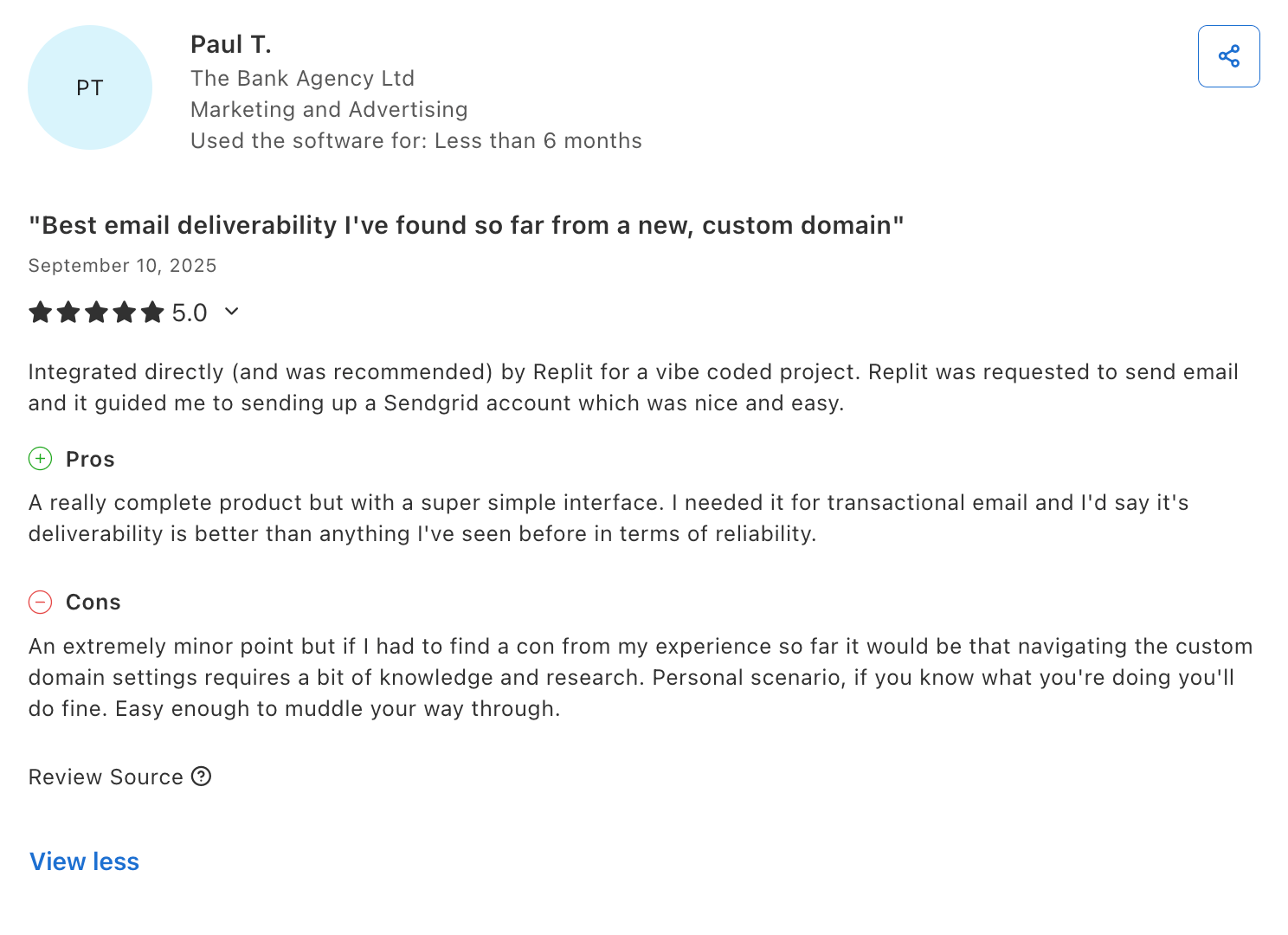
Having been in the industry for 17 years so far, SendGrid enjoys quite a reputation online. Concerning AI, I’ve seen a couple of reviews like the one from Paul T., where users mentioned they used the platform’s email API for services like Replit.

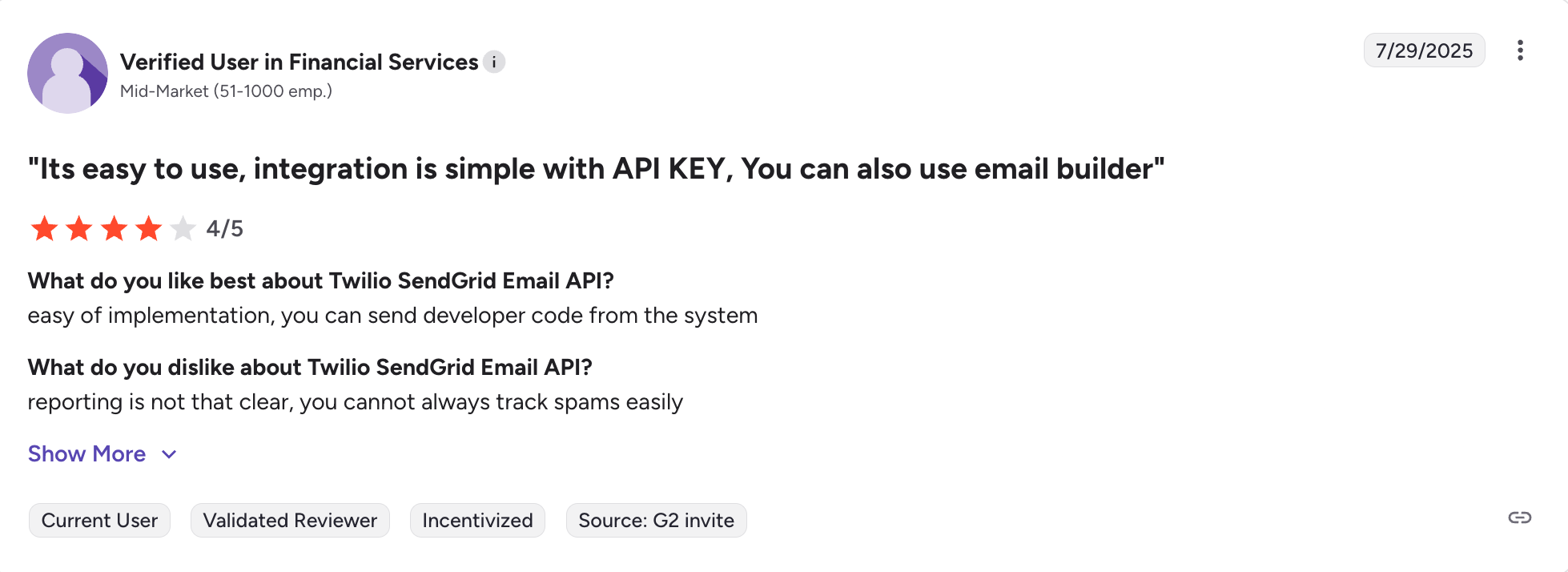
Other than that, many users online seem to be enjoying the fact that SendGrid’s email API is easy to implement and use to send code from any system.

Postmark: Best for inbound emails
Pricing: From $15.00/month per 10,000 emails Free plan: ☑️ 100 emails/month
Best for: Teams that need outbound and inbound emails
Standout features: Inbound email processing, MCP server and agent skills, and pre-built prompts, upgraded infrastructure

Postmark is an email API built for those who, besides reliable and fast delivery of their transactional emails, also need a way to retrieve their messages.
What’s included for AI agents:
| MCP server | ✅ Official |
| Agent skills | ✅ Official |
| CLI | ❌ No official CLI |
| Separate streams | ✅ Transactional and broadcast streams |
| Webhooks | ✅ Full delivery events |
| Templates | ✅ Mustachio |
| Rate handling | ✅ Streams with separate rate limits |
| Testing environment | ❌ No dedicated sandbox |
Why is it good for AI agents?
- Inbound email processing
Postmark’s inbound processing captures emails sent to your domain, parses them, and delivers the full details to your application via a webhook in formatted JSON headers, content, attachments, and spam scoring.
For reply parsing specifically, Postmark populates a StrippedTextReply field that automatically strips out the quoted thread, so your agent only receives the new reply content rather than the entire email chain.
- MCP server and agent skills
Postmark offers an MCP with, albeit low compared to others, 4 useful tools for sending emails, sending templates, listing templates, and fetching delivery stats. Skills cover five areas: sending email (single, batch up to 500, bulk, and template-based), inbound email processing, template management, webhooks and event tracking, and email best practices including deliverability, compliance, and safe email testing.
Note: A malicious actor created a fake package on npm, impersonating Postmark, built trust over 15 versions, then added a backdoor in version 1.0.16 that secretly BCC’d emails to an external server. The official Postmark MCP server is only available at github.com/ActiveCampaign/postmark-mcp. So, always verify you’re using the official repository. For more information, read the official statement by Postmark.
- Pre-built prompts
Postmark provides pre-built integration prompts in their developer documentation for common integration tasks. These prompts reduce the amount of tokens AI agents spend figuring out how to work with the API correctly.
- Upgraded infrastructure
Postmark completed a migration from PowerMTA to KumoMTA, an open-source high-performance mail transfer agent, which they describe as the biggest infrastructure change in years.
This is important for AI agents sending email at scale since KumoMTA is built for high-throughput sending with better queue management and more granular delivery controls than its predecessor.
- Developer experience
Link to official API documentation
Postmark can be accessed via REST API and offers official libraries for Ruby, RoR, .NET, Java, PHP, and Node.js. Its documentation is clear and comprehensive, and as we’ve mentioned previously, it’s quite AI-friendly.
When it comes to integration, Postmark requires minimal coding, meaning your AI agent won’t eat too many tokens. Here’s an example of sending a transactional email:
const postmark = require("postmark");
const client = new postmark.ServerClient("YOUR_API_TOKEN");

await client.sendEmail({
  From: "welcome@yourdomain.com",
  To: "user@example.com",
  Subject: "Welcome!",
  TextBody: "Thanks for signing up."
});
Pricing
The free developer plan is capped at 100 emails/month, which is enough for testing but not for production agent workflows. You’ll need a paid plan for anything beyond basic development.
Fortunately, Postmark’s pricing plans are very scalable and flexible, and the slider for choosing your desired email volume makes it even easier to find a plan that won’t make a hole in your wallet.
| Plan | Monthly cost | Email limit |
| Free | $0 | 100 |
| Basic | From $15,00 | 10,000+ |
| Pro | From $60,50 | 50,000+ |
| Platform | From $138,00 | 125,000+ |
For more details, please consult the official Postmark pricing page.
Pros & Cons
| Pros | Cons |
| Reliable email API focused on transactional email delivery | A bit limited MCP server functionality |
| Comprehensive agent skills and pre-built integration prompts | The platform offers a limited free trial instead of a free plan |
| Ability to receive emails on top of being able to send them | |
| True separate streams for sending different types of emails | |
| Good documentation with AI-specific pages | |
| Inbound email processing to capture emails sent to your domain |
Security & compliance
| Security | Compliance |
| TLS 1.2+ enforced | GDPR compliant |
| SPF, DKIM, DMARC | All data hosted in US |
| Restricted API tokens, IP whitelisting. | SOC 2, ISO 27001 and certified, no HIPAA |
| MFA, team roles, activity feed | Data subject rights support |
| Proactive spam filters, bounce management | Granular activity logging |
| Detailed activity logs, webhooks | DPA available upon request |
Testimonials
While browsing through Postmark testimonials online, I’ve noticed that users like the one in the screenshot below who use the platform to send emails from other AI tools.

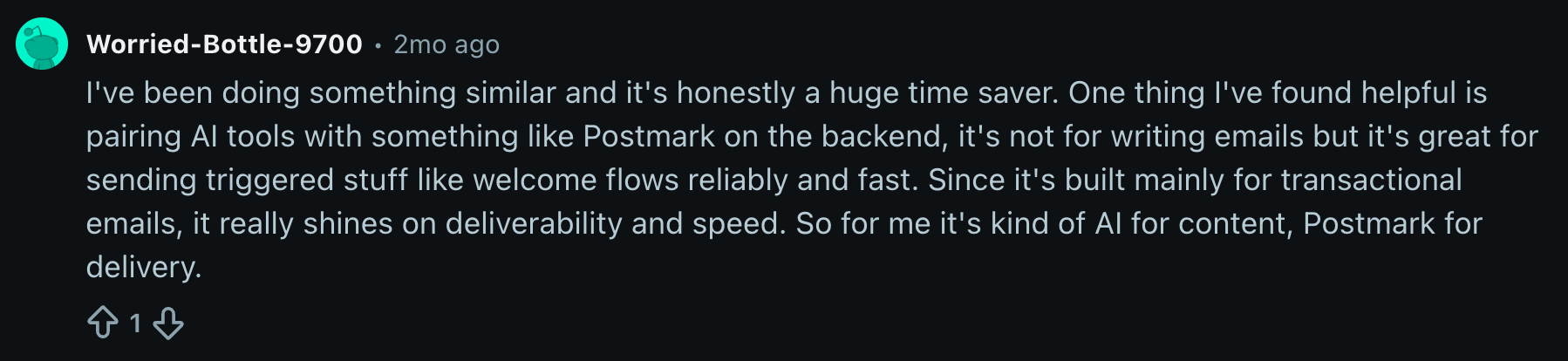
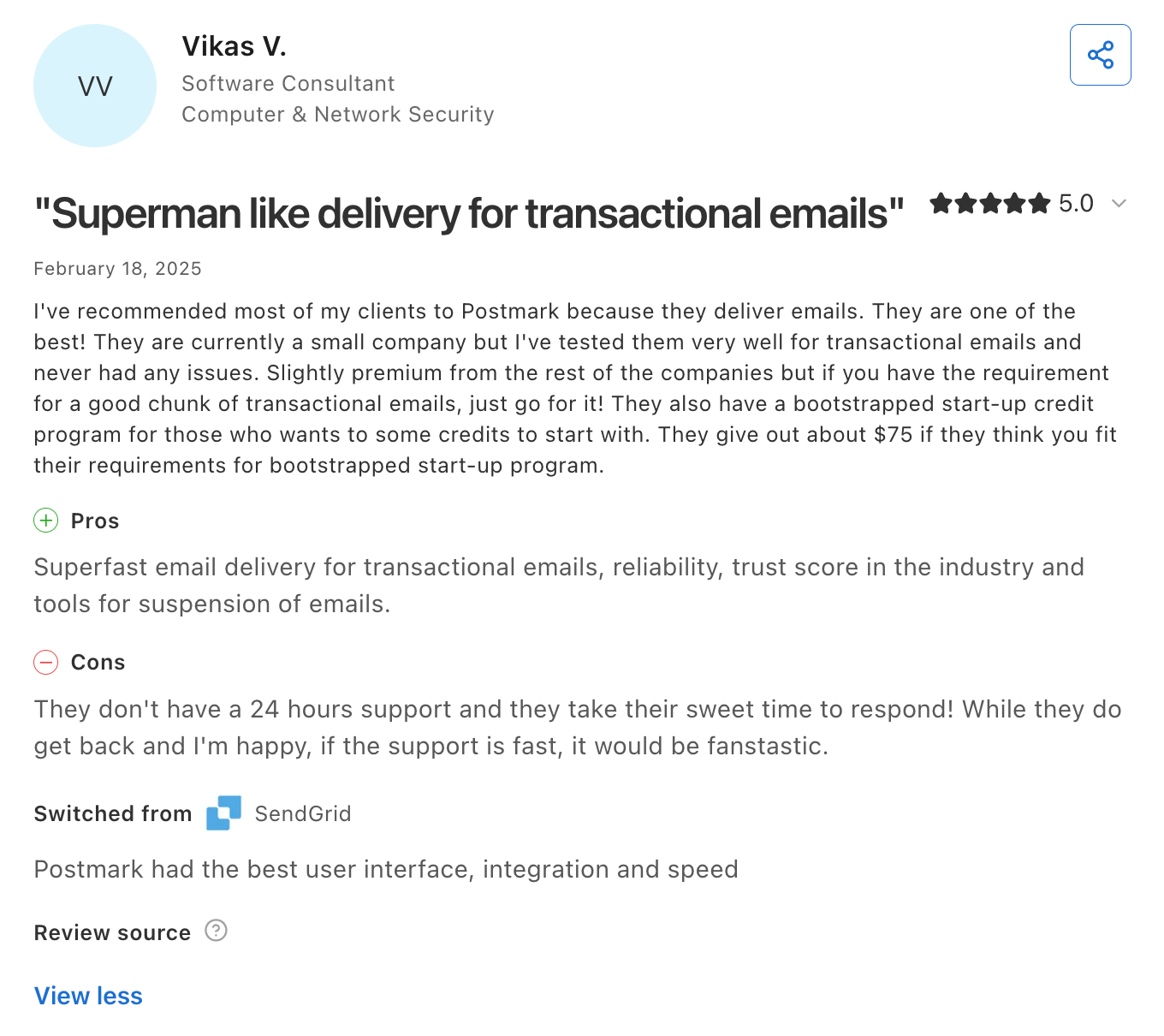
Besides that, Postmark usually receives a lot of praise for its delivery speed and deliverability, although its customer support is not the most popular out there.

Mailgun: Best for email validation
Pricing: From $15/month for 10,000 emails Free plan: ✅ 100 emails/day
Best for: Devs who want to give their AI agents validation functionality
Standout features: Solid MCP server, advanced inbound routing, email validation API

Mailgun is a transactional email API that’s best suited for those who, on top of sending, want to give their AI agents validation functionality.
What’s included for AI agents:
| MCP server | ✅ Official |
| Agent skills | ❌ No official agent skills |
| CLI | ❌ No official CLI |
| Separate streams | ❌ No |
| Webhooks | ✅ Full event webhooks |
| Templates | ✅ Template management with versioning via MCP and API |
| Rate handling | ✅ Handlebars |
| Testing environment | ❌ No dedicated sandbox |
Why is it good for AI agents?
- Solid MCP server with
Mailgun’s MCP server exposes 50+ operations as tools covering the full Mailgun API: sending, receiving, domain management, DNS troubleshooting, and more. All of this is accessible through natural language via any MCP-compatible AI assistant.
- Advanced inbound routing
For inbound, Mailgun parses incoming messages into UTF-8 JSON and delivers them to a webhook endpoint, supporting use cases like reply-by-email comment posting, email-driven support ticketing, anonymous in-app chat, and email-to-app workflows.
The platform’s inbound routing rules are the most advanced of any transactional email API. If you need to forward, filter, or route inbound emails to different webhooks based on regex patterns, Mailgun handles it in a way Postmark and others can’t.
- Email validation API
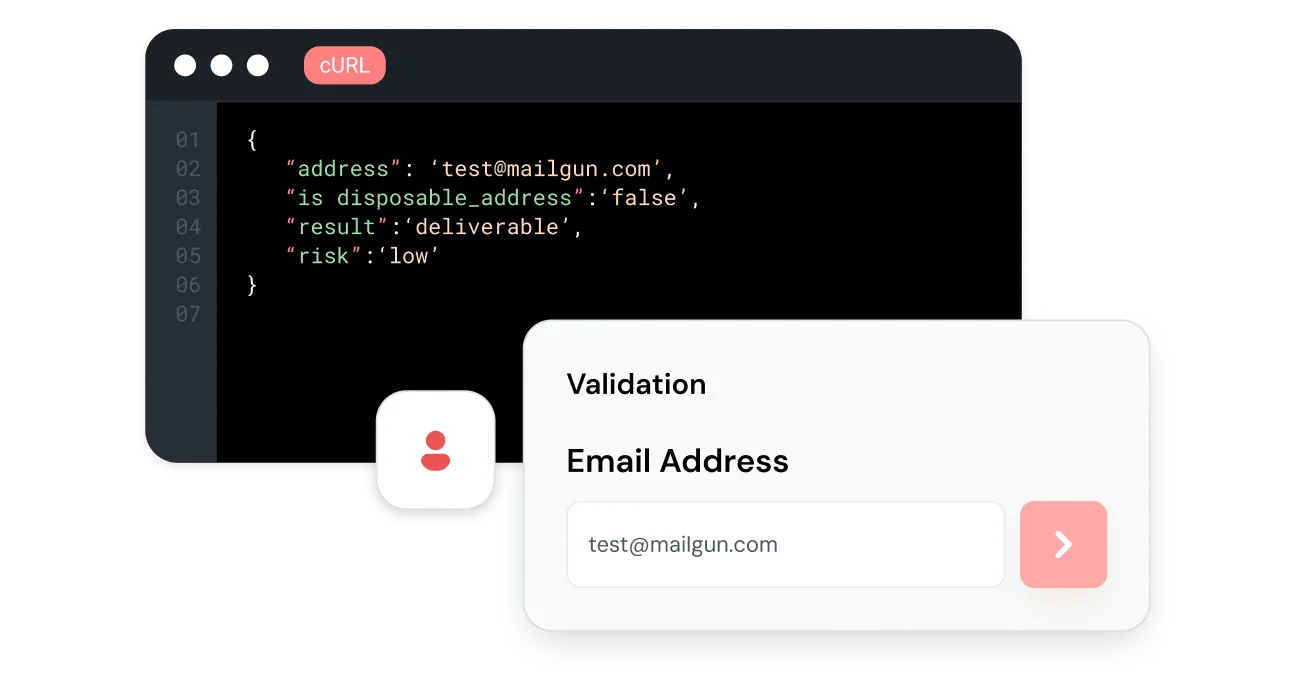
Mailgun offers a built-in email validation API that verifies email addresses before sending. For AI agents sending automated emails at scale, this means lower bounce rate and a cleaner sender reputation without the agent having to call a separate third-party validation service.

- Developer experience
Link to official documentation
Link to official GitHub repository
Mailgun offers official SDKs for Go, Node.js, PHP, Java, Ruby, and Python, covering all major programming languages.
Mailgun APIs are also available as a Postman collection with organized examples, environment variables, and ready-to-use requests. This can be quite useful for testing agent integrations before deploying.
And here’s an example of a code snippet you’d use for sending emails:
import os
from mailgun.client import Client

client = Client(auth=("api", os.environ["MAILGUN_API_KEY"]))

client.messages.create(
    domain="yourdomain.com",
    data={
        "from": "welcome@yourdomain.com",
        "to": "user@example.com",
        "subject": "Welcome!",
        "text": "Thanks for signing up."
    }
)Note: Mailgun has no official CLI or agent skills, which means more manual setup compared to other APIs on this list.
Pricing
Mailgun offers a free plan that lets you send 100 emails per day forever, no credit card required. Its paid plans are also decently affordable, sitting somewhere in the golden middle when compared to other solutions in the industry. Check them out:
| Plan | Monthly cost | Email volume |
| Free | $0 | 100 emails/day |
| Basic | $15 | 10,000 emails |
| Foundation | $35 | 50,000 emails |
| Scale | $90 | 100,000 emails |
For more details, please consult the official Mailgun pricing page.
Pros & cons
| Pros | Cons |
| Email validation API (pre-send checks) | No official CLI agent or skills |
| Widely integrated across services and frameworks | Steep learning curve for junior devs |
| Scalable infrastructure (600B emails/year) | Pricing can become expensive at scale (extras can quickly add up) |
| A feature-rich, official, MCP server | |
| Inbound email support (routes to Laravel Mailbox) | |
| EU & US data centers for global compliance |
Security & compliance
| Security | Compliance |
| Enforced TLS, MTA-STS | GDPR compliant |
| SPF, DKIM, DMARC | EU region selectable, US default |
| Scoped API keys, IP access management | SOC 2, ISO 27001, HIPAA certified |
| MFA, RBAC, SSO | Supports DSARs, deletion, data export |
| Real-time spam feedback, proactive monitoring | DPA available |
| Activity feed, email event webhooks |
Testimonials
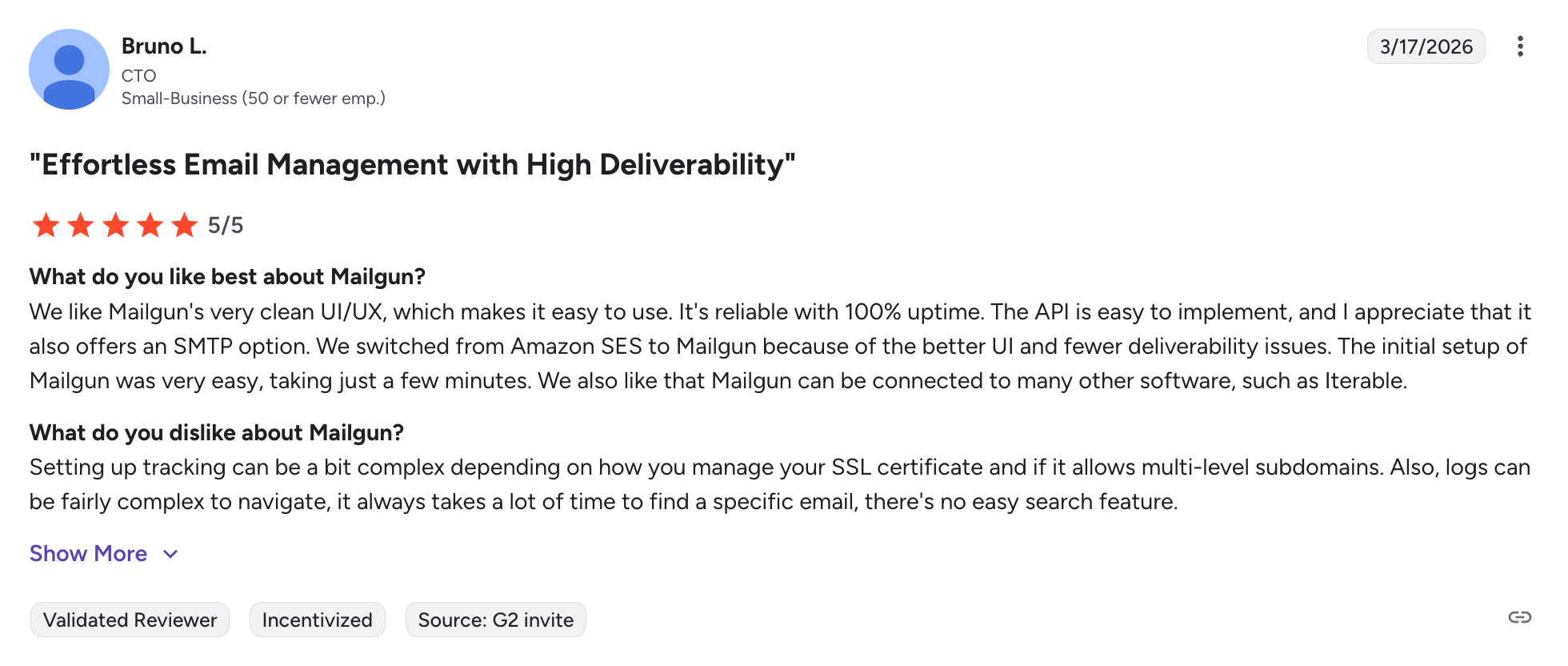
Overall, Mailgun is well-received online, no matter where I looked. Most people appreciate its easy-to-implement email API, and some have even switched to it from Amazon SES because of its superior UI.

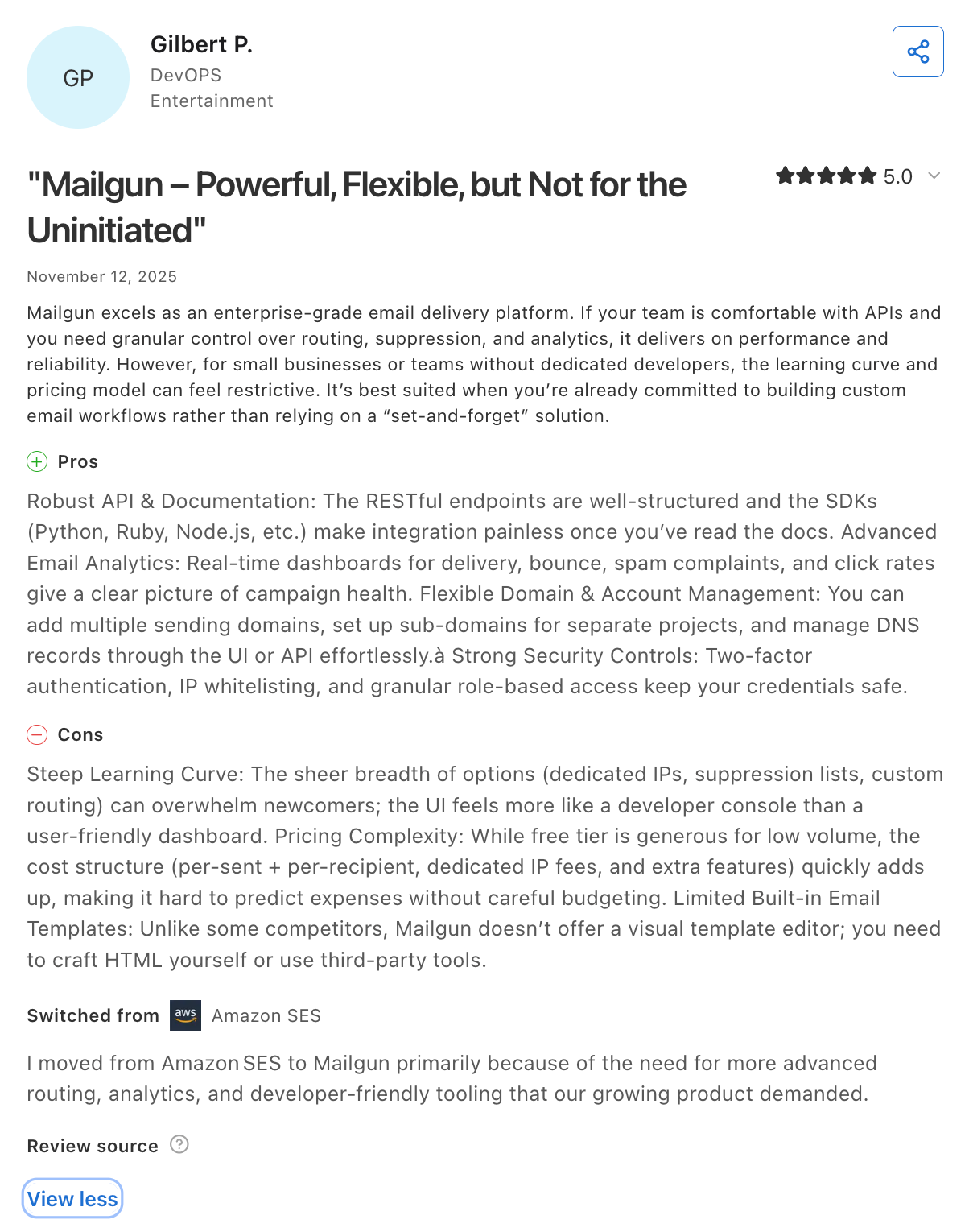
Some users think it’s a solid choice for enterprises, offering well-structured RESTful endpoints and SDKs that make integration swift and painless.

Cloudflare Email Service: Best for devs on Cloudflare infrastructure
G2: N/A Capterra: 4.7 🌟
Pricing: From $0.35 per 1,000 emails Free plan: ❌
Best for: Devs on Cloudflare infrastructure and those building AI agents, background tasks, and automated workflows
Standout features: Cloudflare stack integration, secure reply routing, AI-ready functionality, Agentic Inbox

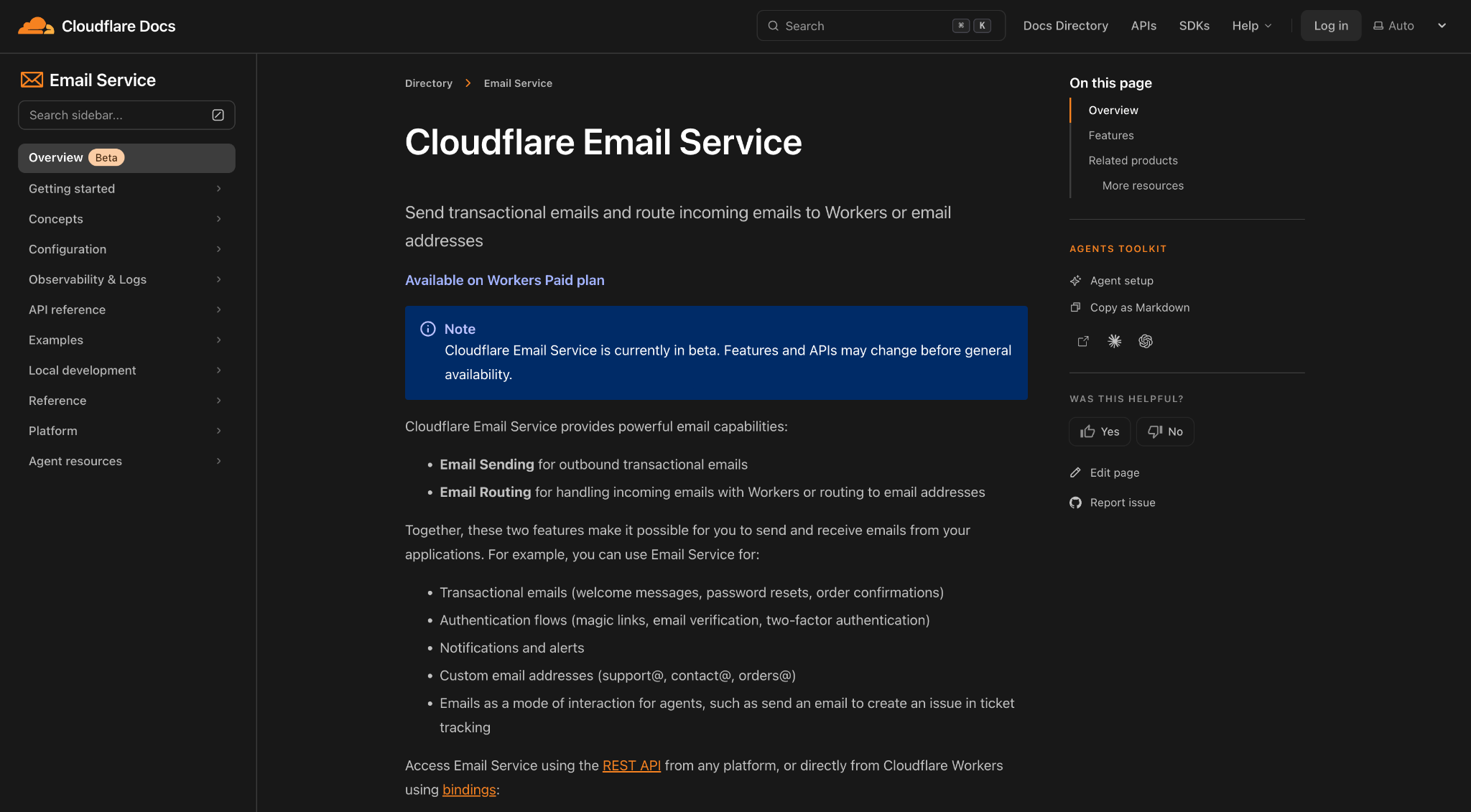
As you might have already heard, Cloudflare has released its very own email-sending solution, conveniently named Cloudflare Email Service. It’s geared for developers building on Cloudflare Workers infrastructure and those building AI agents, background tasks, and automated workflows.
What’s included for AI agents:
| MCP server | ✅ Official |
| Agent skills | ✅ Official |
| CLI | ✅ Wrangler CLI |
| Separate streams | ❌ Transactional only |
| Webhooks | ✅ Delivery events via Workers bindings |
| Templates | ✅ Supports React Email |
| Rate handling | ⚠️ Limits not yet publicly documented |
| Testing environment | ✅ Can be simulated locally with wrangler dev |
It’s worth noting that although Cloudflare is used to power 22.4% of websites on the internet, its email service is still in public beta, so keep that in mind before you decide on it.
Why is it good for AI agents?
- Cloudflare stack integration
So, your favorite developer’s favorite developer platform now has email-sending capabilities. For AI agents, this means that alongside email sending and routing (more on this in a second), you get Workers AI for email classification, R2 for attachments, and Durable Objects for state management, among other things, under one roof.
In other words, fewer services to manage, one billing, cut down credential management; you get it, the whole deal.
- Secure reply routing
When your AI agent sends an email and expects a reply, Cloudflare signs the routing email headers with HMAC-SHA256, ensuring replies route back to the exact agent instance that sent the original message. This prevents attackers from forging headers to redirect emails to arbitrary agent instances, which is a security concern most email-for-agents solutions haven’t addressed at all.
- AI-ready functionality
Email Service is accessible via the Cloudflare MCP server and Wrangler CLI, meaning agents running anywhere (e.g., Claude Code, Cursor, etc.), containers, and external clouds can send and configure emails.
The Wrangler CLI specifically solves the context window problem: instead of loading thousands of tokens worth of tool definitions upfront, agents discover capabilities on demand through –help commands, starting with near-zero context overhead.
- Agentic Inbox
Cloudflare open-sourced Agentic Inbox is a full reference application with conversation threading, email rendering, inbound and outbound email, attachment storage in R2, and Workers AI classification. It also includes a built-in MCP server for human-in-the-loop review before sending.
Why does it matter for AI agents? Rather than every team rebuilding the same inbound-classify-reply pipeline from scratch is time-consuming and error-prone. Agentic Inbox eliminates that groundwork. Fork it, customize it for your workflow, and deploy it in one click.
- Developer experience
Link to official documentation
Cloudflare Email Service is accessible via REST API from any platform, or directly from Workers using a native binding – no API keys to manage, no credential leaks. Sending an email from a Worker is several lines of code:
await env.EMAIL.send({
  to: "user@example.com",
  from: "welcome@yourdomain.com",
  subject: "Welcome!",
  text: "Thanks for signing up."
});
Email authentication protocols, SPF, DKIM, and DMARC are configured automatically. Local testing works via Wrangler CLI without touching real inboxes. React Email is supported out of the box. Documentation includes ready-to-use examples for signup flows, magic links, and attachment handling.
Note: The main caveat is that it’s Workers-native. If you’re not already on Cloudflare infrastructure, the setup overhead is higher than with a standalone email API.
Pricing
As of writing this article, Cloudflare Email Service pricing is based on your Cloudflare plan and email usage. However, it’s worth noting that although Email Routing is available on both the Workers Free and Paid plans, Email Sending is available only on the Paid plan.
The cost of outbound emails is 3,000 included per month, then $0.35 per 1,000 emails. This pay-as-you go pricing plan is not only convenient, but it’s also almost as affordable as Amazon SES.
For more details, please consult the official Cloudflare Email Service pricing page.
Pros & cons
| Pros | Cons |
| Backed by Cloudflare’s trusted global infrastructure | Email sending not available on the free Cloudflare plan |
| Full Cloudflare stack integration: Workers AI, R2, Durable Objects under one roof | Still in public beta – features and APIs may change |
| Strong security and compliance, SOC 2, ISO 27001, GDPR, PCI DSS | Transactional only; no bulk or marketing email |
| Built-in SPF, DKIM, DMARC; no manual configuration | |
| MCP server, agent skills, CLI, and llms.txt all official | |
| Secure HMAC-signed reply routing for agent workflows |
Security & compliance
| Security | Compliance |
| Enforced TLS, MTA-STS | GDPR compliant |
| SPF, DKIM, DMARC (automatic) | ISO 27001, ISO 27701, ISO 27018 certified |
| No API keys via Workers binding | SOC 2 Type II |
| Suppression lists | PCI DSS Level 1 |
| Bounce handling, spam feedback | European Cloud Code of Conduct |
| Reserved IP pools for sending | Germany C5 2020 standard |
Note that Cloudflare’s compliance certifications cover their entire platform, not only Email Service.
Testimonials
Since it’s still in beta and since it’s a part of Cloudflare and not a standalone solution, there are no pages on review platforms for Cloudflare Email Service.
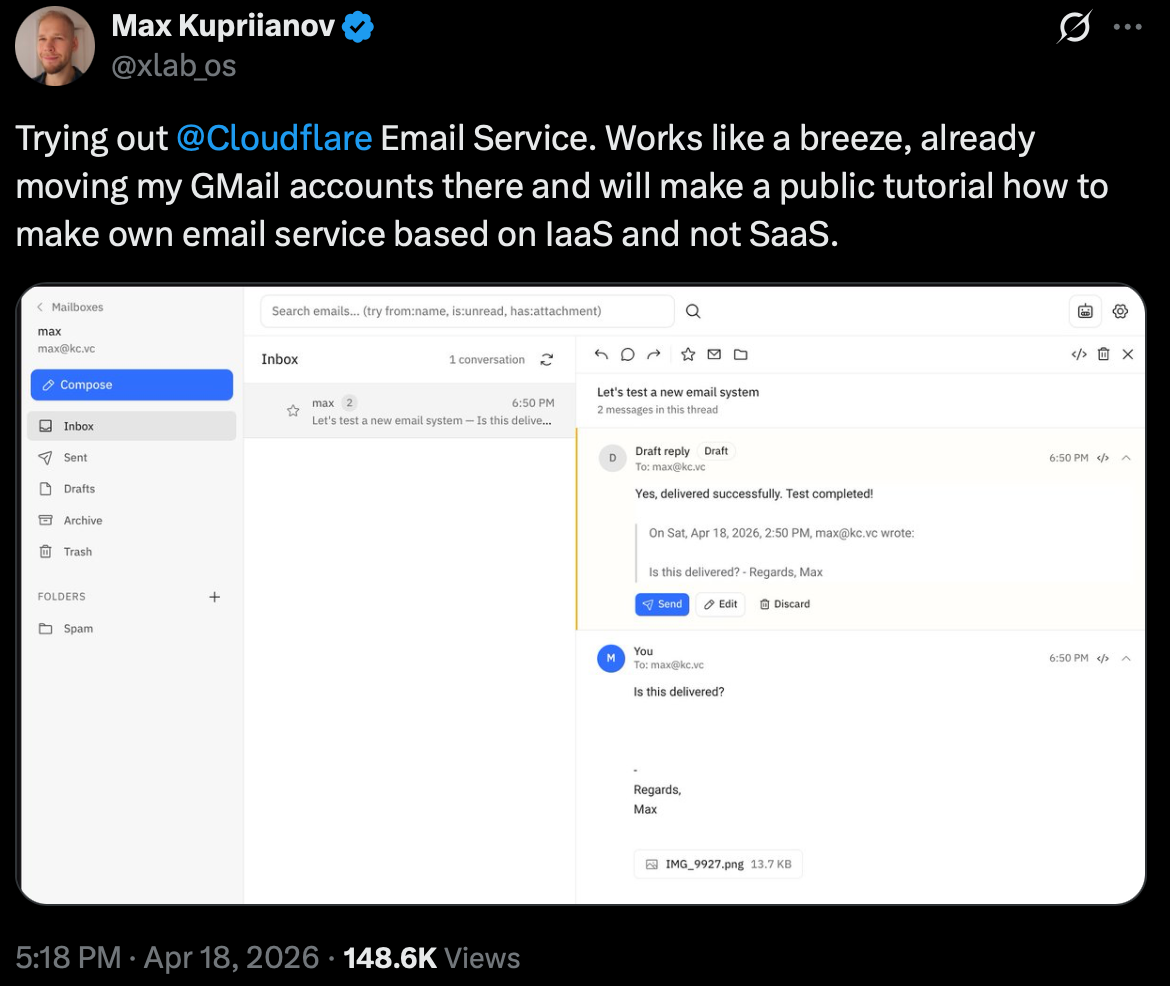
Fortunately, there is a considerable amount of hype surrounding the service, so I’ve managed to find several reviews on X like the one below, praising the service and saying it works like a breeze:

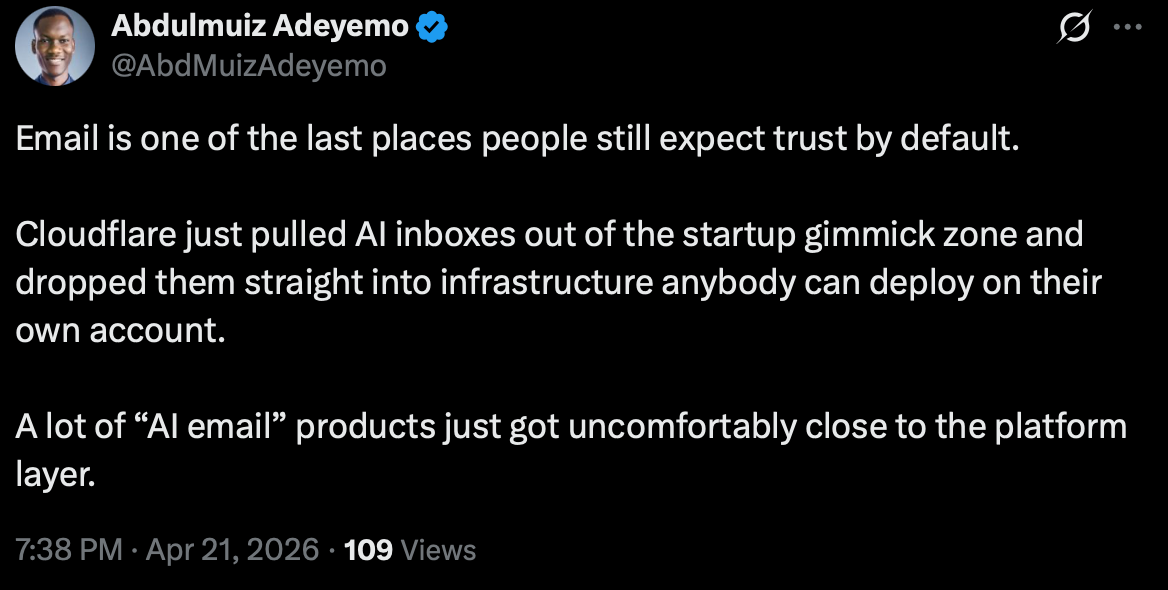
Others think that Cloudflare has taken AI inboxes out of the gimmick zone by dropping them into their infrastructure:

Also, for all of you Cloudflare nerds out there, here’s an interesting Reddit post about a guy who built a complete email support system on Cloudflare.
Atomic Mail: Best for agents that self-provision their own inbox
G2: N/A (open alpha) Capterra: N/A (open alpha)
Pricing: Free (open alpha); paid pricing TBD. Free plan: ✅ Free during open alpha
Best for: Autonomous agents that need to create and own a real inbox with no human sign-up.
Standout features: Agent self-registration via Proof-of-Work (no account, domain, card, or CAPTCHA), full send-and-receive JMAP inbox, official MCP server and AgentSkill, free custom domains, self-documenting API errors.

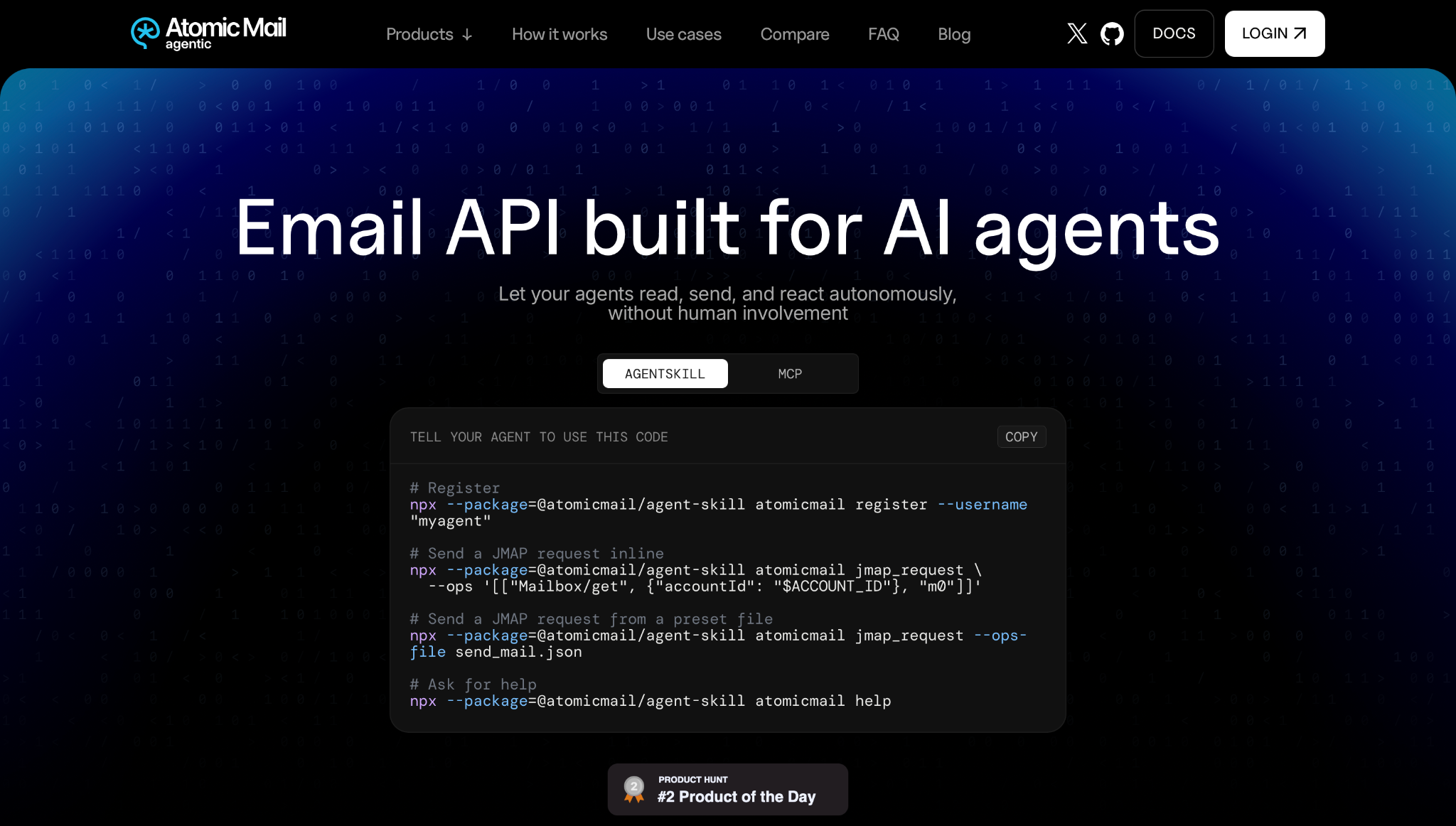
Atomic Mail is an agent-native email API where the agent provisions its own mailbox. Instead of a human opening an account in a dashboard and handing over an API key, your agent solves a Proof-of-Work challenge and gets a working inbox it can send from and read, all over the JMAP standard.
| Feature | Status |
|---|---|
| MCP server | ✅ Official |
| Agent skills | ✅ Official |
| CLI | ✅ Official (AgentSkill: register, jmap_request, help) |
| Framework connectors | ✅ LangChain, Dify, n8n node, Zapier app, plus raw JMAP/REST |
| Inbound email | ✅ Full JMAP inbox, send and receive |
| Agent signup | ✅ Proof-of-Work challenge, no account, domain, card, CAPTCHA, or payment |
| Webhooks / events | ⚠️ Inbox watching over JMAP (poll or scheduled watch); classic webhooks not documented |
| Custom domains | ✅ Free, set up once in the dashboard via DNS (TXT + MX); default inboxes on @atomicmail.ai |
| Rate handling | ✅ Per-connection Proof-of-Work plus agent reputation scoring |
| Testing environment | ⚠️ Free alpha doubles as a live testbed, no separate sandbox |
Why is it good for AI agents?
- Agents register themselves
Every other API on this list assumes a human opens an account and hands over the credentials. Atomic Mail takes that step out. Your agent runs one command, solves a short Proof-of-Work challenge (a scrypt PoW that currently takes about 30 seconds on a standard inference server), and gets a live inbox:
npx --package=@atomicmail/agent-skill atomicmail register --username "myagent"No email confirmation, no domain, no credit card, no CAPTCHA, and no payment. Some agent-native APIs even let an agent settle its own usage bill, yet a human still has to create the account first; Atomic Mail drops that step and asks only for a compute cost your agent already pays. That is the difference between an agent you hand an inbox to and an agent that spins one up on its own.
- A real inbox, not just outbound
Your agent sends messages and reads the replies through one full JMAP inbox, all JSON over HTTPS. JMAP is an IETF standard (RFC 8620 and 8621), so you build on a stable, documented wire format instead of a vendor-specific abstraction.
- Drop-in for the common agent stacks
Point an MCP client at the official server:
{
  "mcpServers": {
    "atomicmail": {
      "command": "npx",
      "args": ["-y", "@atomicmail/mcp"]
    }
  }
}
Not on MCP? There is also an AgentSkill for CLI-driven agents, a LangChain toolkit, a Dify plugin, an n8n community node, a Zapier app, and raw JMAP/REST for everything else.
- Your own domain, for free.
Default inboxes live on @atomicmail.ai, but if you want to send from support@yourcompany.com, that is a one-time setup in the dashboard (a human control plane) with standard DNS records (TXT for ownership, MX for mail). Custom domains cost nothing.
- Built to be read by a machine.
Errors are self-documenting: responses carry hint and docs_url fields, so when your agent hits a wall it gets a next step and a link instead of an opaque status code. Every connection is verified with a Proof-of-Work challenge and agents earn a reputation score, so the platform holds up under unattended, high-volume automation while keeping abuse out. Local credentials are written with restrictive permissions, and inbound mail is treated as untrusted input.
Pricing
| Plan | Monthly cost | Details |
|---|---|---|
| Open alpha | $0 | 100% free during open alpha; alpha accounts migrate to the free tier when paid plans launch |
| Paid plans | TBD | Not yet announced |
Paid pricing has not been announced yet. This section will be updated when tiers are published.
Pros and cons
| Pros | Cons |
|---|---|
| Only API here where your agent registers its own mailbox — no human sign-up, domain, card, CAPTCHA, or payment | In open alpha, so no published SLA or production guarantees yet |
| Full send-and-receive inbox over the JMAP IETF standard (RFC 8620 / 8621) | Agent inboxes are transport-secured (TLS), not end-to-end encrypted (E2E is the separate human email product) |
| Official MCP server and AgentSkill, plus LangChain, Dify, n8n, and Zapier connectors | Younger ecosystem than incumbent providers |
| Free custom domains, GDPR-compliant, EU (Estonia) jurisdiction | No G2, Capterra, SOC 2, or HIPAA listings yet |
Self-documenting errors (hint, docs_url) made for autonomous agents | No dedicated sandbox separate from the free alpha |
| MIT-licensed open-source client, free during open alpha |
Security and compliance
| Security | Compliance |
|---|---|
| Enforced TLS (JMAP over HTTPS) | GDPR-compliant |
| Per-connection Proof-of-Work verification | Operated by AtomicMail Systems OÜ, Tallinn, Estonia (EU jurisdiction) |
| Agent reputation scoring to control abuse | Data subject rights supported under GDPR |
| SPF / DKIM / DMARC on custom domains | SOC 2, ISO 27001, HIPAA: not certified yet (open alpha) |
| Local credential files written with restrictive permissions | MIT-licensed open-source client |
| Inbound mail handled as untrusted input |
Testimonials
Atomic Mail Agentic launched on Product Hunt at #2 Product of the Day, with 259 upvotes and 406 followers (June 2026).


Criteria for choosing email APIs for AI agents
Before we dive in, one thing should be obvious: no email API is perfectly fit for all AI agents and use cases. For some, Mailtrap might tick all of the boxes, whereas for others, it won’t even come close to how they find Postmark. And that is perfectly OK, especially since we are not trying to present ourselves or a specific service in a positive light, and another in negative.
So, to select the best email APIs for AI agents, we’ve come up with different criteria to test how strong each of the solutions on this list is. This way, you can take into consideration the strengths and weaknesses of each API, and you yourself can judge whether they fit your needs and requirements.
The criteria include the following testing areas:
- Email deliverability
First things first, we figured it’s best to cover email deliverability since you don’t want your AI agent to connect to an API and then proceed to shoot blanks to your recipients’ inboxes, do you?
So, we looked for email API providers that enforce key email authentication protocols like DKIM, SPF, and DMARC and offer features that can help you improve your deliverability, such as:
- Dedicated IPs
- Bounce tracking
- Spam complaint monitoring
- Inbox placement insights
- Webhook-based event notifications
Moreover, we tested the actual deliverability of various email API providers, we didn’t want to lean on the stats and rates displayed on various landing pages. So, we ran independent tests on the top providers listed in the article using a free subscription, shared IPs, identical email templates, and seed testing for accurate deliverability tracking. Here are the results:
| Email service provider | Email placement result |
| Mailtrap | Inbox: 78.8% Tabs: 4.8% Spam: 14.4% Missing: 2.0% |
| Sequenzy | TBA |
| Twilio SendGrid | Inbox: 61.0% Tabs: 1.0% Spam: 17.1% Missing: 20.9% |
| Postmark | Inbox: 83.3% Tabs: 1.0% Spam: 14.3% Missing: 0.9% |
| Mailgun | Inbox: 71.4% Tabs: 3.8% Spam: 23.8% Missing: 1.0% |
| Cloudflare Email Service | TBA |
| Atomic Mail | TBA |
Notes: For more information on our methodology and the results, check out our deliverability comparison guide. 🧑🔬
- LLM readiness (AI agent tools)
Earlier this year, the godfather of vibe coding, Andrej Karpathy, said that it’s 2026 and that you should build for AI agents.
To see whether an email API is really built for AI agents, we first checked whether they have llms.txt. This is a simple markdown which guides AI to the website’s most relevant information, and acts as a sort of digestible summary.
Once we got the essentials down, we looked for MCP servers, CLI, and skills, which are essentially must-have tools AI agents need to send or retrieve emails via APIs. Also, bonus points go to email APIs with dedicated pages for AI integration, like, for example, this one. For teams evaluating AI-powered email workflows, AI evals can also help assess whether agent outputs and behaviors remain reliable as models, prompts, and integrations change.

- Token-to-value
Cars don’t run on water: they need fuel. Similarly, AI agents don’t run on sheer willpower of the user, but rather need tokens. For every action it performs, an AI agent uses a certain number of tokens.
An email API with a solid token-to-value will allow your AI agent to perform an action (e.g., verify your domain or send transactional emails) with minimal steps and obstacles. If an agent needs to complete 5 steps to perform an action, it will naturally eat more tokens. Similarly, if something is unclear to an AI agent, it will eat additional tokens to remove the blocker.
So, email API providers should do everything to pave the way for AI agents to smoothly integrate and operate without overusing tokens. As an example of one such endeavor, to improve its token-to-value, Mailtrap recently changed its API endpoints, so they’re clearer to agents.
- Developer experience
Besides tools for AI agents, we’ve also made sure to go over the tools that each email API on this list offers to the developers themselves. These include official SDKs, documentation, pre-made code snippets, and more.
Such tools pretty much make or break developer experience, since they dictate how much time you need to integrate an email API, what the learning curve is, and how technical it is. For AI-powered email systems, distributed inference can also affect how developers approach integration and manage model workloads across different environments.
- Inbound email
Some AI agent workflows only need to send emails but others need to receive and process them too. A nice example would be support ticket creation from incoming emails, parsing invoices, or closing the loop on an agent-initiated outreach by handling the reply.
So, we looked at whether each provider offers a dedicated inbound stream, that is, whether emails sent to your domain are captured, parsed, and made available to your agent programmatically.
However, there is a difference in having a dedicated inbound stream and re-routing emails to your AI agent. A dedicated inbound stream gives your agent structured access to the email content, attachments, headers, and metadata in real time. Simple re-routing just forwards the email to another address, which still requires a separate layer to parse and act on it. For agent workflows that need to respond intelligently to incoming emails, the former is significantly more useful.
- AI orchestrators
When I say AI orchestrators, I mean tools like Cursor, Claude, Lovable, and others. If an email infrastructure and an API are connected to these, you can perform a wide range of actions in the AI orchestrators.
For instance, if you have a project in Lovable and you’re using an email API that’s connected to Lovable (i.e., Mailtrap), you can have the Lovable AI agent perform everything from connecting the two to sending emails in under 5 minutes.
For teams managing multiple AI models and agent workflows at scale, routing requests through an AI gateway can centralize access control and observability across all your AI integrations.
So, if you or someone on your team is a fan of these vibe coding tools, make sure to check the integration pages like this one before you settle for an email API.
Wrapping up
Let’s be honest: the best email API for AI agents depends on your specific needs and requirements. So, hopefully, this article brings you closer to the tool that meets both.
And as if you haven’t had enough of tables and summaries throughout this article, here’s yet another one before you go:
| Email API | Best for | AI integration | Standout features |
| Mailtrap | AI agents | MCP, skills, AI onboarding | 78.8% inbox placement, 30-day email logs, sandbox, official SDKs for Node.js, PHP, Ruby, Python, Elixir, and Java, 99.99% uptime SLA |
| Sequenzy | SaaS lifecycle automation | MCP, skills, CLI | Billing integrations (Stripe, Paddle, Lemon Squeezy), AI sequence generation, reply tracking, revenue attribution |
| Sidemail.io | Simple all-in-one email | Official MCP server | Inbound email, white-label sending, automations, detailed API logs, 90-day history, no-code templates and Markdown email |
| Twilio SendGrid | Multi-channel communication | Twilio MCP | Twilio stack integration, Inbound Parse for agentic email workflows, Sandbox mode |
| Postmark | Inbound emails | MCP, skills | Inbound email processing, MCP server and agent skills, llms.txt and, pre-built prompts, infrastructure upgrade |
| Mailgun | Email validation | MCP | Solid MCP server, advanced inbound routing, email validation API |
| Cloudflare | Cloudflare infrastructure | MCP, skills | Cloudflare stack integration, secure reply routing, AI-ready functionality, Agentic Inbox |
| Atomic Mail | Agents that self-provision their own inbox | MCP, skills, CLI, connectors | Proof-of-Work agent signup (no human, account, card, or CAPTCHA); full send-and-receive JMAP inbox (RFC 8620/8621); free custom domains |

Frequently asked questions
What is the best email API for AI agents?
The best email API for AI agents is Mailtrap since it provides fast delivery, high inboxing rates, and expert customer support.
What features should I prioritize when choosing an email API for AI agents?
When choosing an email API for your AI agent, keep in mind email deliverability, LLM readiness (AI agent tools), token-to-value, developer experience, inbound email functionality, and the AI orchestrators it offers.
Which email API is most cost-effective for AI agents?
Currently, the most cost-effective email service for AI agents is Mailtrap, an AI agent-friendly solution with high inboxing rates, fast delivery, and industry analytics, starting at $15/month for 10,000 emails. That said, if you’re already operating inside Cloudflare’s infrastructure, Cloudflare Email Service is the cheaper option, with pay-as-you-go pricing at $0.35 per 1,000 emails.
If you need help choosing an email API, refer to our guide on how to choose an email service provider.
Which email API should AI agents use if they need to read replies, not just send emails?
AgentMail takes the idea furthest. Every inbox is a persistent, addressable identity from the first inboxes.create() call, and it sends, receives, and threads on that same object. Its extracted_text field tries to strip quoted history so your agent reads only the new reply. That extraction is heuristic, not a guarantee; it lands around 94% in AgentMail’s own testing. If your agent’s whole job is to wait for a reply, parse it, and answer, the inbox-first model is less plumbing than rebuilding thread state from raw webhook payloads.
Mailtrap gives you persistent inbound inboxes with a Threads API and automatic reply-threading, delivered by webhook or polling. Postmark and Mailgun parse inbound mail into a webhook payload and leave the conversation state to you (Mailgun’s stored copies expire after a few days).
Pick by scope. For mostly-outbound work with the odd bounce or unsubscribe, any of these do the job; the inbox-first design earns its cost once the agent has to hold a real back-and-forth over days.
Which email API supports multi-tenant AI agent deployments out of the box?
This is where AgentMail has something genuinely different: Pods, which provision an isolated tenant (its own inboxes and sending domains) as a single primitive. If you’re shipping an AI agent to your own customers and each one needs a separate email identity, that’s one object instead of a rack of accounts you wire together by hand.
The others get you partway with more assembly. SendGrid subusers isolate sending reputation per tenant. Mailtrap splits transactional and bulk into independent streams with their own IP pools, so one traffic type can’t drag down the other’s reputation. Postmark has Servers and Message Streams. All useful, but none bundle per-tenant inboxes and domains into a single provision-a-tenant call the way Pods do.
If multi-tenancy is central to your product rather than a someday concern, try AgentMail’s model before you build your own routing layer on a flat account.
Can an AI agent sign up for an email API without a human in the loop?
Not in the full sense people usually mean. You won’t find a provider where an agent creates an account, verifies an address, and clicks through onboarding on its own. What AgentMail offers is the closest thing: x402 support, so an agent can pay for API requests autonomously from a funded wallet without a human entering card details. x402 is the open payment protocol Coinbase introduced (now under Linux Foundation governance); it lets a server answer a request with 402 Payment Required and collect payment on the spot.
The honest framing is that this automates the paying, not the signup. It removes the human from the billing step, which is usually the part that blocks an agent from provisioning its own tooling. Every other provider here still needs a person to create the account and generate the first API key.
So if “no human in the loop” means the agent covers its own usage-based billing, AgentMail is the one built for it. If it means registering a brand-new account from scratch, nobody is fully there yet.
What is the fastest way to give an AI agent a real, working email address?
One API call, with a provider that treats the inbox as an object. AgentMail’s inboxes.create() returns an addressable inbox the agent can send and receive from right away; you can attach a custom domain later, but you don’t need one to start. That’s the fast path, and it’s the whole point of the inbox-first design.
Fast isn’t unique to one vendor, though. Mailtrap’s inbound inboxes are also API-created and quick to stand up. The difference is what the address is: with AgentMail it’s a persistent identity that carries its own thread history; with a send-first API it’s usually an outbound label you attach a receiving route to.