


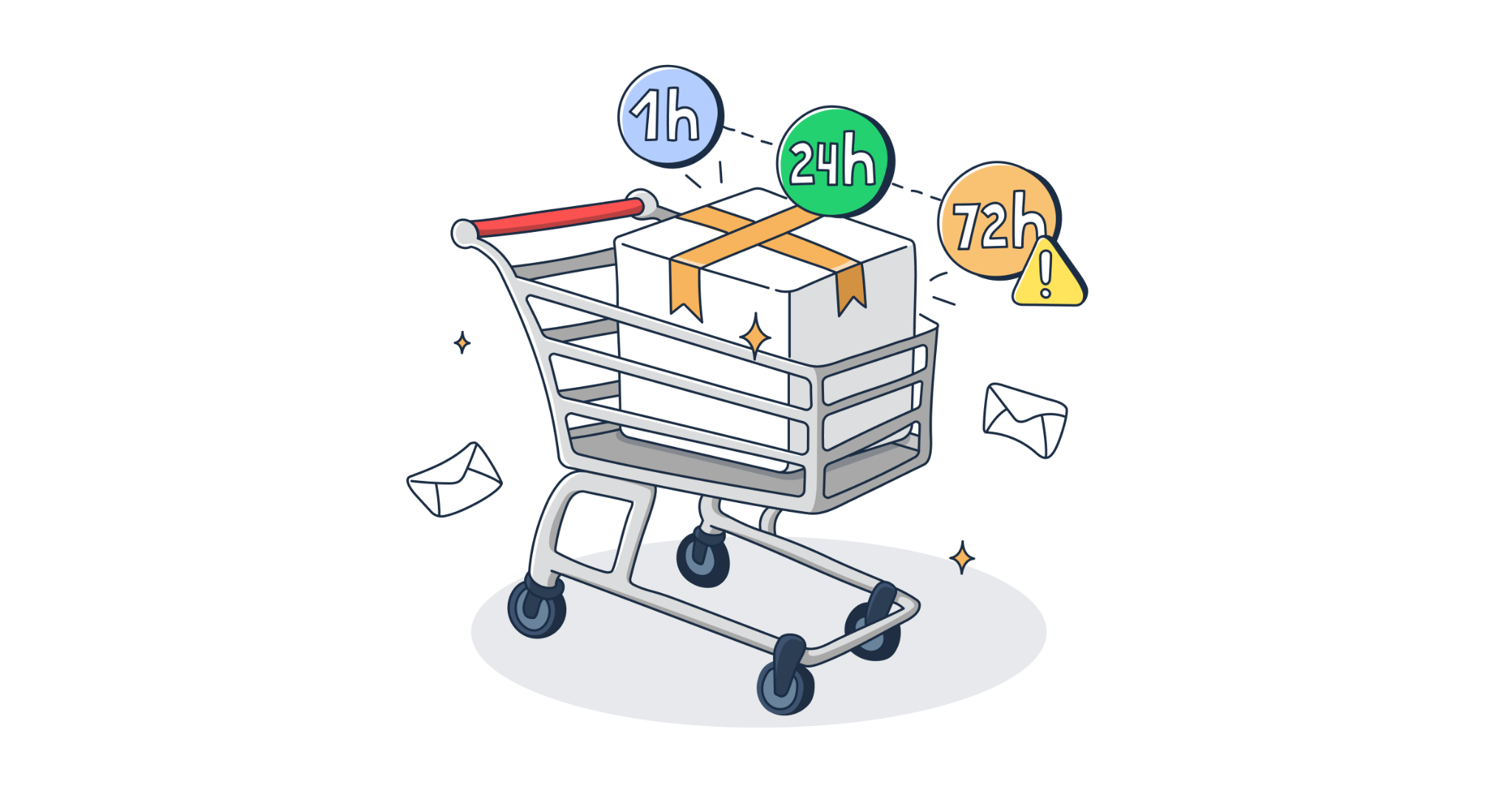
According to Baymard Institute, a whopping 70% of all online shopping carts are abandoned after an initial browsing session.
Whether they left the cart open for later or went to browse for competing deals, an abandoned cart email can bring them back to where they need to be for a successful funnel conversion.
The question is, how do you create an abandoned cart email template that does just that?
Simply, you need to use the right tools, a powerful CRM strategy, and a strong call-to-action.
Stick with us as we teach you what to include in your template, how to link your abandoned cart emails to your CRM, and share eight of the best brand examples to get you started.
What should you write in an abandoned cart email?
Like any email marketing best practices, creating a powerful abandoned cart email template starts with prioritizing the key features that drive initial engagement in the inbox and placing these in the right order.
Let’s take a closer look at what a positive abandoned cart email template flow should include:
A clear subject line and engaging heading
This is your first impression and the first line of text that will appear in the inbox. Use this moment to state the purpose instantly or mention the saved items without being overly confusing.
It’s important to make your subject line based on a ‘cart reminder’, this doesn’t mean the copy has to be generic. Take a look at this abandoned cart email example from mattress company Casper.

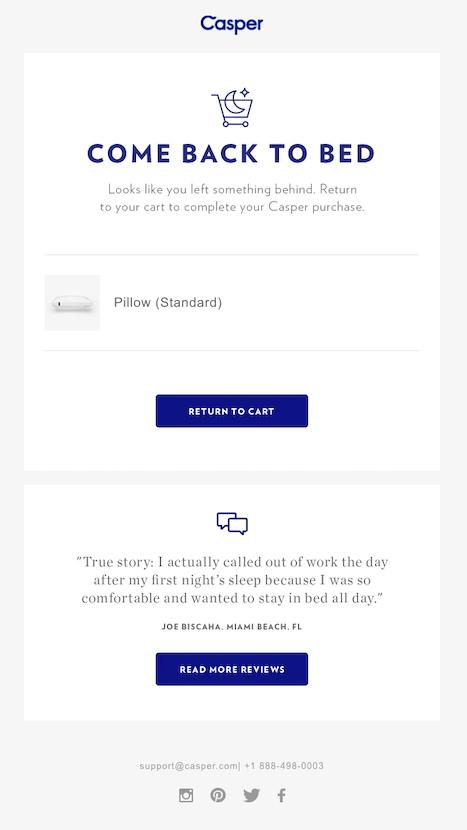
Their “COME BACK TO BED” headline immediately connects the abandoned-cart message to what Casper sells, drawing in the recipient with a simple but effective CTA.
Their abandoned cart email doesn’t overwhelm the customer with ads or discounts, just gently reminds them how comfortable they’re going to be when they make their purchase.
Clear demographic targeting
Take ASOS, for example. Targeting their younger Gen Z audience, they know exactly how to start a subject line. Using a simple but effective headline of ‘This yours?” followed by the relatable line “Got distracted? We’ve all been there,” ASOS instantly connects with their demographic.

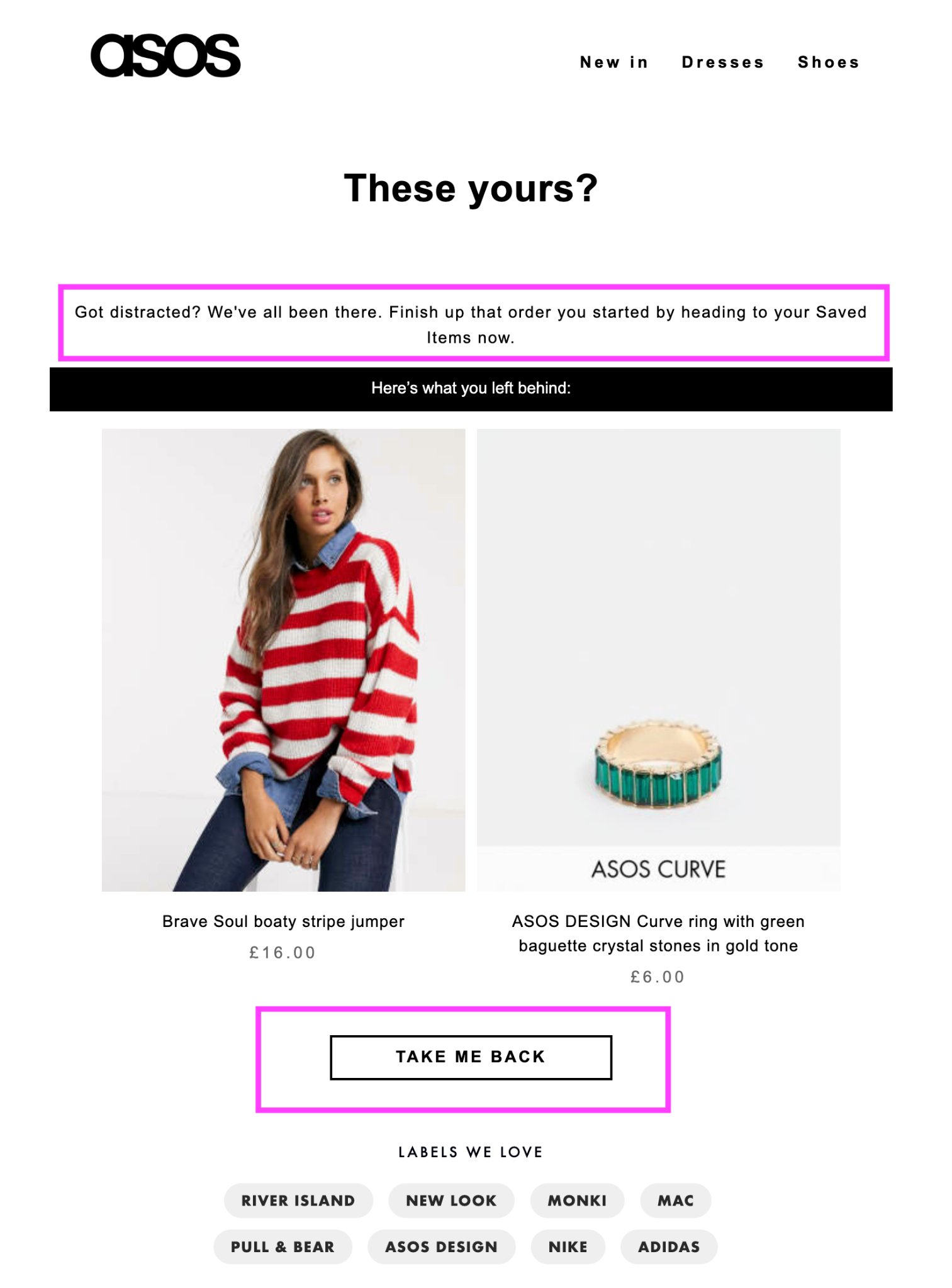
Another thing we love about this abandoned cart email template is the clear route the brand gives customers back to the checkout. The email puts the product right back in front of them to click and return to the page.
Finish this off, with a CTA (call-to-action). This is your most crucial feature to include and one of our top email marketing tips. A CTA should be placed right in the middle of your abandoned cart email template to attract attention and encourage action from the customer.
Use an obvious button with active phrases like “Return to Cart” or “Complete Your Order”.
Trust boosters
After the call-to-action, tell your customers why they should be shopping with you. Add customer reviews, return policies, or satisfaction guarantees to reduce doubt.
Adidas relies on their existing customer base to help sell their abandoned cart email. We love the addition of product reviews to help provide some additional reassurance before jumping back to the checkout.

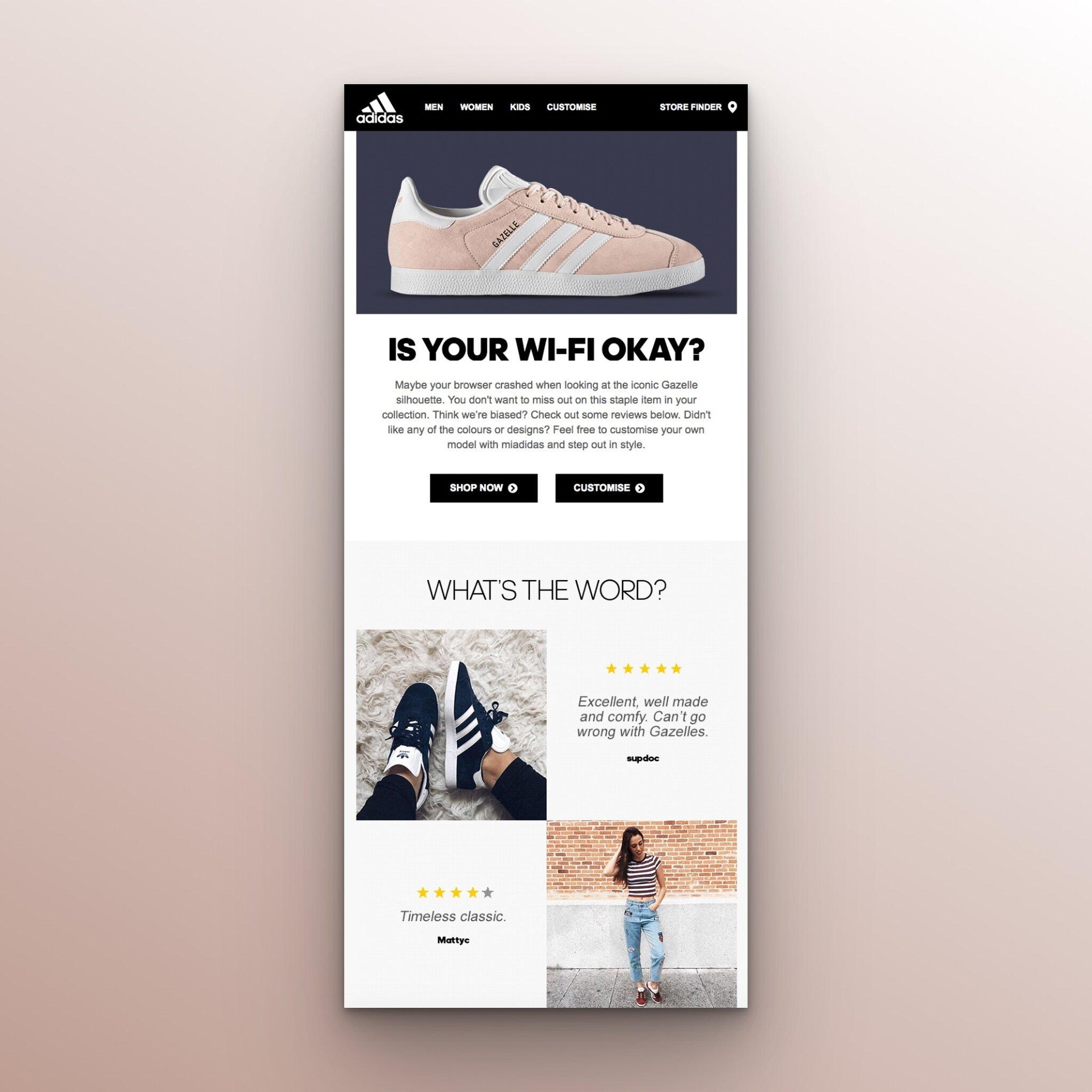
For those abandoning their cart because they’re unsure whether the product is right for them, reviews help address that second concern without immediately resorting to a discount.
Do abandoned cart emails work?
Yes, as long as you know how to target your audience effectively. Most abandoned cart emails work because they target people who have already shown buying intent.
These customers have already found a product, added it to their basket, and continued their shopping session. This means they are qualified and are actively in the market for your product.
The role of your abandoned cart email template is to seal that deal.
They work so well because you’re not actually cold emailing. Instead, you’re following up on organic interest in your online products and services.
But, there is a catch for email marketing beginners. While 70% of shoppers abandon carts, a staggering 42% never plan to purchase, according to experts at Baymard. So, it’s tricky to capture these types of leads with just one abandoned cart email template.
The key here is to solve the problem stopping the customer from making the purchase. Is it poor timing? Are prices too high? Did the shipping cost at checkout put your buyers off?
Use your abandoned cart email template to not only give prospective shoppers a nudge, but actively solve their pain points to drive success.
How Your Online Store Could Affect Your Success
Remember, your abandoned cart email strategy is only as effective as the shopping experience you send your leads back to.
If your pages are clunky, slow-loading, and hard to navigate, your shoppers won’t want to return, no matter how solid your abandoned cart email template is.
The checkout process is especially important here. If the process is too complicated, don’t be surprised if leads abandon their carts all over again. In fact, a complicated or lengthy checkout process causes 17% to 35% of online shoppers to abandon their shopping carts in 2026.
The key to avoiding this is to set up an online store structure that is easy to navigate and that offers clear delivery information, transparent pricing and a straightforward checkout process to give customers fewer reasons to leave before buying.
For ecommerce beginners, choosing the right platform to help you build a user-friendly shopping experience is imperative.
Tools like Hostinger’s ecommerce website builder make it easy to craft an online store using AI. Better still, it includes built-in SEO tools and plenty of sales-focused templates, ensuring a streamlined on-site shopping experience from start to finish and a strong starting point for an abandoned cart email workflow.
8 abandoned cart email templates to take inspiration from
Before you begin crafting your own abandoned cart email template, let’s first take a look at some templates to get you started:
- Beginner abandoned cart email
This is the generic abandoned cart email template that works for all ecommerce brands. This template is perfect for the customers who may have gotten distracted at checkout and don’t need an incentive to buy.
Before jumping in with offers and promotions, this template is a great one to try first:
Subject: Your cart is saved, [First Name]

Hi [First Name],

Looks like you got interrupted. No worries. We’ve saved your cart so you can pick up exactly where you left off.

[Product Image]

[Product Name & Price]

Your details are already saved, so you’re only one step away.

[Return to My Cart]

Questions about sizing, delivery or your order? Just reply, and we’ll be happy to help.

The [Brand] Team- See why everyone loves it
If you’ve got lots of reviews, user-generated content, and social proof to share, opting for a design that showcases your product’s success could be the key to converting your shoppers.
Try this template for size:
Subject: See why [X] customers love [Product]

Still thinking about [Product Name]?

You’re not the only one.

⭐⭐⭐⭐⭐
 “[Short, specific customer review addressing a common concern].”
 — [Customer Name], verified buyer

⭐⭐⭐⭐⭐
 “[Second review highlighting a key benefit].”
 — [Customer Name], verified buyer

[Product Image]
[Product Name & Price]

[Complete My Order]

Loved by [X] customers and counting.- What’s holding you back?
If you’re selling products that are often met with uncertainty or questions before purchase, such as high-value goods or a new piece of tech, creating an abandoned cart email template that helps answer these more clearly could score your brand the conversion:
Subject: Is there something holding you back?

Hi [First Name],

We noticed you didn’t quite make it to the finish line with your [Product Name].

If something gave you pause, we might be able to help:

Worried about delivery?

We ship within [X] business days.

Not sure about the fit?

[View our size guide]

Changed your mind?

You have [30] days to return your order.

Still have a question?

Just reply to this email and our team will help.

Your cart is still waiting:

[Return to My Cart]- Free shipping on us
Everyone loves free shipping! Why not try to seal your deal by offering a checkout incentive in your abandoned cart email:
Subject: Good news: shipping's on us 🚚

We noticed you left [Product Name] in your cart.

So we thought we’d make coming back a little easier.

FREE SHIPPING

No code. No minimum spend. Just complete your order and we’ll take care of delivery.

[Product Image]
[Product Name & Price]

[Claim Free Shipping]

Estimated delivery: [Date]

Plus, enjoy [30-day] returns if it’s not quite right.- Your ‘exact’ item is selling fast
Think fashion, footwear, the newest iPhone color! If you’re in a season where stock is selling fast, use this to your advantage when crafting your email template.
The key here is to give your customer all of the facts and use genuine stock information.
This template helps present the current situation to the customer while invoking urgency, a key selling tactic:
Subject: Your [Colour] [Product] is selling fast

Hi [First Name],

Just a quick heads-up: the exact [Product Name] you were looking at is becoming limited.

[Product Image]

[Product Name]

[Colour] | [Size]

Only [X] left

If you still want it, now's a good time to secure yours.

[Get Mine Before It’s Gone]

Prefer another option?

[See similar products]
6. Here’s something to help you decide
If you’re working with high-consideration purchases, an educational approach to your abandoned cart email template could help users still deciding:
Subject: Still deciding? Here's what you should know

Choosing the right [Product Category] isn't always easy.

Before you decide, here's everything you need to know about [Product Name]:

✓ [Key benefit]
 Designed to [specific benefit].

✓ [Key feature]
 Made with [material/technology].

✓ [Guarantee]
 Backed by our [X]-day guarantee.

✓ [Customer rating]
 Rated [X]/5 by [X] customers.

[Product Image]

Ready to take another look?

[View My Cart]
7. One-to-one customer support
This type of abandoned cart email template is ideal for founder-led or premium brands that rely on relationship building to drive conversions.
Sometimes taking a customer service approach to your abandoned cart follow-up helps set a personalized tone and puts the customer at ease when making a large purchase.
Take a look at this plain text, personal ‘note’ template:
Subject: Can I help with your order?

Hi [First Name],

I noticed you were looking at [Product Name] but didn't finish checking out.

I just wanted to check whether you had any questions.

If you're unsure about the size, colour, delivery time or anything else, just hit reply and I'll help you out.

Here's your cart if you'd like to pick up where you left off:

[Return to My Cart]

Thanks,

[Real Name]

[Role] at [Brand]
8. One small gift (final nudge)
This is the follow-up you send last. Incentives always drive results in the inbox, but should be used later in the sequence for ultimate effect when other approaches have fallen flat:
Subject: A little something to finish your order

Hi [First Name],

We saved your cart for you. And because we'd love to see you get your [Product Name], here's a little something to help:

10% OFF YOUR ORDER

Use code WELCOME10 at checkout.

[Product Image]
[Product Name] — [Original Price] [New Price]

Your code is valid until [DATE/TIME].

[Claim My 10% Off]

After that, your cart will stay saved, but the offer won't.

See you soon,
[Brand]
How to create an abandoned cart email workflow in 5 steps
With our abandoned cart email templates in mind, it’s time to create your own template from scratch.
However, much more goes into creating an abandoned cart email template than simply drafting the text. In order to generate the best fit-template for your customers, you must first build an email workflow that knows when to send the email, who should receive it, and what happens after the customer clicks.
Let’s get started.
- Map out your customer’s journey
You first need to map out exactly when an abandoned cart email should be sent. This means setting a clear trigger for your email automation, such as a customer leaving checkout without completing their order.
You’ll then want to choose how long you’d like to wait before the email is sent. A few hours tends to be the standard, but this is up to your sales team.
Your team then maps out what happens next. Will the customer receive one blanket email in a few hours? Or will this start a sequence of multiple follow-up emails over the next week?
- Connect your customer data
For an abandoned cart email workflow to work, it needs access to your customer data, such as names, cart contents, email addresses, and more. Don’t forget to track order status to so that customers who convert do not end up receiving an abandoned cart email.
This is where connecting your ecommerce store to a powerful CRM system comes in handy. A CRM (customer relationship management) platform gives your sales team access to a central place to not only organize this information but to track what happens after each email is sent (we’ll get to this later).
If you’re struggling to find a CRM platform that fits your business and the way your team wants to approach an automated cart abandonment journey, you can opt to create a custom CRM around your workflow instead.
- Build your automation
Once you have connected your data, it’s time to build the automation.
You can do this within your CRM platform, or build your own custom email automation by linking your store (Shopify, WooCommerce, Squarespace) to your email provider (Mailtrap, MailerLite, Omnisend) via an official app or API key.
This is the time to define your trigger, your waiting period, and more importantly, your exit points.
If you can, make sure the automation checks whether an order has been completed before sending each follow-up, to help prevent customers from receiving pesky unnecessary reminders.
- Build and test your email template
Now for the fun bit: actually creating the template.
Design your abandoned cart email template with your customer base in mind, and connect to your CRM to personalize each message using cart and customer data.
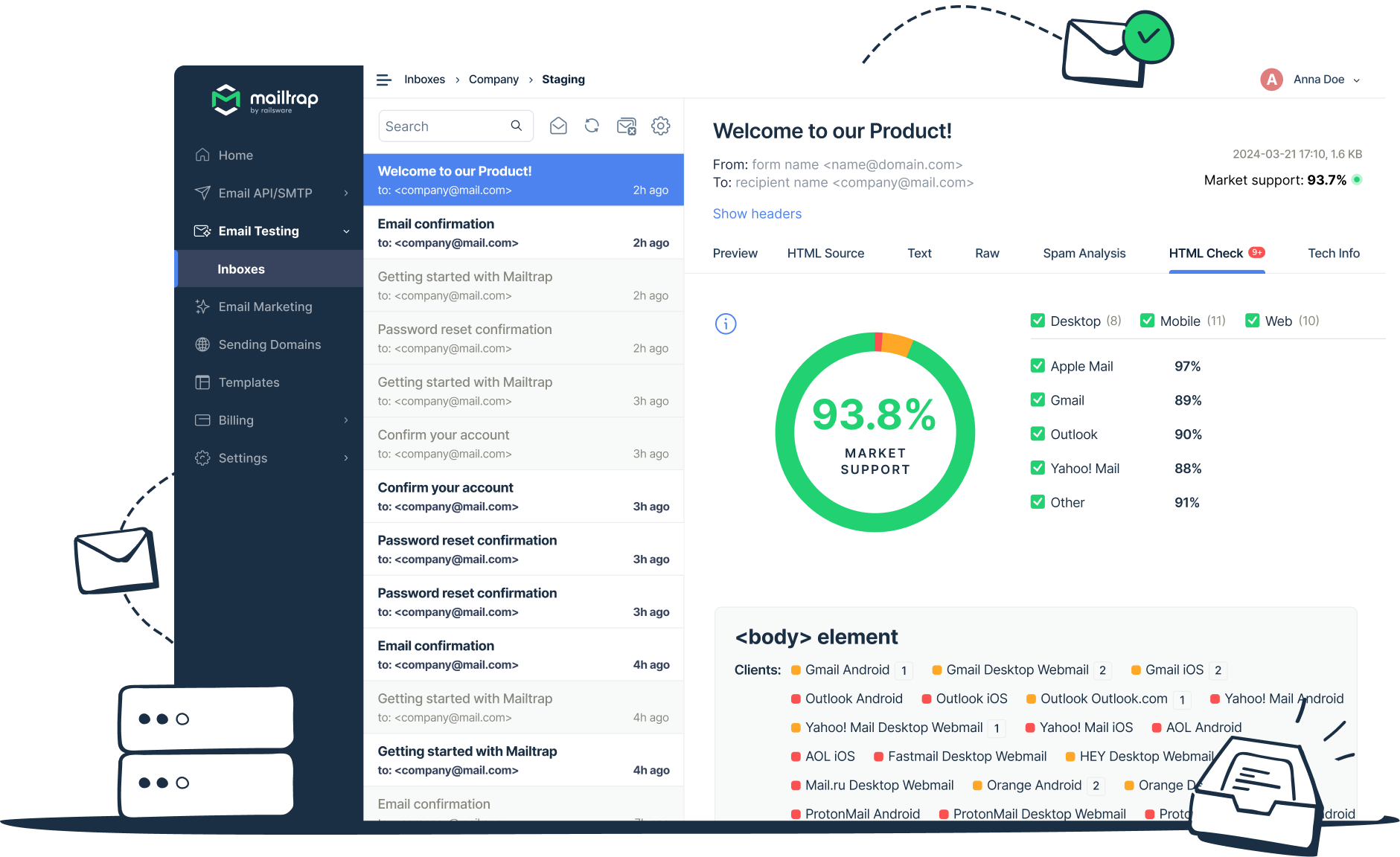
Once you’ve done this, it’s time to test how your template renders and whether it works well across devices.
Remember, inboxes exist on all types of screens and are accessed by all types of customers, so your finished result must be accessible for every customer.
Mailtrap can help here. Their Email Sandbox allows you to send test emails to a safe testing environment before moving the integration into production, while its sending tools can handle transactional emails triggered by user actions.

- Track your results
It’s important to monitor your customer’s entire abandoned cart journey, rather than just your email template opens.
Key metrics to include in your tracking campaign include how many customers return to their carts, complete purchases, or drop out of the sequence. Better still, map where they are dropping off, as this gives an indication of what part of the funnel needs work.
Use this data to adjust your abandoned cart email template. From timing to automation rules to follow-up, constantly tweaking your campaign is the key to perfecting your workflow.
Wrapping up
Managing an abandoned cart email campaign requires vast knowledge of your customer base, real-time customer and cart data, and a powerful abandoned cart email template.
The goal here is to create a repeatable system that keeps responding to ever-changing customer behavior automatically, rather than your team manually sending reminders every time someone leaves an item behind.
Why not use our list of beginner abandoned cart email templates to get you started on your journey to win back your abandoned carts?
The best email campaigns begin and end with messaging that drives the customer right back to the checkout. Are you ready to start converting your leads?