


Cancellations happen whether it’s a subscription, an event, or a service your customers no longer need.
But even when someone chooses to leave, the conversation isn’t over. A well-crafted cancellation email helps you maintain professionalism, close the loop with empathy, and sometimes even win a customer back.
In this guide, we’ll explore what a cancellation email is, review real examples from top brands, and share best practices and ready-to-use templates to help you write your own.
What is a cancellation email?
A cancellation email is a message sent to confirm or acknowledge the end of a customer’s relationship with your product, service, or event. It could be triggered automatically when a user cancels their subscription or sent manually to announce that a company-hosted event or service is being discontinued.
In both cases, the purpose is clarity. The customer should know what’s being canceled, when it takes effect, and what happens next – refunds, data deletion, or future access.
There are two main types of cancellation emails:
- Customer-initiated cancellations – for example, when a user ends their subscription or cancels an order.
- Company-initiated cancellations – such as when a brand cancels an event or stops offering a specific service.
Regardless of type, the best cancellation emails are clear, empathetic, and on-brand. They turn a potentially negative interaction into a respectful experience. Furthermore, make sure your cancellation emails reach the inbox by using a reliable SMTP service to maintain high delivery rates.
Cancellation email examples
Let’s look at how real companies handle cancellations. The following examples were selected from Really Good Emails, which curates some of the best real-world email designs and copy.
Netflix – Subscription cancellation confirmation

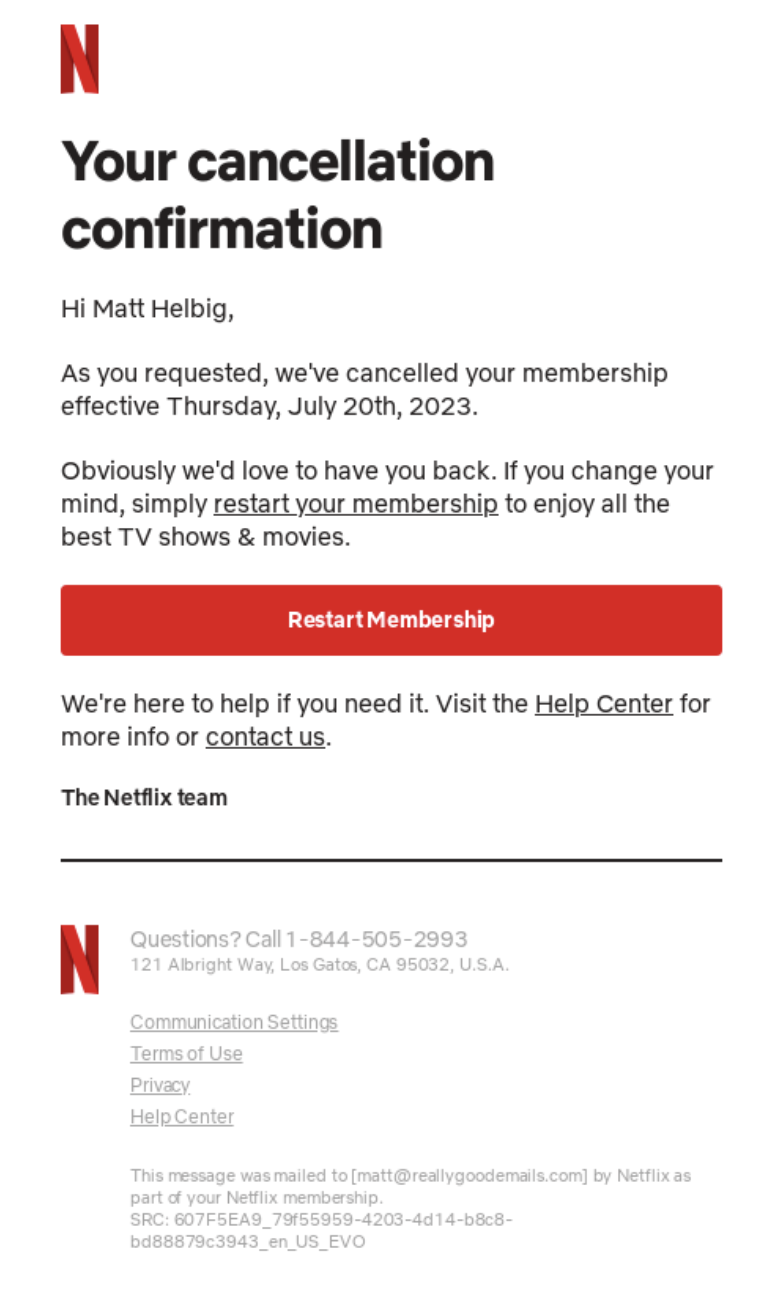
Netflix’s email uses a clean, neutral design that immediately confirms the cancellation. The subject line — “Your Netflix membership has been canceled” — leaves no room for confusion. The body includes:
- Confirmation of the end date
- A reminder that the user can restart anytime
- Subtle reassurance that their viewing preferences will be saved
This simple, straightforward message reduces uncertainty while keeping the door open for reactivation.
Hulu – A touch of emotion
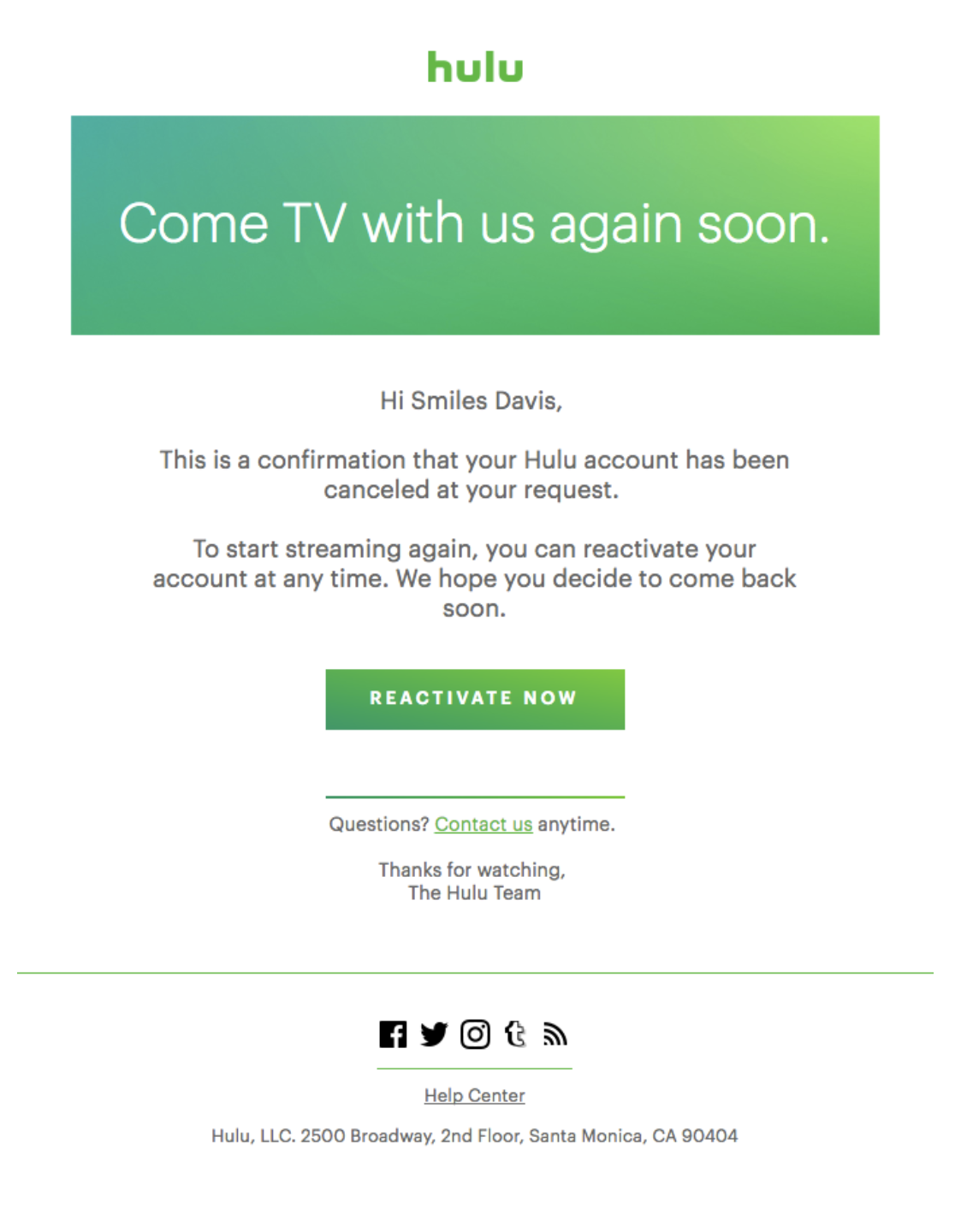
Hulu adds a human element with the subject line “Come TV with us again soon.” Inside, they confirm the user’s cancellation request, remind them of the reactivation, and offer a “Reactivate Now” button.

Airbnb – Clarity and reassurance

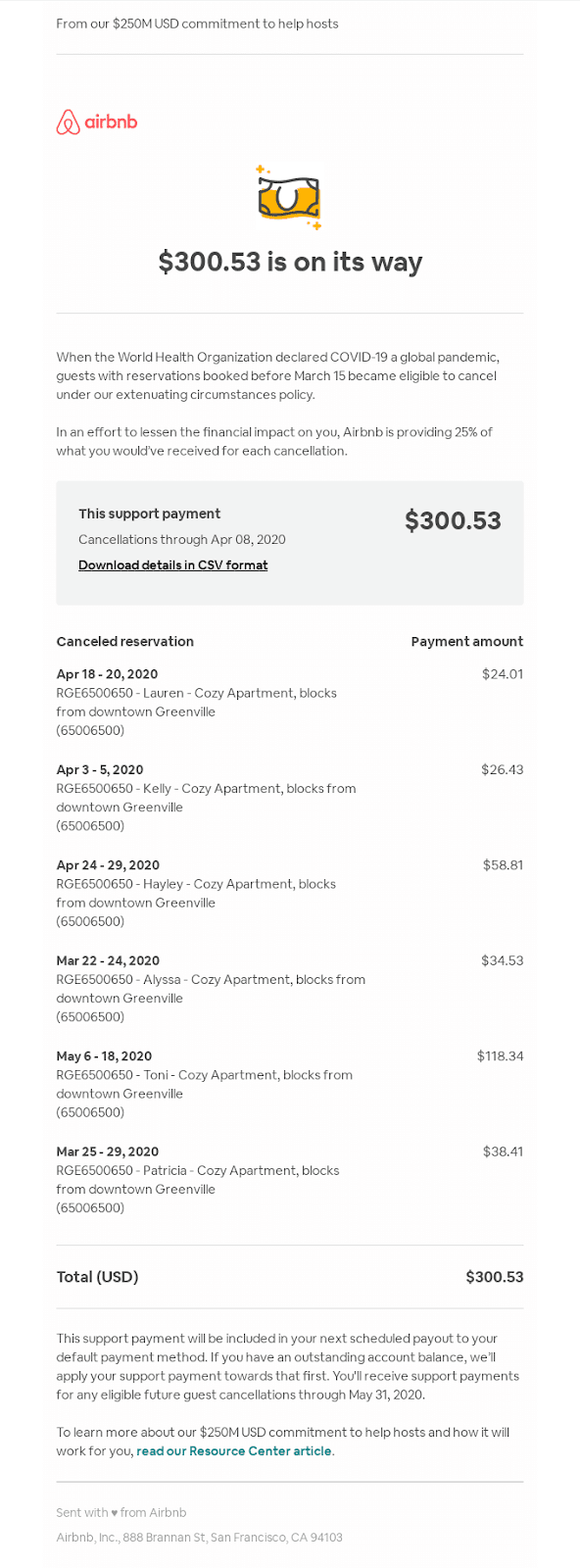
When Airbnb confirms a booking cancellation, the message clearly states refund details, check-in dates, and next steps. There’s no marketing fluff; just essential information delivered in a visually organized layout. It’s a masterclass in reducing anxiety through transparency.
Captions – Feedback invitation

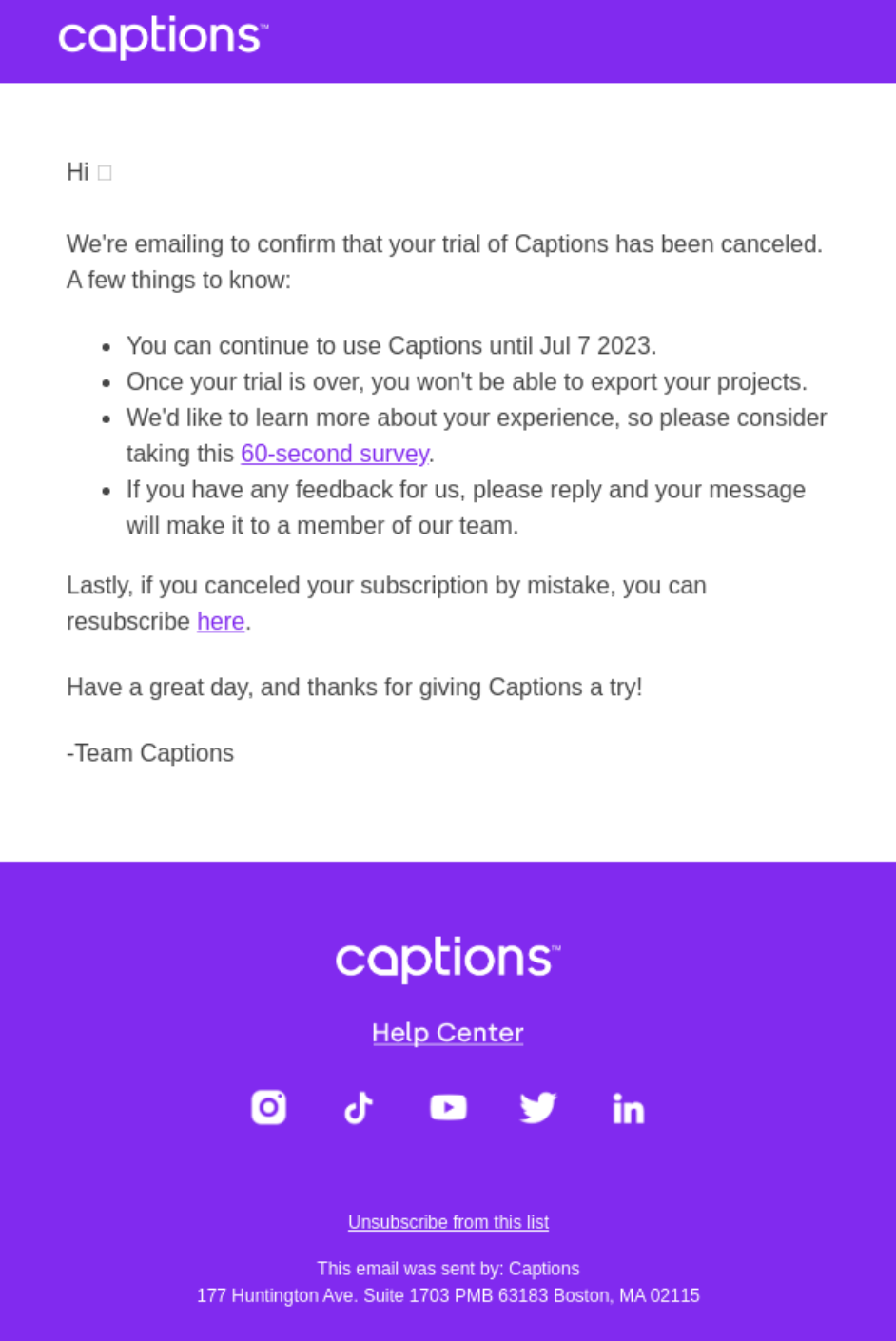
Captions cancellation email includes a feedback form asking why the user decided to cancel, plus a nudge to reply to the email. This subtle prompt helps the company collect valuable insights while keeping the message short and courteous.
Each of these examples shows how tone, clarity, and purpose work together to shape the user experience – even when they’re leaving.
How to write a cancellation email
Writing a good cancellation email is about balancing clarity and empathy. Here’s how to structure it effectively.
1. Subject line: Be direct
Avoid cryptic or overly emotional subject lines. Clarity first.
Examples:
- “Your subscription has been canceled”
- “We’ve processed your cancellation request”
- “Your order cancellation is confirmed”
2. Greeting: Keep it personal
If possible, address the recipient by name. Even in automated messages, personalization softens the tone.
3. Confirmation details
State what’s being canceled and when it takes effect. For example:
“Your Pro plan will remain active until May 30, 2025.”
4. Optional empathy statement
Show gratitude or understanding.
“We’re sorry to see you go, but we truly appreciate the time you’ve spent with us.”
5. Additional info or next steps
If refunds or data retention apply, clarify them.
“You’ll receive a full refund within five business days.”
6. CTA (optional)
If appropriate, include a soft CTA — like a feedback survey or reactivation button.
7. Signature
Sign off in a friendly, human way. Avoid robotic phrasing like “Do not reply to this email.”
Design tips:
- Keep layout clean and focused on the message.
- Use consistent branding, white space, and mobile-friendly design.
- Avoid unnecessary imagery unless it supports the message (e.g., friendly illustration).
- If you’re just starting out, you can test your cancellation email workflows using a free SMTP server before scaling to a paid solution.
Cancellation email templates
Template #1: Subscription or service cancellation confirmation (customer-initiated)
| Subject: Your {Service Name} subscription has been canceled Hi {First Name}, We’ve processed your request to cancel your {Service Name} subscription. You’ll continue to have access until {End Date}. If you change your mind, you can reactivate your plan anytime from your account settings. We appreciate having you with us and hope to see you again soon. The {Company Name} Team |
Template #2: Company-initiated cancellation (event or service)
| Subject: Important update about your {Event Name} Hi {First Name}, We’re reaching out to let you know that {Event Name}, scheduled for {Date}, has been canceled. We’re truly sorry for any inconvenience this may cause. If you’ve already purchased a ticket, you’ll receive a full refund automatically within {X Days}. Thank you for your understanding and continued support. The {Company Name} Team |
Wrapping up
A cancellation email isn’t just a formality; it’s a small but crucial part of your brand experience. Most modern email marketing platforms allow you to set up automated cancellation emails that trigger when specific user actions occur. When handled right, it shows respect, reinforces trust, and keeps the relationship open for future interactions.
Whether you’re confirming a subscription end or canceling an event, focus on clarity, empathy, and tone. A clear subject line, transparent details, and thoughtful wording go a long way in maintaining goodwill.