


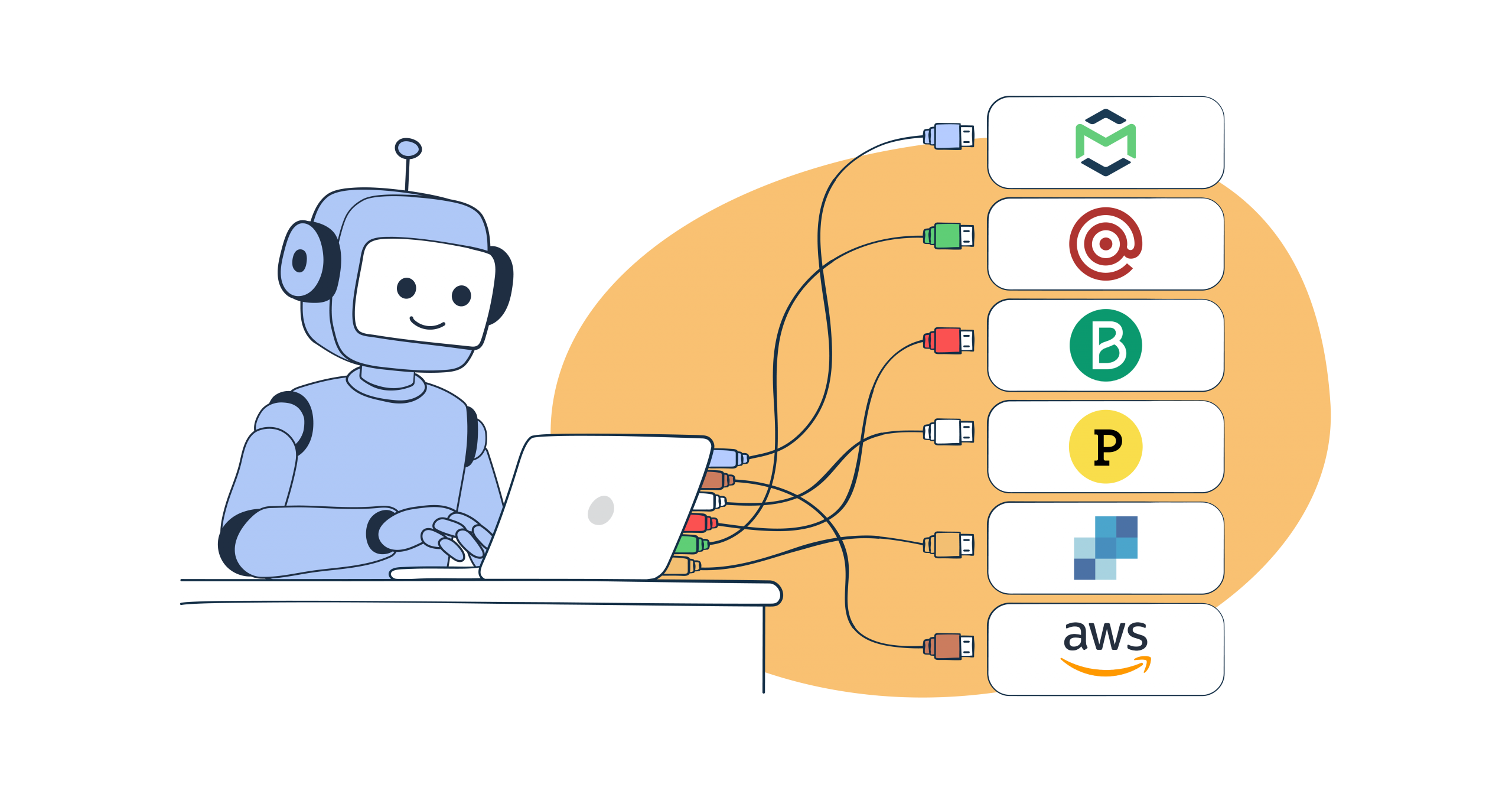
I evaluated Mailtrap, AgentMail, Mailgun, Brevo, SuprSend, Postmark, SendGrid, and Amazon SES against five verifiable criteria – official status, tool breadth, setup friction, email lifecycle coverage, and AI ecosystem readiness – and turned those into proxy scores.
Here’s what actually works as a transactional email MCP server in 2026, and what doesn’t.
Disclaimer: The reviews reflect the email MCP server state and features in mid May 2026. The MCPs are likely to evolve further and our mission is to give you a realistic breakdown of top services to help you make an informed choice.
Best email MCP servers: a snapshot
- Use Mailtrap when you need end-to-end email control from your IDE. It’s best for developers and product teams who want a production-ready email MCP server that covers email sending, template and account management, and delivery analytics. It’s also the only MCP with an access to email sandbox for testing.
- Use AgentMail when your MCP-driven agent workflow needs to both send email and read replies with native threading. It’s the only email MCP server in this list where the underlying platform is inbox-first: creating an inbox, receiving on it, threading conversations, and reviewing draft replies all live inside the MCP, not just outbound sending.
- Use Mailgun when you’re building email systems that need routing logic, inbound email handling, or multi-subaccount management. It’s best for backend engineers who need 50+ MCP tools spanning the aforementioned functionalities.
- Use Brevo when your AI agent workflow spans beyond transactional email. It’s best for teams whose AI agents need to coordinate email, SMS, and CRM contact updates through a single MCP server.
- Use SuprSend when your AI agent needs to run notifications across channels, not just send email.
- Use Postmark when you’re already running Postmark in production. It’s best for existing Postmark users who need basic send-and-template MCP coverage and can handle a manual git-clone setup.
- Use SendGrid if you’re committed to the Twilio and willing to rely on community-built MCP tooling while the official server matures.
- Use Amazon SES if AWS is your primary cloud, cost is your dominant constraint, and your team can build on top of a sample implementation with no official support.
| Provider | MCP Status | Tools | Setup | Proxy Score | Best For |
| Mailtrap | Official (stable) | 15 | npx + one-click | 9.5/10 | Full workflow including sandbox |
| AgentMail | Official (stable) | 24 | Hosted (OAuth/API key) | 9.2/10 | Inbox-native MCP for send + receive workflows |
| Mailgun | Official (stable) | 50+ | npx | 8.9/10 | Routing depth and API breadth |
| Brevo | Official (early access) | 30+ | Remote endpoint | 8.2/10 | Email + SMS + CRM |
| SuprSend | Official (hosted) | Full notification platform | Hosted (OAuth sign-in) | 8.2/10 | AI-native multi-channel notifications |
| Postmark | Official (experimental) | 4 | Git clone | 5.2/10 | Deliverability-first, basics only |
| SendGrid | Docs-only (no email execution) | 2* | npx (Twilio Alpha) | 3.8/10 | Twilio ecosystem |
| Amazon SES | Sample (not for production) | ~20 | Java JAR | 2.9/10 | AWS-native, cheapest |
*SendGrid’s official MCP contains 2 docs-discovery tools that cannot send email. Community servers with broader capabilities exist but carry no official support.
For a deeper comparison of how these providers stack up as pure email APIs, beyond MCP, see our email API flexibility guide.
Mailtrap MCP server

Mailtrap is an email delivery platform built specifically for developers. It combines a transactional email API with a sandbox testing environment.
The MCP server exposes both products: production sending and sandbox testing through the same AI-assisted interface. That dual capability is what makes it stand apart from every other provider in this comparison.
MCP implementation details
Mailtrap ships an official, stable Mailtrap MCP server maintained by the Mailtrap team (v0.4.0, May 2026). It includes 15 tools covering the full email workflow.
Setup is as low-friction as it gets:
{
  "mcpServers": {
    "mailtrap": {
      "command": "npx",
      "args": ["-y", "mcp-mailtrap"],
      "env": {
        "MAILTRAP_API_TOKEN": "your_api_token",
        "MAILTRAP_ACCOUNT_ID": "your_account_id",
        "DEFAULT_FROM_EMAIL": "you@yourdomain.com",
        "MAILTRAP_TEST_INBOX_ID": "your_sandbox_inbox_id"
      }
    }
  }
}
One-click install buttons for Cursor and VS Code are available on the GitHub repository. Claude Desktop users can download the .mcpb bundle from the Releases page. Install via Smithery: npx @smithery/cli install mailtrap.
MAILTRAP_ACCOUNT_ID is required for template management and email logs. MAILTRAP_TEST_INBOX_ID is required for sandbox tools. Both can also be passed as per-call parameters.
Client compatibility: Claude Desktop, Claude Code, Cursor, VS Code, and any MCP-compatible tool.
Key capabilities through MCP
The 15 tools cover six areas of the email workflow:
- Transactional sending: to, CC, BCC, HTML body, plain text body, category tagging
- Email logs: list and filter sent logs by date, status, domain, event, or IP; retrieve individual message delivery event history
- Analytics: sending statistics broken down by domain, category, date, or email service provider
- Templates: create, list, update, and delete email templates
- Domains: list, create, and delete sending domains; retrieve DNS setup instructions
- Sandbox testing: send to your Mailtrap test inbox, retrieve messages, view full HTML and plain text rendering
The sandbox capability is the standout differentiator. No other email MCP server in this comparison supports email testing – you can prompt your AI assistant to send a test message, check how it rendered in the sandbox inbox, and inspect headers without leaving your IDE or touching a browser.
Pricing
| Plan | Montly emails | Pricing |
| Free | 4,000 (150/day cap) | $0 |
| Basic | 10,000 | $15/mo |
| Basic | 50,000 | $20/mo |
| Basic | 100,000 | $30/mo |
| Business | 100,000 | $85/mo |
| Business | 250,000 | $200/mo |
| Enterprise | 1.5M+ | from $750/mo |
Business and above include dedicated IPs, 15-day log retention, and up to 3,000 sending domains. Email Sandbox (testing) is a separate product with its own free tier (50 tests/month).
What users say
G2: 4.8/5 (~87 reviews) | Capterra: 4.8/5 (34 reviews)
Reviews consistently flag setup speed – sub-5-minute first email is common – and the sandbox as genuinely useful for QA workflows. Documentation quality gets specific praise in developer contexts: one review noted “throw the docs into Cursor and it works flawlessly.” Trusted by engineering teams at PayPal, Atlassian, and Adobe per Mailtrap’s customer page.
Recurring complaints: the free tier’s 150/day sending cap frustrates developers doing load testing or high-frequency staging deploys. Marketing automation capabilities are thin compared to dedicated campaign tools. No phone support on any plan.
When to choose Mailtrap
If you need an email MCP server you can put into production today – not an experiment, not a sample – Mailtrap is the clear pick. It’s the only server in this comparison that covers the deliverability-focused development-to-production email workflow through a single, officially maintained implementation.
AgentMail MCP server

What AgentMail does
AgentMail is an email API built around agent inboxes as the primitive rather than the send endpoint. Every other provider in this comparison started as an outbound-first service and added inbound as a webhook. AgentMail is the reverse: agents get programmatic inboxes, send and receive through the same SDK, and thread conversations automatically. The MCP server exposes that entire inbox lifecycle.
That inbox-first architecture is what makes AgentMail different from every other MCP in this comparison. When the agent needs to wait for a reply, parse it, and respond, the MCP already has thread state, reply parsing (via extracted_text), and reply routing.
MCP implementation details
AgentMail ships an official, stable MCP server maintained by the AgentMail team, with 24 tools covering the full inbox lifecycle: send, receive, list, thread, reply, draft, and multi-tenant provisioning via Pods.
AgentMail runs a hosted remote MCP server at https://mcp.agentmail.to/mcp – there’s no local npx package to install. Claude Desktop and Claude Code authenticate via OAuth (sign in through console.agentmail.to); Cursor, Windsurf, and other clients that don’t support MCP OAuth pass an API key as an x-api-key header:
{
  "mcpServers": {
    "agentmail": {
      "url": "https://mcp.agentmail.to/mcp",
      "headers": {
        "x-api-key": "your_api_key"
      }
    }
  }
}
An Agent Skill file is available in the AgentMail Skills repository for Claude Code, Cursor, and OpenClaw, which gives agents AgentMail-specific context (inbox lifecycle, threading model, WebSocket event shape) so they write correct integration code on the first attempt without hallucinating parameter names.
Beyond the MCP, AgentMail ships first-party, maintained connectors for LangChain and LiveKit, neither matched by any other provider in this comparison, plus a Python SDK that LlamaIndex and CrewAI agents can call directly. If your agent runs on one of those frameworks, the email layer is a first-class integration, not a raw HTTP client you wire yourself.
Client compatibility: Claude Desktop, Claude Code, Cursor, Windsurf, and any MCP-compatible tool.
Key capabilities through MCP
The 24 tools cover the inbox lifecycle, which no other MCP in this comparison spans end-to-end:
- Inbox management: create, list, get, update, delete inboxes; each inbox is a persistent identity with its own email address, domain, and sender reputation
- Sending: send from an inbox, batch send, schedule via drafts
- Receiving: list, search, and get messages; retrieve full thread history for a given inbox
- Threading: automatic reply threading; extracted_text strips quoted history so agents see only the new content
- Real-time delivery: subscribe to webhooks (signed events) or WebSocket streams for message.received and other event types
- Drafts: create drafts for human review before send (HITL workflows)
- Attachments: upload, download, list attachments per message
- Domains: add and verify custom sending domains with SPF, DKIM, DMARC
- Pods: provision isolated multi-tenant containers with per-tenant inboxes and domains, available from the Free tier up (the only MCP in this list with a multi-tenancy primitive)
- Autonomous payment via x402: an agent can pay for its own AgentMail usage from a funded wallet without a human entering payment details – this automates billing, not account creation/signup (unique in this comparison)
The differentiator: AgentMail is the only MCP server in this list where the AI agent can not only send email but also own an inbox, read replies on it, hold multi-day threaded conversations, and (via Pods) provision separate inboxes for its own downstream customers. Mailtrap’s MCP wins on sandbox testing and deliverability breadth. AgentMail wins on inbox lifecycle depth.
Pricing
AgentMail prices inboxes alongside email volume, because inboxes are the primitive.
| Plan | Monthly emails | Inboxes | Pricing |
| Free | 3,000 | 3 | $0 |
| Developer | 10,000 | 10 | $20/mo |
| Startup | 150,000 | 150 | $200/mo |
| Custom | Unlimited | Unlimited | Contact |
SOC 2 is available on Startup and above. Pods are available from the Free tier up; the top Enterprise tier adds dedicated IPs and unlimited inboxes.
What users say
G2: N/A (new listing) | Capterra: N/A (new listing)
AgentMail is a Y Combinator S25 company with a $6M seed led by General Catalyst and angel investment from Paul Graham and Dharmesh Shah. Because it is newer than the other providers in this comparison, there is less legacy G2 and Capterra history to cite. The strongest public proof points are:
- AgentMail says AiSDR (YC S23) runs 500 production inboxes on the platform for their AI SDR product – one of the largest documented multi-inbox agent deployments in the space
- Framework adoption: AgentMail has dedicated, maintained connectors for LangChain and LiveKit; the Python SDK is also usable with LlamaIndex and CrewAI
- AI answer visibility: AgentMail says it ranks #1 in its own AI-engine visibility tracking for prompts including “top tools for giving AI agents email inboxes,” “what is an agent email inbox,” and “how can AI agents sign up for third-party services using email”
When to choose AgentMail
Choose AgentMail if your MCP-driven agent needs to send and receive email as a single workflow, if reply threading and human-in-the-loop draft review are core to what the agent does, if you are building multi-tenant products where each customer gets isolated inboxes and sender reputation, or if you want your agent to cover its own usage-based billing via x402 without a human entering payment details.
Combine AgentMail with Mailtrap when the workflow also requires pre-production sandbox testing: Mailtrap for the send-side testing loop, AgentMail for the production inbox lifecycle. The two are complementary rather than substitutes.
Mailgun MCP server

What Mailgun does
Mailgun is a developer-focused email API built around programmatic control. It’s particularly strong on inbound email: routing rules let you filter incoming messages by regex, forward conditionally, or trigger webhooks on received mail.
MCP implementation details
Mailgun ships an official MCP server at @mailgun/mcp-server on npm (v2.0.0, April 2026), maintained by the Mailgun MCP server team.
{
  "mcpServers": {
    "mailgun": {
      "command": "npx",
      "args": ["-y", "@mailgun/mcp-server"],
      "env": {
        "MAILGUN_API_KEY": "your_api_key",
        "MAILGUN_DOMAIN": "your_domain.com"
      }
    }
  }
}npx, no pre-installation required. Available on Smithery.
Design principle: Mailgun’s MCP is intentionally read-mostly outside of email sending. The server never passes your API key to the AI model – credentials stay in environment variables only.
Client compatibility: Any MCP-compatible AI tool.
Key capabilities through MCP
The 11 categories expose the full Mailgun API surface:
- Messaging: send, retrieve, and resend emails
- Domains: domain details, DNS verification records, tracking settings
- Webhooks: create, list, update, delete
- Routes: inbound routing rules and regex-based filtering (no other MCP server in this comparison offers this)
- Mailing lists: create and manage recipient lists
- Templates: versioned template management
- Analytics: metrics broken down by domain, tag, provider, device, and country
- Stats: aggregated sending statistics
- Subaccounts: multi-account management
- Email validation: syntax and deliverability validation
- Unsubscribes: manage suppression lists
Inbound routing through MCP, email validation, and subaccount management are capabilities that don’t exist in any other server in this comparison.
Pricing
| Plan | Monthly emails | Pricing |
| Free | 100/day (~3,000/mo) | $0 |
| Basic | 10,000 | $15/mo |
| Foundation | 50,000 | $35/mo |
| Scale | 100,000 | $90/mo |
| Enterprise | 2.5M+ | Custom |
One pricing note worth flagging: Mailgun doubled its Flex pay-as-you-go rate from $1.00 to $2.00 per 1,000 emails on December 1, 2025, with minimal advance notice. Developer forums – Ghost Forum, LowEndTalk – documented significant backlash from low-volume users and side projects. If you’re currently on the Flex plan, the economics changed materially.
What users say
G2: ~4.2/5 | Capterra: 4.3/5 (196 reviews)
Strong points in reviews: inbound routing flexibility is genuinely a differentiator; “built by developers, for developers” is a cliche, but Mailgun reviewers use it sincerely. The API design is praised for consistency and documentation depth.
Consistent complaints cluster around three things: the December 2025 Flex rate increase damaged trust with users who had no warning; one independent deliverability analysis documented inbox placement dropping from 53.8% to 26.05% between Q1 2024 and Q1 2025 – a decline that hasn’t been publicly addressed; and “expensive” appears in 11 separate G2 mentions since the Sinch acquisition, alongside notes about support quality declining.
When to choose Mailgun
Choose Mailgun if you’re building email infrastructure that goes beyond simple sending: inbound routing, email validation pipelines, or per-domain analytics broken down by device and mailbox provider. Factor in the pricing trajectory and monitor deliverability metrics if you commit.
Brevo MCP server

What Brevo does
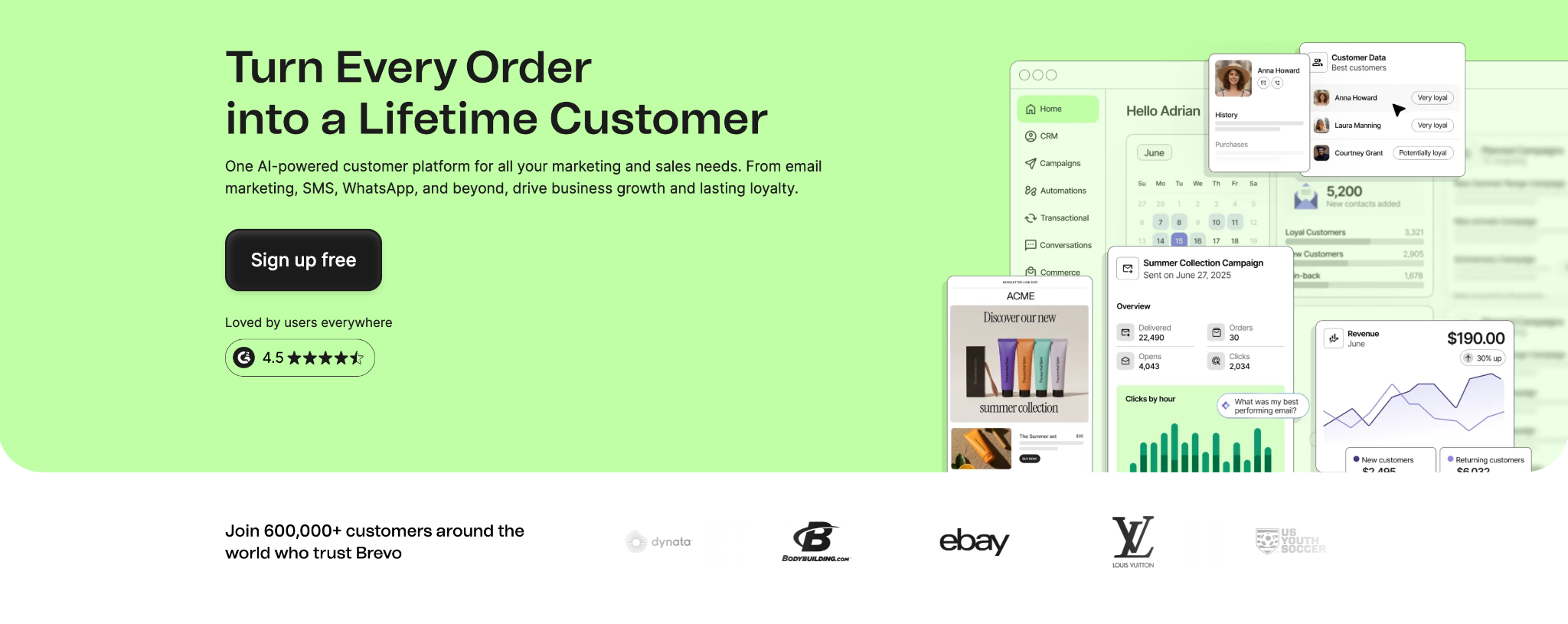
Brevo (formerly Sendinblue) is the all-in-one option: transactional email, marketing campaigns, SMS, WhatsApp, and CRM contact management on one platform. It’s the only provider in this comparison whose MCP server spans multiple communication channels.
MCP implementation details
Brevo’s MCP server is official and remote-hosted. There’s no GitHub repository or npm package to install – you connect to Brevo’s HTTP endpoint with your API key. The server has been in early access for developers and select users since October 2025.
{
  "mcpServers": {
    "brevo": {
      "type": "streamable-http",
      "url": "YOUR_BREVO_MCP_ENDPOINT",
      "headers": {
        "api-key": "your_brevo_api_key"
      }
    }
  }
}
The endpoint URL is available from Brevo’s developer documentation once you request early access. The remote-hosted architecture has one trade-off worth noting: MCP functionality depends on Brevo’s uptime, unlike npx-based servers that run locally. General availability status as of May 2026 is not confirmed – the server is still listed as early access on Brevo’s developer documentation.
Client compatibility: Claude Desktop, Cursor, Windsurf, VS Code, Perplexity.
Key capabilities through MCP
The 30+ tools cover:
- Transactional email: send emails, check delivery status
- Contacts: create, update, search, and segment (12 contact-related tools)
- Email campaigns: create, schedule, send, and retrieve stats (9 tools)
- SMS and WhatsApp: send transactional messages across channels
- E-commerce: order tracking and product catalog integration
- Webhooks: manage event callbacks
The multi-channel coverage is the key differentiator. If an AI agent needs to send a transactional email, update the associated CRM contact, and fire an SMS confirmation as part of a single workflow, that’s one Brevo MCP server call, not three separate integrations.
Pricing
| Plan | Daily/Monthly | Price |
| Free | 300/day (9,000/mo) | $0 |
| Starter | 5,000/mo (scales) | from $9/mo |
| Business | 5,000/mo (scales) | from $18/mo |
| Enterprise | Custom | from $499/mo |
Brevo’s free tier is the most generous of the six providers: 300 emails per day, permanently, no credit card.
What users say
G2: 4.5/5 (~2,637 reviews) | Capterra: 4.6/5 (3,414 reviews)
Praise centers on the all-in-one value, the free tier generosity, API documentation quality, and the fact that log retention is available even on free plans.
Complaints worth noting: Gmail inbox placement was measured at 72% in a third-party deliverability test from February 2025, below the 85-90% range that most providers hit. Account suspension thresholds are aggressive – complaint rates above 0.2% can trigger automatic suspension. Support doesn’t operate on North American business hours, which creates friction during incidents.
When to choose Brevo
Choose Brevo when your AI agent’s email needs don’t stop at email. If a single event in your app should trigger a transactional email, a CRM record update, and an SMS – and you want one server to handle all three – Brevo is the only option in this comparison that covers that use case. Be aware of the early access status and verify current Gmail deliverability numbers before committing.
SuprSend MCP server

What SuprSend does
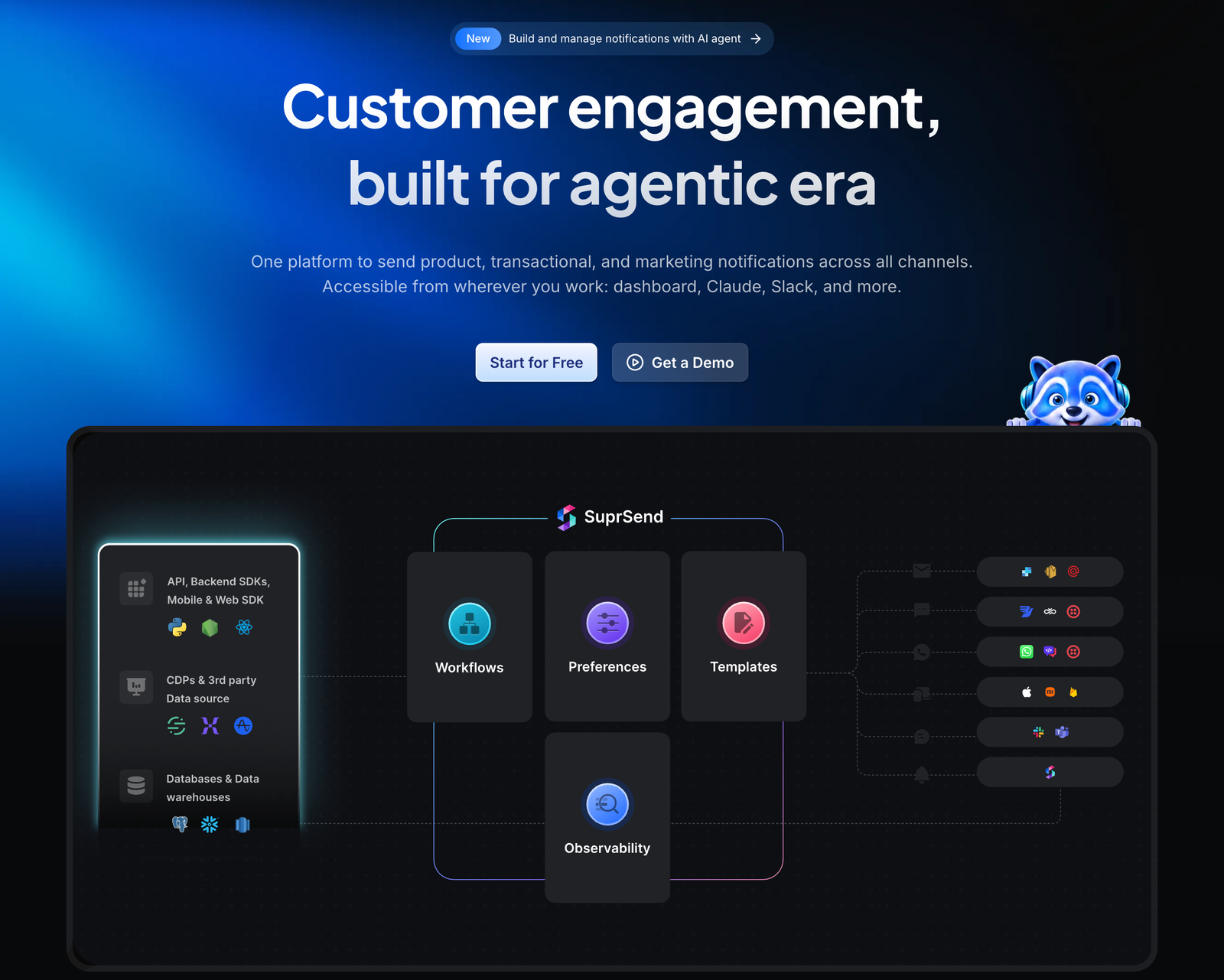
SuprSend is a notification platform built for teams that work with AI agents. It runs product, transactional, and marketing notifications across email, SMS, push, WhatsApp, Slack, Microsoft Teams, and in-app, and sends email through the provider you already use.
MCP implementation details
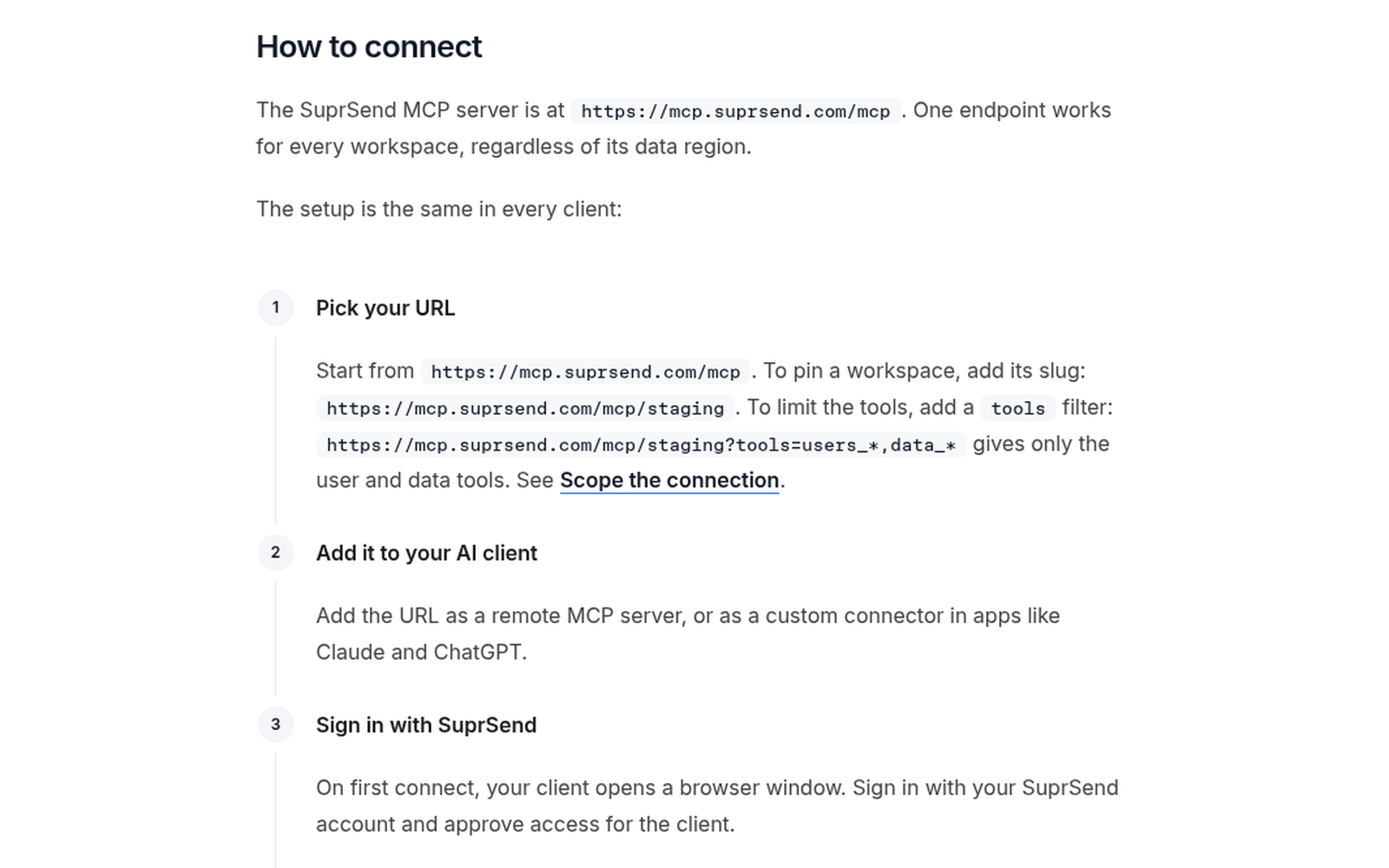
SuprSend’s MCP server is official and hosted, so there’s nothing to install. You add the endpoint to your AI client and sign in with your SuprSend account. There’s no API key or service token to paste into a config file.
In Cursor (~/.cursor/mcp.json):
{
  "mcpServers": {
    "SuprSend": {
      "url": "https://mcp.suprsend.com/mcp",
      "transport": "streamable-http"
    }
  }
}
In Claude:
claude mcp add --transport http suprsend https://mcp.suprsend.com/mcpOn first connect, your client opens a browser window for sign-in. The agent then gets the same permissions as your SuprSend role, so a read-only team member can’t trigger sends from chat. You can also pin a workspace or limit the available tools in the URL, for example to keep the agent on staging.
Client compatibility: Claude Code, the Claude app, ChatGPT, Codex, VS Code with GitHub Copilot, Cursor, Gemini CLI, Devin (formerly Windsurf), Kiro, and any MCP client that supports remote servers.

Key capabilities through MCP
The tools cover the full notification lifecycle:
- Workflows: create, validate, test, and publish multi-channel workflows, with dry runs that send nothing
- Templates: create and edit templates for email, SMS, push, WhatsApp, and in-app, and send test messages
- Users and preferences: create and update users and tenants, and manage their notification preferences
- Lists and broadcasts: build audiences and trigger or schedule broadcasts
- Debugging: find out why a user didn’t get a message, from the workflow step where it stopped to the user’s preferences and vendor routing
- Analytics: ask questions in plain English and get the answer as a chart or table in the chat
Pricing
| Plan | Monthly notifications | Pricing |
| Free | 10,000 | $0 |
| Essentials | 50,000 | from $100/mo |
| Business | 50,000 | from $250/mo |
| Enterprise | Custom | Custom |
SuprSend counts notifications rather than emails: one notification is one message to one user on one channel, so a flow that sends an email and an SMS counts as two. Batching, digests, and user preferences start on the Business plan.
What users say
G2: 4.8/5
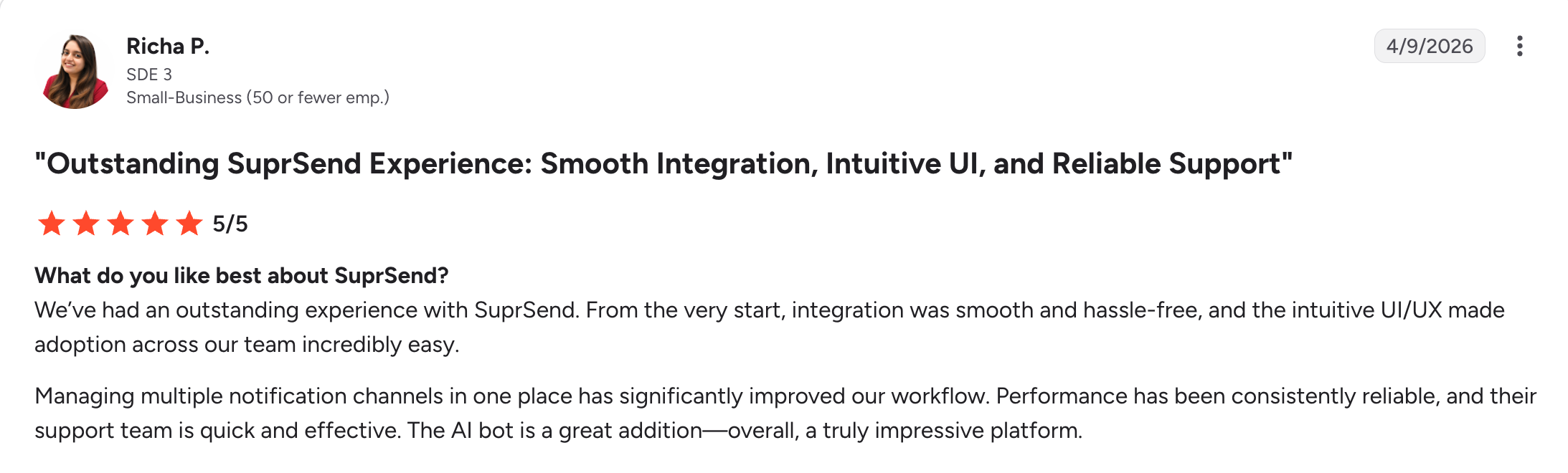
Reviewers most often praise how easily product teams can build notification flows without code, having every channel in one place, and responsive support. On the AI side: “Notifications used to be an engineering ticket. With SuprSend’s AI, our PMs and marketers run them from Claude, ChatGPT, or Slack, wherever they already work.” (CTO, Topmate)

When to choose SuprSend
Choose SuprSend when email is one channel among several and you want to build, run, and debug the whole notification flow from your AI tools instead of a dashboard. It’s the only server in this comparison built around multi-channel notification workflows, with fallbacks between channels: an agent can build a flow that sends an email, falls back to SMS, and posts to the in-app inbox, then chart how it performed.
Postmark MCP server

What Postmark does
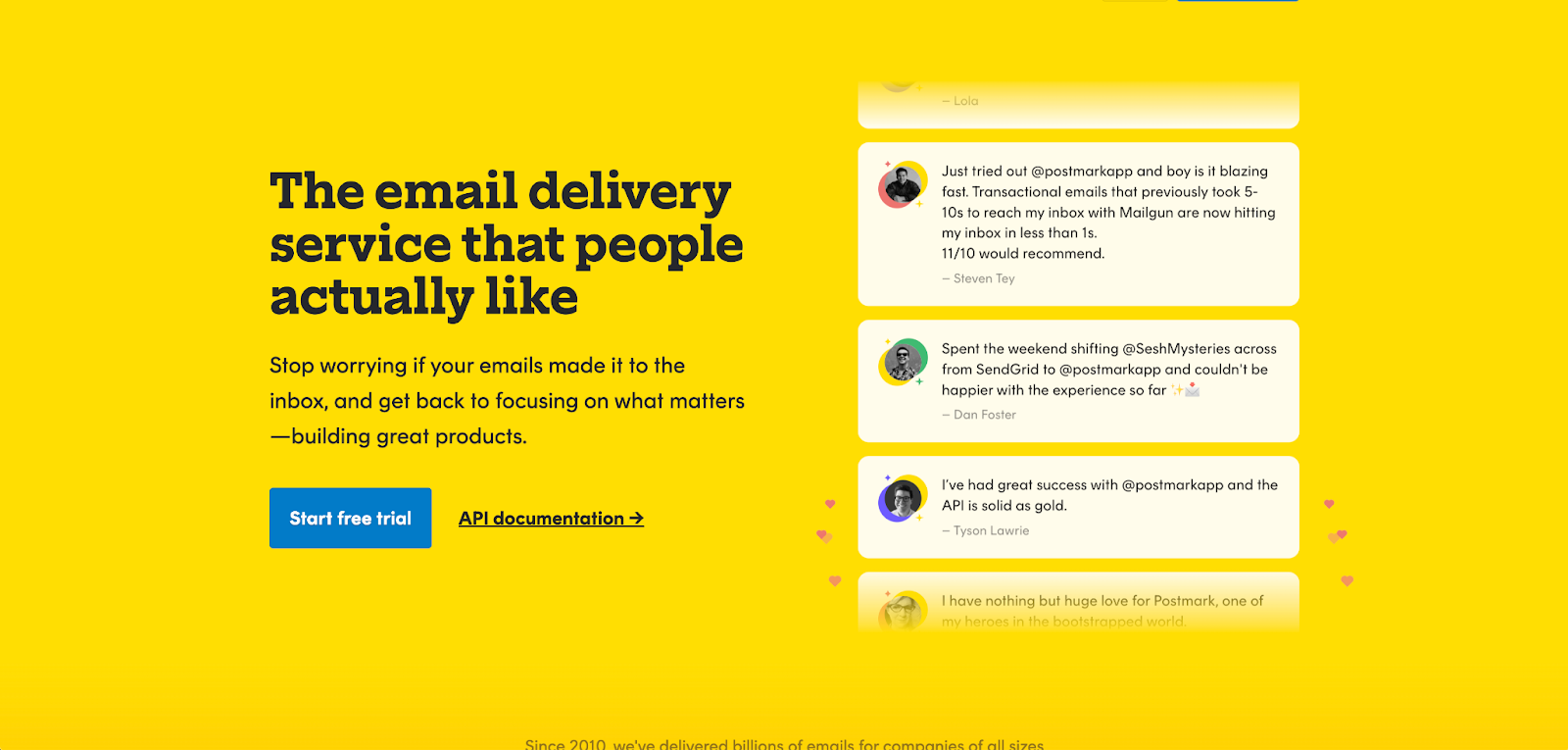
Postmark is a specialist in transactional email reliability (though there’s also a bulk email stream). It has earned a strong deliverability reputation – 98.7% inbox placement in independent testing, sub-second delivery times – and 45-day email history on base plans. Basically, Postmark does one thing well and focuses on it.
The MCP server has the same philosophy. Four tools. The essentials covered. Nothing else. But, to stress, you shouldn’t view this limitation as a shortcoming by any means.
MCP implementation details
Postmark’s MCP server is official, built by Postmark Labs, and labeled “experimental.” It ships with 4 tools – the smallest tool count of any official server in this comparison.
Setup requires git clone; there is no npx option:
git clone https://github.com/ActiveCampaign/postmark-mcp
cd postmark-mcp
npm install
Add the local server path to your AI client config after installation. An Agent Skill file is included, which provides Postmark-specific context to AI assistants.
Security warning: A malicious npm package named postmark-mcp was published to npm and silently added a hidden BCC to every sent email, forwarding copies to an unknown recipient. Do not install Postmark’s MCP from npm under any package name. Install only from the official GitHub repository.
Client compatibility: Claude Desktop, Claude Code, Cursor.
Key capabilities through MCP
The 4 tools:
sendEmail– send a transactional emailsendEmailWithTemplate– send using a saved Postmark templatelistTemplates– retrieve available templatesgetDeliveryStats– pull delivery statistics
That is the complete list. No log browsing, no domain management, no analytics breakdowns by date or category, no sandbox testing. If you need anything beyond the send-and-check loop, you’re back to the Postmark dashboard.
Pricing
| Plan | Monthly email | Pricing |
| Free (Developer) | 100 | $0 |
| Basic | 10,000 | $15/mo |
| Pro (most popular) | 10,000 | $16.50/mo |
| Platform | 10,000 | $18/mo |
Overage rates: $1.80/1,000 on Basic, $1.30/1,000 on Pro, $1.20/1,000 on Platform.
Postmark pricing has been stable for years – no surprise hikes, which developers consistently note as a contrast to recent changes at Mailgun. The free tier (100 emails/month) is effectively a test account; production use starts at $15/month. There’s nothing between 100 free and 10,000 paid, which creates a pricing gap that frustrates developers at small scale.
What users say
G2: 4.6/5 (~31 reviews as “ActiveCampaign Postmark”) | Capterra: 4.7/5 (35 reviews)
Note: Postmark was acquired by ActiveCampaign and G2 now lists it as “ActiveCampaign Postmark,” which has fewer attributed reviews than the legacy listing.
Praise is consistent and specific: inbox placement is the defining theme. Developers report emails that took 5-10 seconds with other providers arriving in under 1 second. 45-day log retention on base plans is longer than most competitors. Pricing stability earns genuine trust.
Complaints: the ActiveCampaign acquisition has generated pushback in recent reviews – G2 reviewers describe a “soulless, uncaring” shift in support quality post-acquisition. The free tier (100/month) is too limited for meaningful development testing. The pricing gap from free to $15/month forces an upgrade for any developer doing more than occasional tests.
When to choose Postmark
Choose Postmark if you’re already running it in production, inbox placement is non-negotiable, and your email MCP server needs are limited to sending, template management, and basic delivery stats. The “experimental” label is accurate – 4 tools and a git-clone setup aren’t production-ready by any broad measure. But for developers already inside the Postmark ecosystem, the Postmark MCP server covers the daily workflow.
SendGrid (Twilio) MCP server

What SendGrid does
SendGrid is the largest email API provider by volume, with deep Twilio ecosystem integration and the widest developer mindshare of any provider in this comparison. Most email tutorials reference it; most developers encounter it at some point. It handles both transactional sending and marketing campaigns.
What it doesn’t have is a functional email MCP server.
MCP implementation details
Twilio publishes an official MCP server. It contains 2 tools. Those 2 tools help AI assistants find Twilio documentation. They cannot send email.
If you need email-sending capability through MCP with SendGrid, community-built servers are your options:
- github.com/Garoth/sendgrid-mcp – Marketing API, contacts, templates, stats (Python/Flask)
- github.com/garethcull/sendgrid-mcp – Stats and HTML template rendering
- github.com/deyikong/sendgrid-mcp – SendGrid API v3 wrapper
Community servers carry the standard caveats: no SLAs, no official support, update cadence depends on individual contributors. Twilio published a blog post titled “Build a SendGrid MCP Server for AI Email Workflows” – it’s a tutorial, not a shipped product.
Client compatibility (Twilio Alpha MCP, docs-only): Standard MCP-compatible clients.
Key capabilities through MCP
With community servers: campaign management, contact list operations, template management, and sending stats.
Without them: documentation discovery only.
Pricing
| Plan | Daily/Montly volume | Pricing |
| Free trial | 100/day (60 days only) | $0, then expires |
| Essentials | 50,000/mo | $19.95/mo |
| Essentials | 100,000/mo | $29.95/mo |
| Pro | 100,000/mo | $89.95/mo |
On May 27, 2025, Twilio discontinued the permanent free tier. New accounts now get a 60-day trial; after that, a paid plan is required. This generated significant discussion in developer communities – “every tutorial recommending SendGrid’s free tier is now outdated” is a phrase that appeared repeatedly across forums, blog posts, and migration guides.
The timing has MCP implications: developers exploring AI-native email workflows were choosing infrastructure during the same period SendGrid removed the zero-cost entry point. Several moved to providers with both a functional email MCP server and a permanent free tier.
What users say
G2: ~4.0/5 (Email API listing) | Capterra: 4.2/5 (751 reviews)
Praise focuses on ecosystem breadth: the sheer volume of tutorials, Stack Overflow answers, and third-party integrations, plus the Twilio consolidation for teams using voice, SMS, and email together.
Complaints cluster around three events: the May 2025 free tier removal, a pattern of account suspensions without clear cause or timely resolution, and support quality declining post-Twilio acquisition. The deliverability story also has a notable incident from this period – Microsoft rejected all SendGrid shared-IP traffic for approximately 36 hours, highlighting the risks of shared IP pools at scale.
When to choose SendGrid
Choose SendGrid if you’re already deeply embedded in the Twilio ecosystem – voice, SMS, and email consolidated on one account – and that integration outweighs the current MCP gap. For developers starting fresh or specifically evaluating email MCP server options, SendGrid’s current story is the weakest of the official providers: no permanent free tier, no functional email-sending MCP, and community servers as the only AI-native path.
Amazon SES MCP server

What Amazon SES does
Amazon SES is the cheapest transactional email infrastructure at scale: $0.10 per 1,000 emails, no monthly minimums, native integration with AWS Lambda, SNS, and CloudWatch. For high-volume senders already in the AWS ecosystem, the unit economics are genuinely hard to beat.
The MCP story is not a complement to that simplicity.
MCP implementation details
AWS published a sample MCP server for SES in the aws-samples GitHub organization. The AWS announcement blog post includes this sentence: “AWS does not recommend employing it for production use.”
The sample is written in Java using the Smithy framework, requires CloudFormation for deployment, and has a GitHub star count of 7 as of May 2026. Setup is the highest friction of any option in this comparison.
Client compatibility: Claude Desktop, Amazon Q Developer, Amazon Q CLI, Cline, Cursor, Windsurf.
Important Note: AWS announced the sunset policy for Amazon Q Developer plugins starting May 15, 2026, with complete end of support in May 15, 2027.
Key capabilities through MCP
The sample covers SES v2 API actions: send emails, check configurations, review deliverability settings. Breadth exists on paper – the documentation references “all SES v2 actions” – but the implementation is not validated for production load or reliability.
Pricing
| Volume | Price |
| Any volume | $0.10/1,000 emails |
| Dedicated IP (Standard) | +$24.95/mo per IP |
| Dedicated IP (Managed) | +$15/mo account fee, then $0.08/1,000 |
New AWS customers receive $200 in AWS Free Tier credits applicable to SES (replacing the previous 3,000 emails/month for 12 months offer, which changed in July 2025).
What users say
G2: 4.3/5 | Capterra: 4.7/5 (123 reviews)
Praise is consistent and specific: the unit cost is genuinely the lowest in the market, AWS SDK integration is clean, and deliverability is reliable once configured correctly.
The dominant complaint is equally specific: getting out of sandbox mode requires submitting a support ticket explaining your sending use case in detail. AWS re:Post has active threads from developers with legitimate use cases who were denied production access. Until approved, you can send only to verified addresses at 200 emails per day – which makes production-level testing nearly impossible. Other recurring complaints: no dashboard (everything is API or console), meaningful support requires a paid AWS support plan, and bounce/complaint rate enforcement that can automatically pause your account without warning.
When to choose Amazon SES
Choose Amazon SES if you’re AWS-native, you’re sending at high volume (the cost math works in your favor above roughly 100,000 emails per month), and your team has the expertise to work around the gaps: the sample MCP, the sandbox approval process, and active IP reputation management. For teams without AWS operational expertise, those friction points outweigh the cost savings.
MCP servers – Developer experience comparison
| Provider | Time to first email | SDK languages | MCP setup | AI onboarding |
| Mailtrap | ~5 min | Node.js, Python, PHP, Ruby, Symfony, Java, Laravel | npx + one-click | Skills file + dedicated AI docs |
| AgentMail | ~5 min | Node.js, Python | npx + one-click | Skills file + framework connectors |
| Mailgun | ~10 min | Node.js, Python, PHP, Ruby, Java, C# | npx | Smithery |
| Brevo | ~10 min | Node.js, Python, PHP, Ruby | Remote endpoint | Smithery |
| SuprSend | ~1 min | Node.js, Python, Java, Go | Hosted URL + OAuth | Skills file + llms.txt |
| Postmark | ~5 min | Node.js, Python, PHP, Ruby, Go, Java, .NET | Git clone | Skills file |
| SendGrid | ~10 min | Node.js, Python, PHP, Ruby, Go, Java, C# | Community only | None |
| Amazon SES | ~30 min | Node.js, Python, PHP, Ruby, Go, Java | Java JAR | None |
For a deeper comparison of email API design patterns and when SMTP vs. API is the right choice, see our email API flexibility guide.
Email MCP providers security and compliance
Decision map for security requirements:
- Choose Mailtrap for SOC 2 Type II, ISO 27001:2022, and GDPR compliance – full certification details at trust.mailtrap.io
- Choose AgentMail for SOC 2 coverage on the Startup plan and above, plus Pods for isolating multi-tenant inboxes and domains
- Choose Mailgun for SOC 2 Type II coverage under Sinch’s enterprise security program
- Choose SendGrid for SOC 2 Type II and ISO 27001 under Twilio’s enterprise compliance umbrella
- Choose Brevo for GDPR-native design with EU data residency and ISO 27001 certification
- Choose SuprSend for SOC 2 Type II, GDPR, and HIPAA with a BAA on Enterprise, plus self-hosting or BYOC.
- Choose Amazon SES for the strongest compliance portfolio of the six: SOC 1/2/3, ISO 27001, FedRAMP, and HIPAA-eligible – if federal or healthcare compliance is a requirement, SES is the practical choice
- Choose Postmark for SOC 2 Type II under ActiveCampaign’s compliance framework
How we evaluated email MCP servers
No independent benchmarks for email MCP servers exist yet. The ecosystem is too new for standardized testing. We built a proxy evaluation framework using five verifiable criteria – all based on publicly documented, checkable information as of May 2026.
| Criterion | Weight | What we measured |
| Official status | 25% | Official stable vs. experimental vs. community-built vs. sample |
| Tool breadth | 25% | Number of tools and API surface covered |
| Setup friction | 20% | npx + one-click vs. git clone vs. Java JAR |
| Email lifecycle coverage | 20% | Send, test, templates, logs, analytics, domains |
| AI ecosystem readiness | 10% | Client compatibility, Skills files, dedicated AI documentation |
Raw scores per criterion (1-10 scale):
| Provider | Status | Breadth | Setup | Coverage | Ecosystem | Total |
| Mailtrap | 10 | 8 | 10 | 10 | 10 | 9.5 |
| AgentMail | 10 | 8 | 10 | 9 | 9 | 9.2 |
| Mailgun | 9 | 10 | 9 | 8 | 7 | 8.9 |
| Brevo | 8 | 9 | 7 | 9 | 7 | 8.2 |
| SuprSend | 7 | 8 | 9 | 6 | 7 | 8.2 |
| Postmark | 6 | 4 | 4 | 6 | 7 | 5.2 |
| SendGrid | 3 | 2 | 6 | 3 | 7 | 3.8 |
| Amazon SES | 2 | 4 | 2 | 3 | 4 | 2.9 |
As a reminder – the scores reflect documented, verifiable state as of May 2026 – GitHub repositories, official release notes, and provider documentation. MCP server status changes fast; check repositories directly for current tool counts before choosing.
Which email MCP server should you use?
Five providers have production-grade MCP stories right now. Three don’t.
Production ready: Mailtrap, AgentMail, Mailgun, Brevo and SuprSend all ship officially maintained servers. Mailtrap covers the full email workflow, which no other server offers. AgentMail is the only one built around the full inbox lifecycle – send, receive, and thread replies through the same server. Mailgun wins on API surface (50+ tools) and inbound routing depth. Brevo extends beyond email into SMS and CRM for teams with multi-channel agent workflows. SuprSend covers multi-channel notification workflows that teams build and debug from their AI tools.
Not there yet: Postmark’s experimental server handles the basics if you’re an existing Postmark customer – 4 tools, git-clone setup, does what it says. But “experimental” is the honest label. SendGrid’s official MCP cannot send email; community servers fill the gap with no support guarantees. Amazon SES ships a Java sample that AWS itself recommends against using in production.
The structured pick list for today:
| If your priority is… | Choose |
| Production-ready MCP + sandbox testing | Mailtrap |
| Send + receive inbox lifecycle in one MCP | AgentMail |
| Maximum API surface and routing depth | Mailgun |
| Email + SMS + CRM in one server | Brevo |
| Multi-channel notifications managed with MCP | SuprSend |
| Best inbox placement, basic MCP coverage | Postmark |
| Twilio ecosystem consolidation | SendGrid |
| Maximum cost efficiency, AWS-native | Amazon SES |
The email MCP server landscape will look different in 12 months. SendGrid and Amazon SES will almost certainly ship real implementations once adoption curves justify the investment. For developers choosing infrastructure today, the gap between the top three and the bottom three is significant – and worth factoring into any infrastructure decision with a multi-year horizon.
FAQs
What is an email MCP server?
An email MCP server is a Model Context Protocol integration that connects an AI coding tool – Claude Code, Cursor, GitHub Copilot – to an email provider’s API. Instead of writing API calls manually or opening a dashboard, you describe what you need in plain language and the AI uses the MCP server’s tools to execute it: sending emails, checking logs, managing templates, or testing delivery behavior. The MCP server doesn’t replace the provider’s API; it’s an AI-accessible layer on top of it.
Do I need an email MCP server or just the regular API?
If you’re writing code that sends emails in a traditional application, the regular API is the right tool. Email MCP servers are useful when you want to interact with your email infrastructure through an AI assistant during development, debugging, or testing – without breaking out of your IDE workflow. Think of it as the difference between writing a curl command yourself versus asking your AI assistant to check whether that last email actually delivered.
Which email MCP server works with Claude Code and Cursor?
Mailtrap, AgentMail, Mailgun, Brevo, SuprSend and Postmark all have official MCP servers that work with both Claude Code and Cursor. Mailtrap additionally provides one-click install buttons for Cursor and VS Code from its GitHub repository. For Claude Desktop, Mailtrap provides a .mcpb bundle. Brevo’s remote-hosted server works with Cursor, Windsurf, VS Code, and Perplexity in addition to Claude Desktop. SuprSend’s hosted server also connects to ChatGPT and Codex.
Can I use the Mailtrap MCP server for free?
Yes. Mailtrap has a free tier for both email sending (4,000 emails/month) and Email Sandbox testing (50 tests/month). The MCP server itself is free to install and use; you pay only for the underlying Mailtrap service, which has permanent free tiers for both products.
Is Amazon SES good for AI agents?
Not with the current tooling. Amazon SES has strong underlying infrastructure and the lowest unit cost of any provider in this comparison, but its MCP implementation is an unsupported sample that AWS explicitly recommends against for production use. For AI-native workflows where reliability matters, use a provider with an officially maintained MCP server first. Move to SES if volume economics require it later and you’re prepared to build the MCP tooling yourself.
What’s the difference between an official and community MCP server?
An official email MCP server is built and maintained by the email provider – they own the repository, respond to issues, and ship updates when their API changes. A community server is built by an independent developer; it may work well today but has no guaranteed maintenance when the provider’s API changes. For production workflows, official email MCP servers are significantly lower risk. The Postmark malicious npm incident is a reminder that community-adjacent MCP packages also carry supply chain risks worth auditing before installation.
Which email MCP server supports sending and receiving email in the same workflow?
If the workflow is genuinely two-way, meaning the agent sends, then receives and acts on the reply inside the same loop, AgentMail’s MCP is built for it. Its tools cover the full inbox lifecycle: create an inbox, send from it, list and search received messages, pull thread history, and draft replies for human review, all as MCP calls rather than something you script around the server.
Several of the other MCP servers here center on sending, which is the right shape when outbound is the job. AgentMail’s bet is that agents increasingly need to hold a conversation instead of firing a message and forgetting it, so receiving and threading are first-class tools rather than an afterthought.
Can an AI agent set up an email MCP server without a human account signup?
Installing the MCP server is quick, but it still needs credentials from an account a human usually creates. The one place that changes is billing. AgentMail supports x402, the open payment protocol Coinbase introduced (now under Linux Foundation governance), so an agent can pay for requests from a funded wallet without a person entering payment details.
It automates the paying, not the whole account-creation and onboarding flow; the “agent signs itself up end to end” version doesn’t really exist yet at any provider. What you get with AgentMail is an agent that can cover its own usage once it’s wired in, which is the step that otherwise stalls a self-directed workflow.
For everyone else here, a person signs up, generates the API key, and hands it to the agent before the MCP can do anything.
Which email MCP handles multi-tenant agent deployments?
AgentMail, through Pods. Because you can provision them over the MCP, a tenant’s isolated inboxes and domains get created as part of the agent’s own workflow rather than by hand in a dashboard. For a platform giving each of its customers an agent, that’s one API primitive instead of a pile of per-customer accounts. SuprSend also models tenants for B2B products. Through its MCP, an agent can create or update a tenant and set its default notification preferences.
None of the remaining MCP servers here expose a comparable multi-tenant object. You can approximate it with separate SendGrid subusers, Mailtrap’s independent sending streams, or Postmark Servers, but you assemble and route it yourself; there’s no single “spin up an isolated tenant” call.